


Peplink has not had a great antenna lineup for the last few years. Their older antennas, specifically for cellular, weren't really compelling, and none were fully marine friendly. The good news is that both Peplink and Poynting have new antennas for the marine world that look very attractive.
My go-to antenna vendor has been Poynting for about 3 years, and their OMNI series of antennas are well built, marine ready, and perform extremely well. You can see reviews on the OMNI-400 and 402 below, which are specifically for cellular, as well as the OMNI-496, which is designed for WiFi.
 Steve Mitchell
 Steve Mitchell
While Poynting antennas have been great, their performance in the lower bands has been less than ideal.
Testing Background
I have talked about how I test in the past, but at the high level here are some of the main bullet points with my approach:
- Real world - I try to use the antennas in as many real-world scenarios as possible which includes in marinas, at anchor, and varying signal levels. I also don't just test them, I use them all day long for work, relaxation, etc.
- Duration - testing for a week doesn't do it for me. I want to see these things work for a month or two and get a true feel for their performance in as many conditions as possible.
- Comparison - when testing, I usually have at least 2 other antennas that I test against that are known quantities. This allows me to compare performance across multiple types of antennas. I also use all three major US carriers and cycle through the antennas, sometimes testing them simultaneously on the same carrier with differing antennas, to get as close to identical conditions as possible.
- Equipment - I try to use a mix of old and new routers to see how things perform.
Performance Defined
I have a very specific, marine-focused definition of what I consider to be a good marine antenna. This is an area that I get a lot of questions about and it is important to understand.
Without jumping into a deep discussion about antenna performance, elements, and many other things, the bottom line is that most of the mobile routers and marine antennas are tuned and designed to perform well all the time whether that be in a metro area or in the middle of nowhere.
Think of them like all-weather tires. They will work in the summer well, deal with water and hydroplaning, and have decent performance in the snow. They won’t perform like racing slicks on hot pavement, nor will they let you go jump into 2’ snowdrifts.
When I talk about the performance of marine antennas, I’m specifically focused on always being connected with good connectivity and decent bandwidth all of the time.
Peplink Mobility Antennas
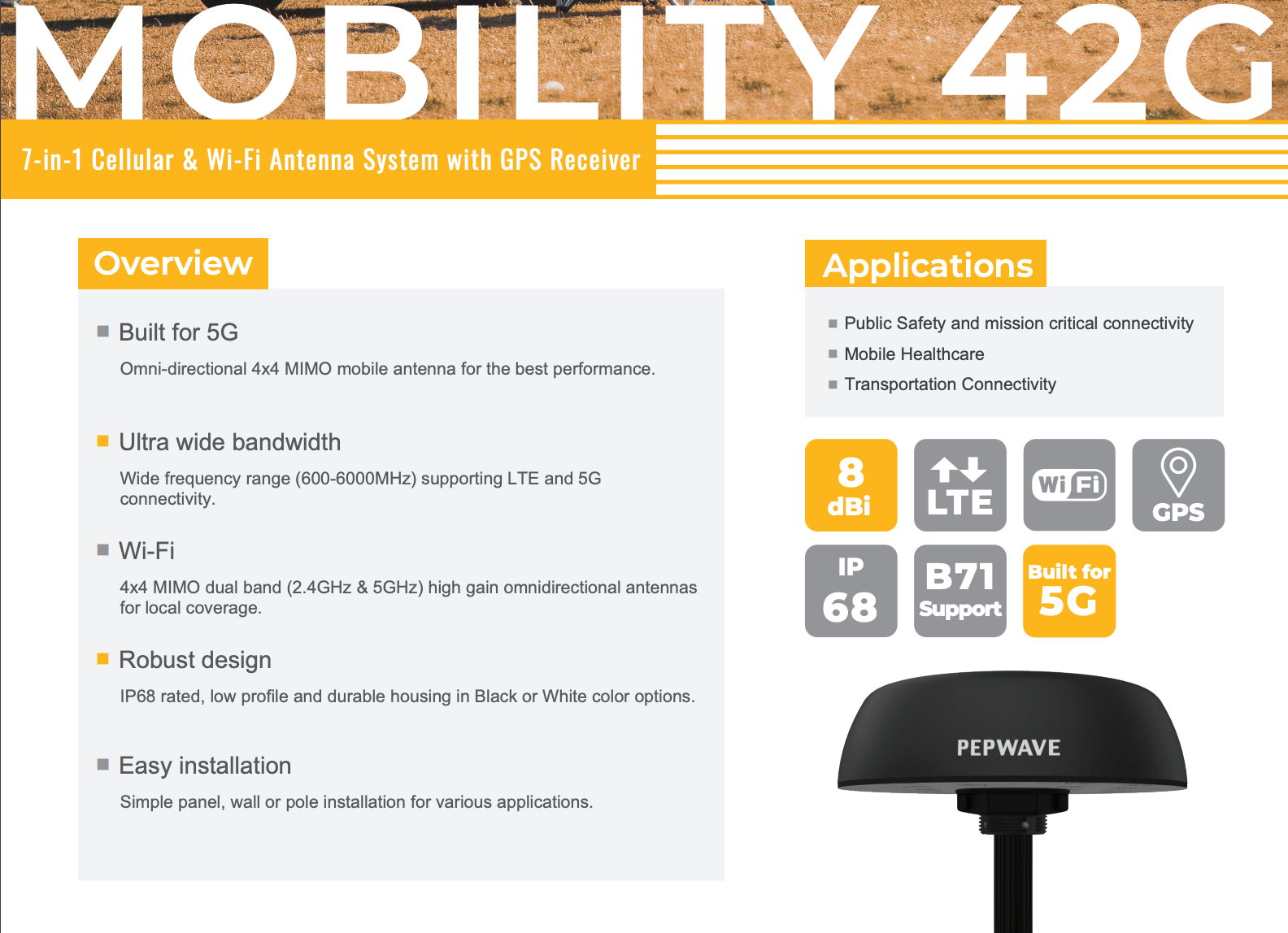
Peplink rolled out a series of "puck" style antennas earlier this year which I wasn't really that enthused about. My experience with these types of antennas on the water has been mediocre at best, and terrible most of the time. Shoving 2-4 different antenna elements in something the size of a coffee cup doesn't bode well for picking up cellular signals in remote locations.
In addition, puck-style antennas are very flat, so if you are rotating or moving side to side at anchor or underway, an entire "side" of the antenna is pointing directly at the water, and pretty useless.
The Peplink Mobility line (was originally the Puma line, but there was some sort of copyright issue) provides a number of different combinations of cellular, WiFi and GPS elements inside of them. I chose to test two of them, and have had them under test for 6+ months with a lot of data:
They also have several other models with 2x cellular and various combinations of WiFi and GPS, but I did not test those. I suspect they would perform similarly. The 40G is roughly similar to other puck antennas in terms of size, while the 42G is quite a bit larger, and I think as a result helps its performance.
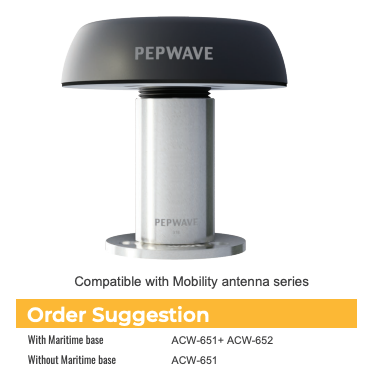
These antennas were originally targeted at cars, trucks, RVs and the likes, but Peplink has since come out with a marine mount setup that allows them to be mounted on a standard 1-1/4" threaded marine mount. It's not inexpensive, but it does the job.
Unfortunately, just like most antennas out there, to mount it on a marine mount can be challenging. Because the cables are attached, you'll have to either twist the cables backwards when screwing it on the mount, or do something else creative. While I appreciate the option to use this in a marine mount setup, it is not designed thoughtfully for installation.
Peplink Mobility 40G
I've tested the 40G for almost a year, as it was out earlier in the process. It's a good antenna, but even on paper it is lower performing than the 42G.
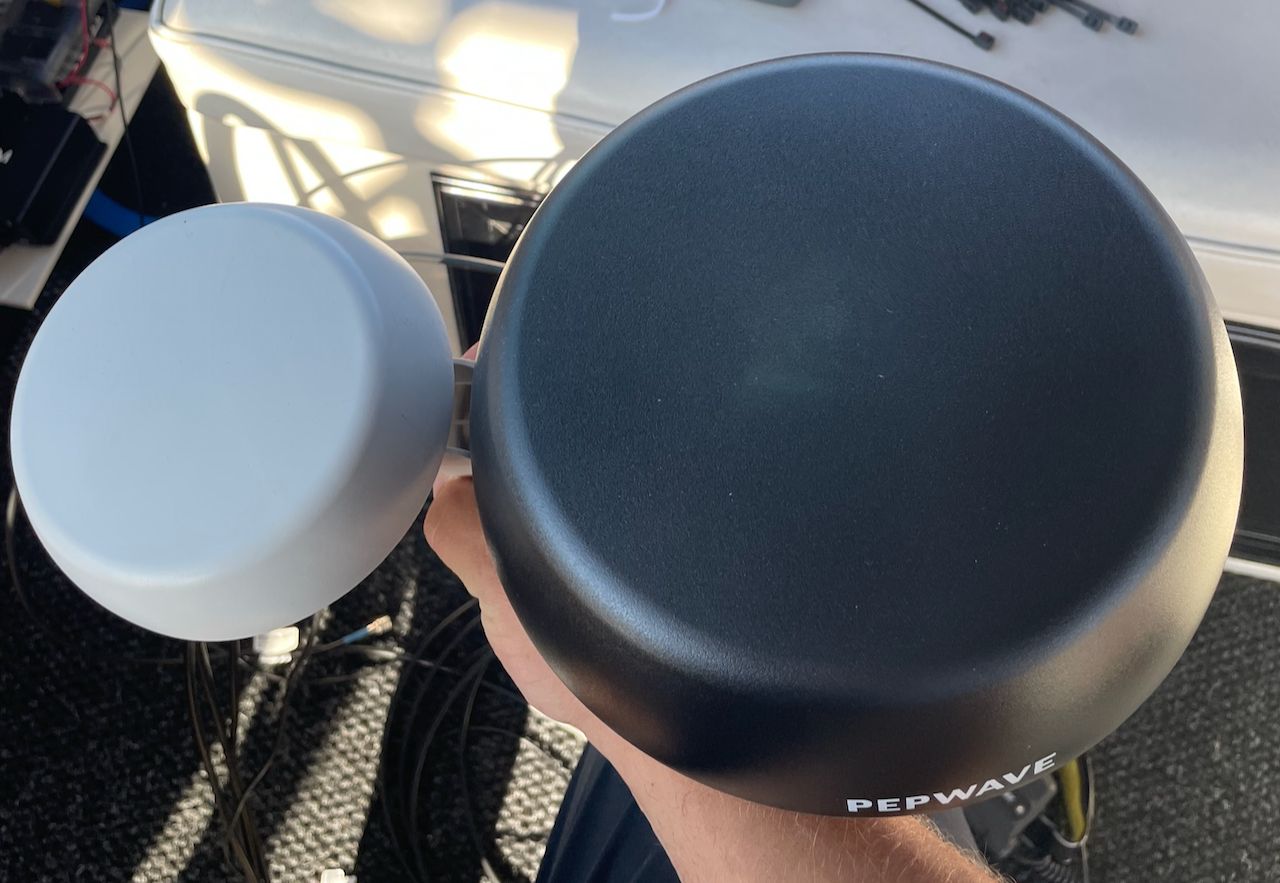
The 40G is smaller than the 42G at a bit over 5" in diameter, while the 42G is over 8" in diameter. In testing, it was an OK antenna, and definitely better than many other puck-style antennas. I wouldn't recommend it because of the middle of the ground performance compared to the 42G, and challenges with the marine mounts.
Peplink Mobility 42G
The 42G is probably the biggest surprise I've had in a long while in terms of testing antennas. While it is bigger than an average puck, I expected moderate performance out of it. I ended up getting as good as 2x Poynting OMNI-402s in many cases, and far better performance in the lower frequencies, as expected.
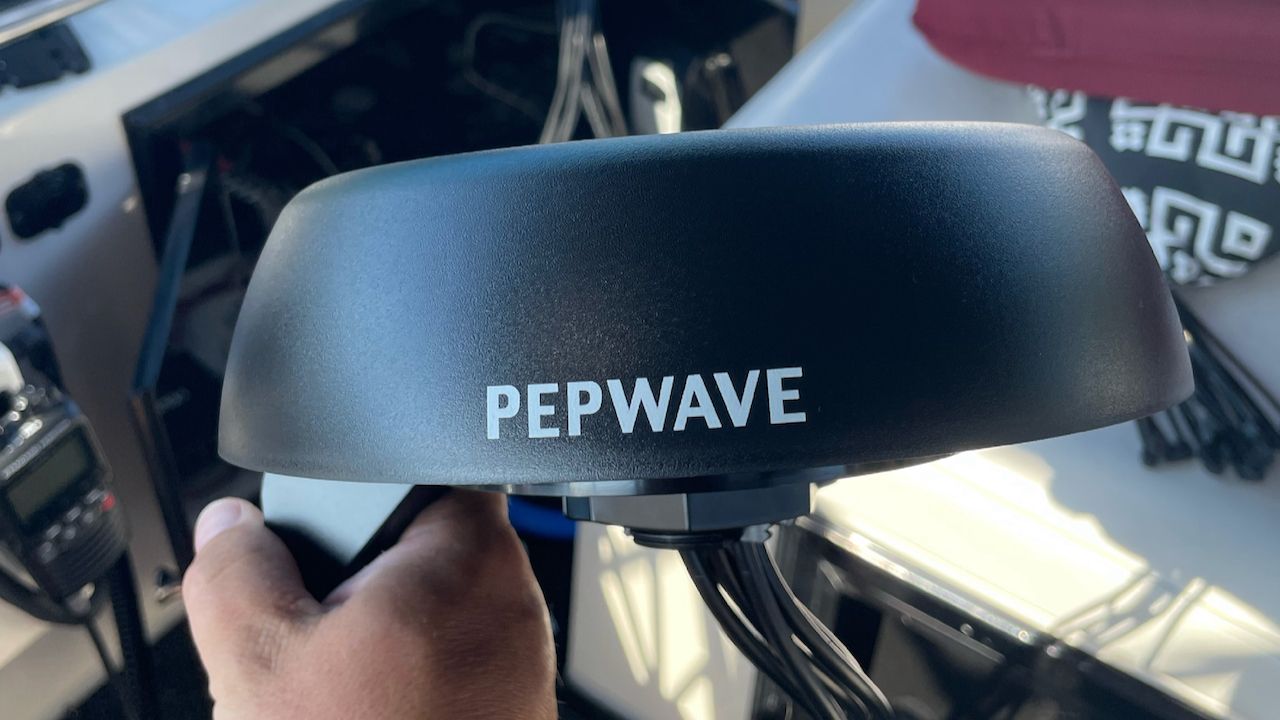
This antenna has held its own against a pair of my favorite Poynting OMNI-402 antennas. It seems to have similar performance in almost all situations, and far better performance with the lower frequencies, which are relevant for things like Band 71 on T-Mobile.
Where it has problems keeping up with the Poynting OMNI-402 is in very low signal areas, out in the middle of nowhere. The Poynting will do slightly better, while the 42G has a harder time. This is to be expected since the 42G is nowhere near as big as the OMNI-402, and antenna element size matters when you're far away.
The 42G also has 2x WiFi antennas in it, and I've used them both for broadcasting my local WiFi network, but also for grabbing remote WiFi signals from nearby networks. It has done surprisingly well given that there are 7 antennas jammed inside the dome, and has allowed me to stay connected to a WiFi as WAN source. The Poynting OMNI-496s are still a superior antenna for this, but you would need 2x of those, plus cabling, plus space for them. If you mostly use WiFi as WAN or remote WiFi in a marina with a pretty decent signal, the 42G is likely going to be enough for your needs.
In general, the 42G has really impressed me with its performance and ability to maintain a connection even in low signal areas.
If you are space constrained or want a single antenna, the Peplink 42G is an excellent all-around antenna with 4x cellular, 2x WiFi for remote WiFi signals, and a GPS antenna all in one compact setup.
Peplink Maritime Antennas
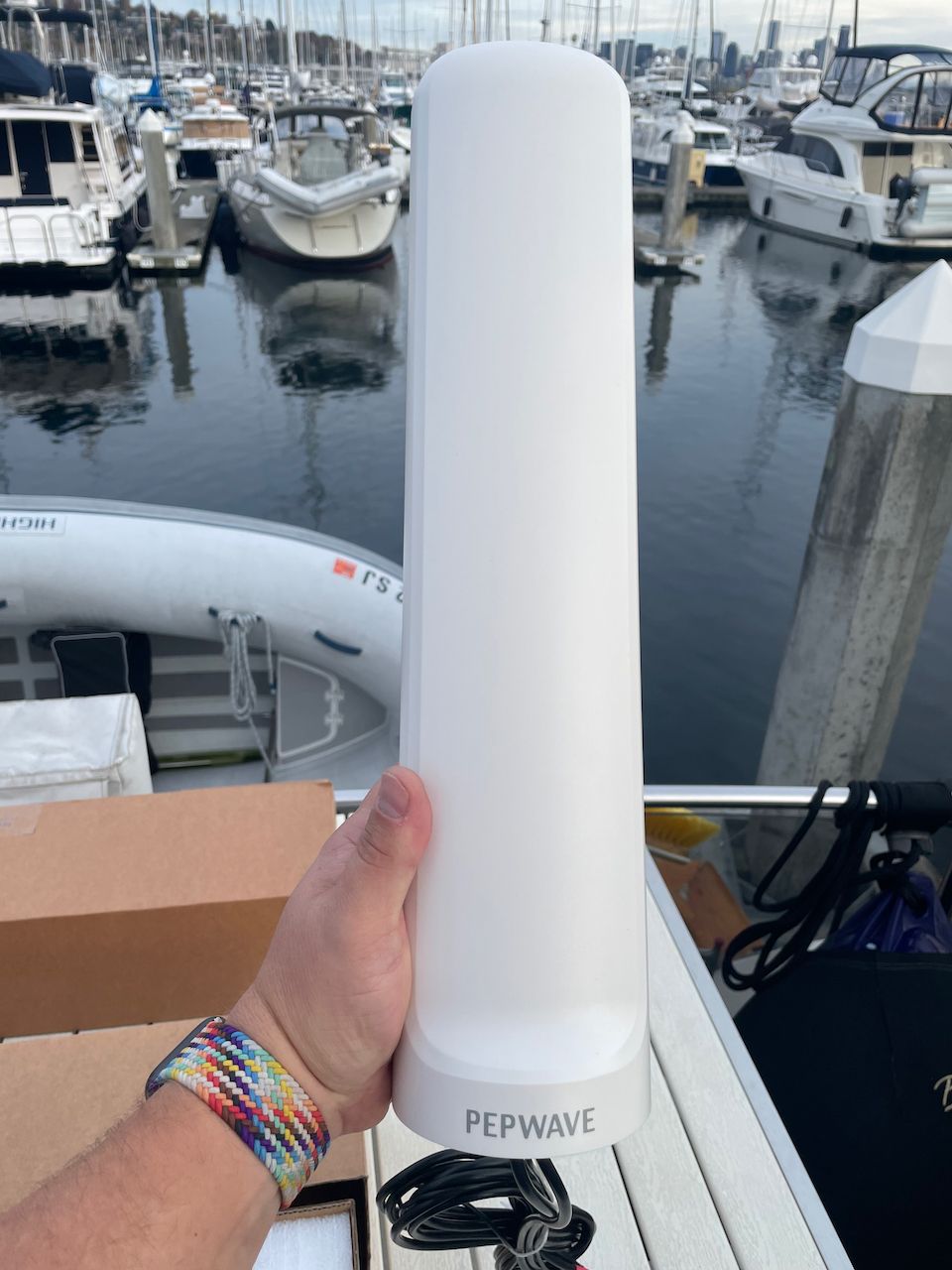
Just a few months ago, Peplink announced a maritime-specific antenna lineup which I was very excited to see. There are two choices:
On paper, both antennas show better performance than the Poynting OMNI series, in particular in the lower bands. Those are particularly interesting to me as T-Mobile's Band 71 utilizes those frequencies and could have a big improvement performance-wise.
These antennas also support WiFi frequencies, so they could be used for outdoor WiFi access points, or for WiFi as WAN with a Peplink router to grab a remote WiFi signal, an alternative to the Poynting OMNI-496.
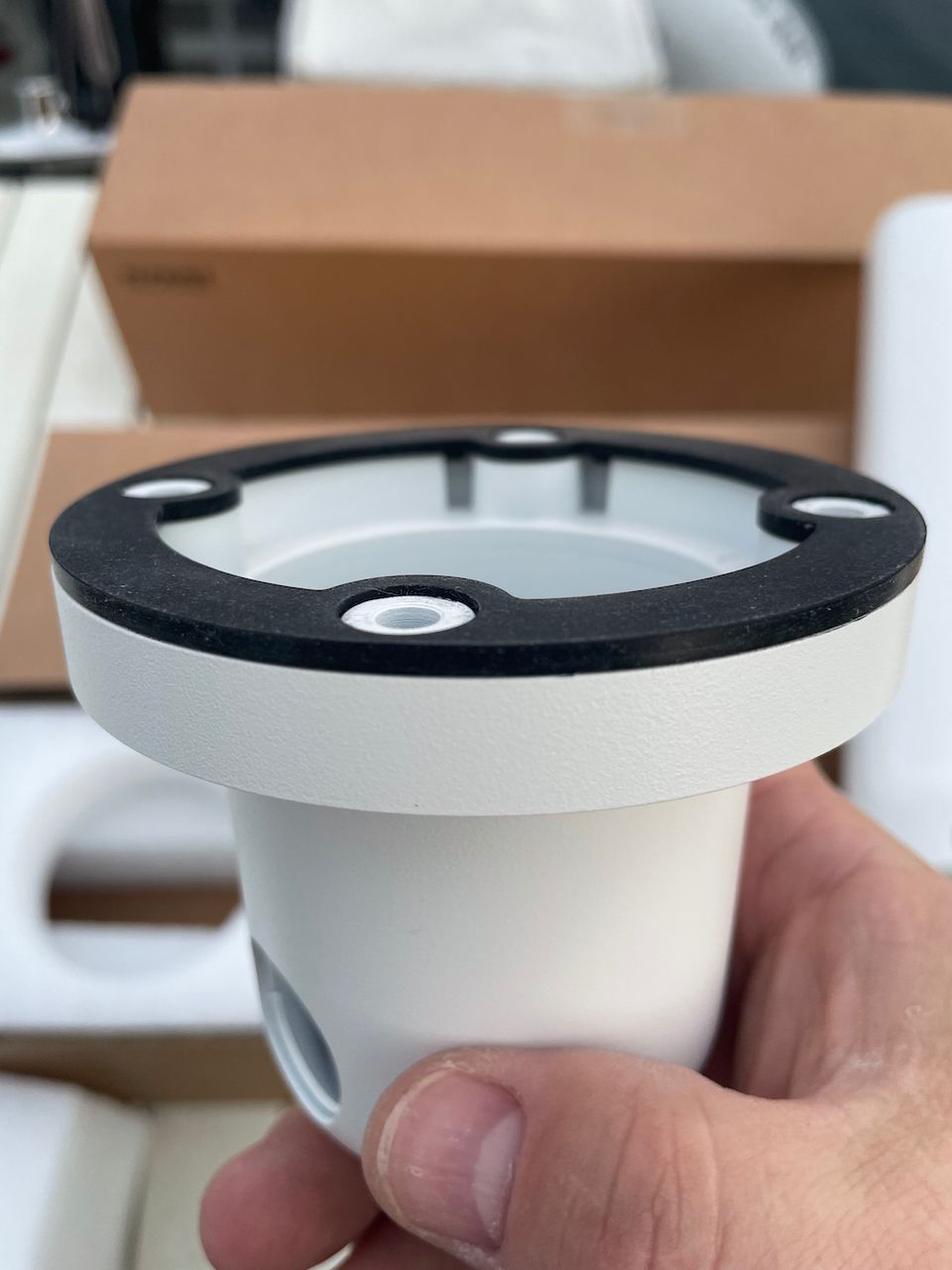
On top of the performance increases, the fact that it was a marine-specific antenna was the biggest feature. Nice height for good sized antenna elements, a marine mount base that can be screwed on independently, multiple cable run options, and other nice features mean that this is a direct competitor to the Poynting OMNI-402 in almost all ways.
The Poynting OMNI-402 is equivalent in functionality to the Peplink Maritime 20G, except that the Peplink has a GPS antenna in it as well. I don't find that super useful, but some folks may.
The Peplink Maritime 40G has no real comparison right now, although Poynting may have something in the works, and it is a 4 element cellular antenna with GPS. Having a single antenna with that many elements in it will be very useful for dual CAT-18 or 5G routers.
I have had the Peplink Maritime 20G antennas for about a month, and will do a much deeper dive article into them in particular, but I can share at least my first months impressions below.
The Peplink 40G is not available yet - hopefully late 2021.
Peplink Maritime 20G
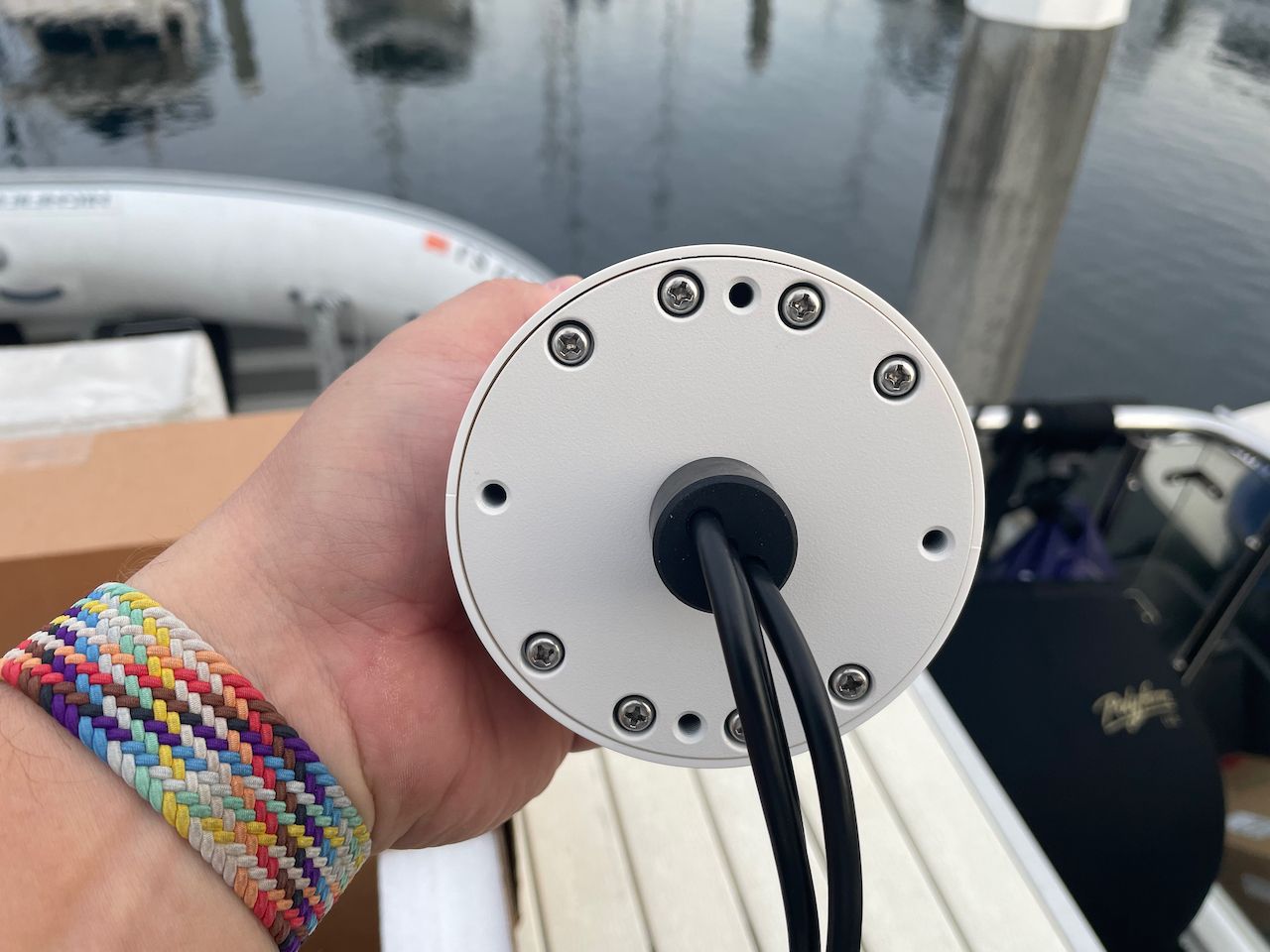
This is a 2x cellular and 1x GPS antenna with the cables built in, similar to the Poynting OMNI-402.
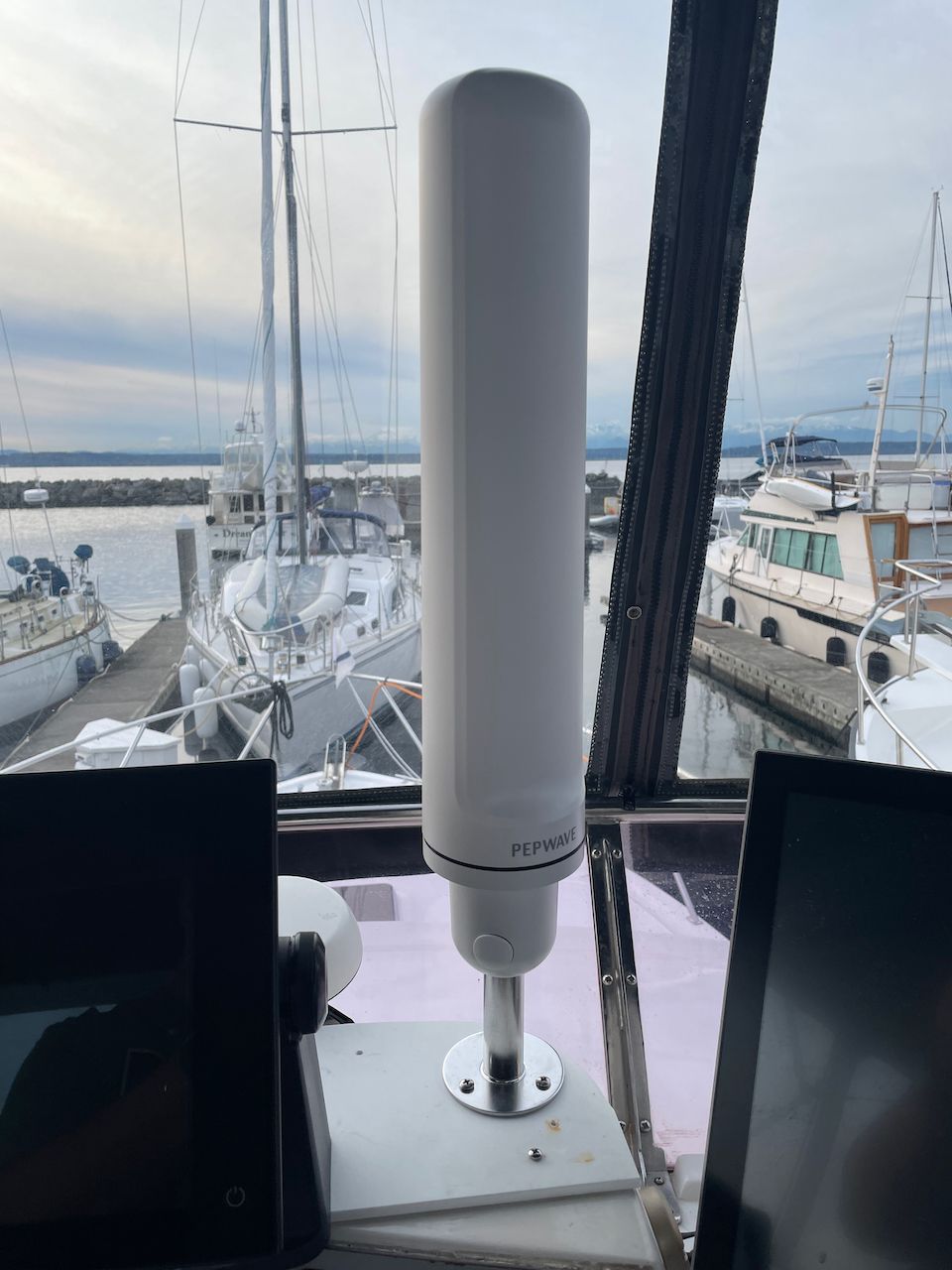
As I mentioned above, one of the best parts of the Peplink Maritime series is the marine mounting setup. No more having to twist cables or do stupid things to get something mounted and setup! I also like the profile and "look" of the Peplink antenna with the flat sides and rounded edges.
If we do a quick comparison of the Peplink Maritime 20G to the Poynting OMNI-402, here are a couple notable items in my mind:
- The Peplink is shorter by about 10" but slightly thicker
- Poynting supports 410-3800Mhz, while Peplink supports 410-6000Mhz
While the Peplink supports more overall frequencies, the higher ones are mostly used for 5Ghz WiFi, so that's not as important for cellular use.
Where it really gets interesting is in the performance across bands, specifically the lower bands.
The Poynting shows a gain of only 1dBi, and in reality it is much lower than that if you examine their test data. I can also say from years of testing that performance in those bands is not great, and can actually be worse than just using factory antennas. The Peplink, on the other hand, shows an overall gain of 3.2dBi in some of the lower bands, and in particular around the 700Mhz range.
Overall I have been extremely impressed with the Peplink Maritime 20G antenna for its all-around performance, but specifically with lower bands. This has helped a lot with both AT&T and especially T-Mobile when using Band 71, which is in that lower band range. I had rarely, if ever, seen 700Mhz connections to AT&T with any other antenna, but with the 20G, I see it regularly now.
If you are trying to choose a marine grade antenna, and have modems that need 2x2 MIMO connectivity, I would recommend the 20G simply because of its lower band performance, 5G support, and quality marine mountings. It will outperform the Mobility 42G because of its size, and is a better antenna than the Poynting OMNI-402.
Summary
Peplink has come out with two powerful antennas in the Mobility 42G and Maritime 20G. My testing has shown both to be very capable options, with the Maritime 20G being an excellent antenna that rivals my long time favorite Poynting OMNI-402.
However, Poynting has some antennas on the horizon, and Peplink also has the new Peplink Maritime 40G (4x4 MIMO) on the way, so if you can wait a month or two, there might be even more to choose from!
Archived Community Comments
These comments were posted on the SeaBits forum before February 2026. Scroll down to join the current discussion.
Here’s an example of AT&T with the Poynting and Peplink maritime antennas. This is in a notoriously challenging location on the north end of Bainbridge Island in a bay called Port Madison.

With two Poynting OMNI-402s connected to a CAT18 Peplink device, I am getting a single band with OK connectivity. SpeedTest shows about 12Mbps down, and 2Mbps up. You can see it is using one of the lower bands in the 700MHz range, which the Poynting antennas aren’t going to do really well with.

Here is the same device with two Peplink Maritime 20G antennas. I’m connected to three bands instead of one and getting about 75Mbps down and 5Mbps up. You can see LTE Band 12 at 700MHz in the list, and that it is slightly better RSSI than the previous antenna (-68 vs -72) but the real benefit is the fact that I am using carrier aggregation and connected to three bands instead of one.
This is pretty consistent with what I’ve seen from the Peplink Maritime 20G - not necessarily just better performance on the same band, but one or two more bands whenever I connect, versus a single band with the Poynting OMNI-402 in challenging areas.
We are looking at a 25 to 30 mile open oven path for
LTE reception. I am considering the new peplink BR1 5G for a T Mobile system. What antenna would you suggest to optimize the low frequency end reception? Thanks
Either the Peplink Maritime 20G (2 of them) or the Peplink Maritime 40G would be a great antenna to pair with that unit, and it would work well at the lower bands.
Great post Steve! I’m split between the new Peplink 20G and two Poynting 400s. How do these compare? The later had better results than 402 in your previous post. Thanks
I would choose the Peplink Maritime 20G over two Poynting 400s mainly because the 20G supports more frequencies and bands than the 400 and is setup for 5G, whereas the 400 is older and doesn’t have support for 5G stuff directly. Poynting have some new things coming out, and I have a couple that I am testing, but still in early days.
Thanks Steve. I forgot to mention that the router I consider is Pepwave MAX BR1 MK2 LTE Router. 5G sounds to be not that available in the remote areas of Northern BC waters. Also the antenna will be mounted on the top spreader at 10m above the deck with 10m of Poynting Twin HDF-195 cables.
Depending on your budget, I would consider something more than the MAX BR1 MK2. It has less band support than many of the other routers which means it might have difficulty with some of the newer towers and frequencies. While you might not see 5G everywhere, the 5G routers do have support for more bands, like Band 71, which aren’t 5G, but are much better at longer distances, and are popping up in a lot of areas.
I would also re-evaluate your cable lengths and placement. Anything more than about 20 feet of cable is a concern when I design a solution. Beyond that, especially with any connectors or joints, you’re getting close to impacting the overall benefit of an antenna because of loss for the length of the cable and those connectors. If it is going past other wires that could cause interference, that could go up quite a bit.
I never exceed the pre-built 6’ cable length on an antenna, plus one 15’ extension, on any installations. Getting the antenna higher, as on a spreader, won’t matter as much compared to the loss you’ll induce.
Good point on the cable length. I’ll switch to 5M (15ft) extension and mount it on the lower spreader. That will be 5 meter lower. I wonder how it will affect the range.
Price difference on the MAX BR1 Pro 5G makes it hard to justify more than double the price. Maybe Netgear Nighthawk 5G will do the work.
You get what you pay for. The Netgear Nighthawk 5G is a great hotspot, but it doesn’t have even half the software features that the Peplink does. It also has only two external antenna ports, so you won’t end up being able to leverage 4x4 MIMO similar to what you can do with the BR1 Pro 5G. You’ll have a hotspot that has better band support, but not able to leverage those in remote locations since you can’t use an external antenna with all of them.
The price might seem like a lot, but the BR1 MK2 is a very simple device. Limited band support, older WiFi networking, slower CPU.
I also always ask potential customers to consider how important internet is to them, and how much they spend on other boat devices (MFDs, engines, electrical systems) and compare that to how much they spend (or don’t spend) on internet!
Dear Steve;
I am trying to get better information on the new Peplink 40G-4xcelluar antenna I have just received.
From the preliminary information on this antenna I can come up with, these antennas also “support WiFi frequencies, so they could be used for outdoor WiFi access points, or for WiFi as WAN with a Peplink router to grab a remote WiFi signal, an alternative to the additional Poynting OMNI-496 antenna” I have.
All this could possibly mean the need having to mount the one Peplink 40G covering both Data and WiFi on the radar pole in just one antenna?
What that part of the specification means is that the antenna has been tuned or built to handle both the WiFi frequencies, and the cellular frequencies. The limit is still the number of antenna elements and cables coming in/out of it, which is 4.
If you are going to use it for a CAT-18 or greater modem on a router, that will require 4 connections, which means the antenna will only be used for cellular. You could buy another 40G and use that one for WiFi as WAN, but that is sort of wasteful unless you have 4x4 WiFi connections as well.
What router are you connecting it to?
Hi Steve;
The Pepwave MAX Transit DUO “PrimeCare Edition” Dual CAT-12 LTEA Router.
I have yet to install and have the Peplink 40G, This is to replace the 2 [Poynting OMNI-402 Marine LTE 2x2 MIMO Antennas. I am trying to go for a minimum amount of antennas on my stern pole which will also have radar, ntellian C700 Certus Terminal and GPS.
Also 1 Poynting OMNI 496 for WiFi.
I look forward to your testing on the Peplink 40G. I have good expectations on this to have one vs the 2 OMNI-402’s antennas.
Jim
Hi Steve,
I listened to the recent Peplink maritime seminar. Great! Thanks! I currently have a max BR 1 Mk2 with a poynting 5-1 antenna. I live on Verizon and Sprint currently but have horrible performance unless in “civilization” and using Verizon. Updating to T-mobile as required anyway. Boating on the east coast up and down the length. I’m planning to upgrade to the BR1 Pro 5G and trying to figure my antenna config. I’ve been thinking of at Peplink Maritime 40G for 4x mimo and keeping my Poynting for wifi-WAN. Any reason why this is not a reasonable solution?
Currently my Poynting lives in an empty KVH dome. Thinking of pulling the KVH dome and base to use the existing hole in my pilot house and keeping the Poynting 5-1 nearby using the same penetration for cabling of both. Do we need/should we have a ground plane and what distances should we have between the two antennas? Thoughts on this approach?
Thanks for your insights and your great blog.
Sylvia
Sylvia
Hi @Sylvia_Crain,
The Maritime 40G will definitely be a great antenna to pair with the BR1 Pro 5G for the LTE side. I don’t know which Poynting 5-1 you have, but their WiFi antennas, especially in the all-in-one antennas can perform less than standard antennas in a lot of cases. Depending on where you put your BR1, the factory antennas might work better. I’d test both just to be safe.
You don’t need a ground plane with most antennas, but they may suggest or even require them based on how the antenna is built or where it is being placed. If you haven’t used one and things have worked OK, I wouldn’t worry about adding one.
WiFi frequencies and LTE frequencies don’t really overlap very much at all, so they don’t need to be huge distances apart. However, most manufacturers recommend something between 3’ and 6’. With the Poynting being much smaller, you’ll also have some vertical separation.
Thanks Steve for the response back. I’ve just ordered my new equipment! Can;t wait to have better connections!
Sylvia
Looking for a recommendation on the best value celluar antanae, and associated router. I have a 45ft sail boat that I race offshore. Most of our activity is within a few miles of land, but can be out as far as 5 miles when not going truly offshore. Looking for an antenae that will keep us in contact and able to download weather and other data. Have 5g sim card from ATT.
James C
Westport, CT
Hi James,
I really couldn’t recommend an antenna without knowing more about your router, in particular the brand and model, along with the type of modem in it. Routers have differing modems which require various amounts of antenna connections which could change the type of antenna.
Hi Steve,
I was going to ask you this question directly, but I thought it would be better to ask it in the forum since it relates to this article. And others could see the answer.
You do a great job of evaluating the antennas in this article, but how would you compare the Mobility 42G with the Maritime 20G or 40G? The Mobility 42G mounting challenge would not apply in our situation with easy access to the underside. Actually, the 42G allows for a much easier installation in our situation. The antenna(s) would pair with a Peplink MAX BR2 Pro.
Thanks!
Steve,
You can cancel this question. I now see that your 03/22/22 article addresses this exact question. Specifically:
" Compared to the Peplink Mobility 42G, the 20G and 40G do much better with lower signal areas, which I would expect given the sheer size difference. The 42G has better gain numbers for some frequencies on paper, but the overall size, design, and radiation pattern of the Maritime series will be better for a boat setup because of the constant movement and tendency to be further away from towers."
Thanks for all this information!
Jeff
Glad it was helpful! The big 20/40G antennas will always be better given their size over the 42G when it comes to grabbing a weak signal. However, the 42G is still pretty good, and is a lot easier to mount and deal with given its size. Pros and cons!
I am bringing a Pepwave MAX BR2 Pro cellular router to a sailboat, and that sailboat came with a pair of Pepwave Maritime 20G antennae on its mast, on the spreaders.
I want to know which antennae cables to connect to which ports. I plan to use both 20G antennae on a single cellular modem in 4x4 MIMO mode. (I plan to use the stubby antennas for the other cellular modem.)
I’ve found about a half-dozen documents and 4 or 5 forum posts that discuss related topics, but none answer this specific question. So I’m expanding my search. Anybody here know what the optimal configuration is, or how I can find it?
Thanks!
(Please ignore for this post the long cable runs; that is a separable concern. If I have to, I’ll eventually either move the router closer to the antennae, or I’ll just use stubby antennae for both cellular modems.)
(Sorry if this reply is considered hijacking the thread; if so, I’ll make a new post.)
Related posts and documents:
www.waveform dot com/a/b/guides/hotspots/peplink-max-br1-pro-5g
download.peplink dot com/resources/faq-maritime_antenna_series.pdf
www.waveform dot com/a/b/guides/hotspots/peplink-max-br2-pro-antenna-guide
New info from Peplink:
Each Maritime 20G provides 2×2 MIMO. When both units are connected to the same cellular modem on the MAX BR2 Pro, they can be used together as a 4×4 MIMO antenna setup for that modem.
Connect as follows (example: Cellular Modem 1):
-
Maritime 20G #1
-
LTE/5G lead 1 → Cellular 1A
-
LTE/5G lead 2 → Cellular 1B
-
-
Maritime 20G #2
-
LTE/5G lead 1 → Cellular 1C
-
LTE/5G lead 2 → Cellular 1D
-
Notes:
-
Keep all four leads on the same modem (don’t split across Modem 1 and 2).
-
Connect one GPS lead to the BR2 GPS port; the second GPS lead can be left unused.
Glad you were able to get the answer from Peplink! Sounds like you have a pretty good setup. Hope it works out!
Yep. I tested this configuration, and it seemed to work.
I didn’t test permutations of this to see if any other worked better, but I figured Peplink knows what they’re talking about, and their suggestion worked at least as well as the stubby paddle antennae.
It’s good you tested different connections. I’ve found that the recommended cabling can work most of the time, but boats are fickle in particular with locations and interference.
Length of cables is also a big factor - I usually recommend no longer than 30’ from the router to the antenna including all cabling. And every joint or connector adds additional loss. When you’re only seeing 2-3dB of gain from an antenna, those losses matter.