


The Peplink BR1 series of routers have been around many years and have provided a cost-effective way of adding internet connectivity aboard. They were always very simple and straightforward with minimal ports, and for a long time, only one WiFi band. The MAX BR1 Pro 5G is well beyond those older models and has a number of improvements. I've been using mine for a couple of months, and these are my initial impressions.
General Overview
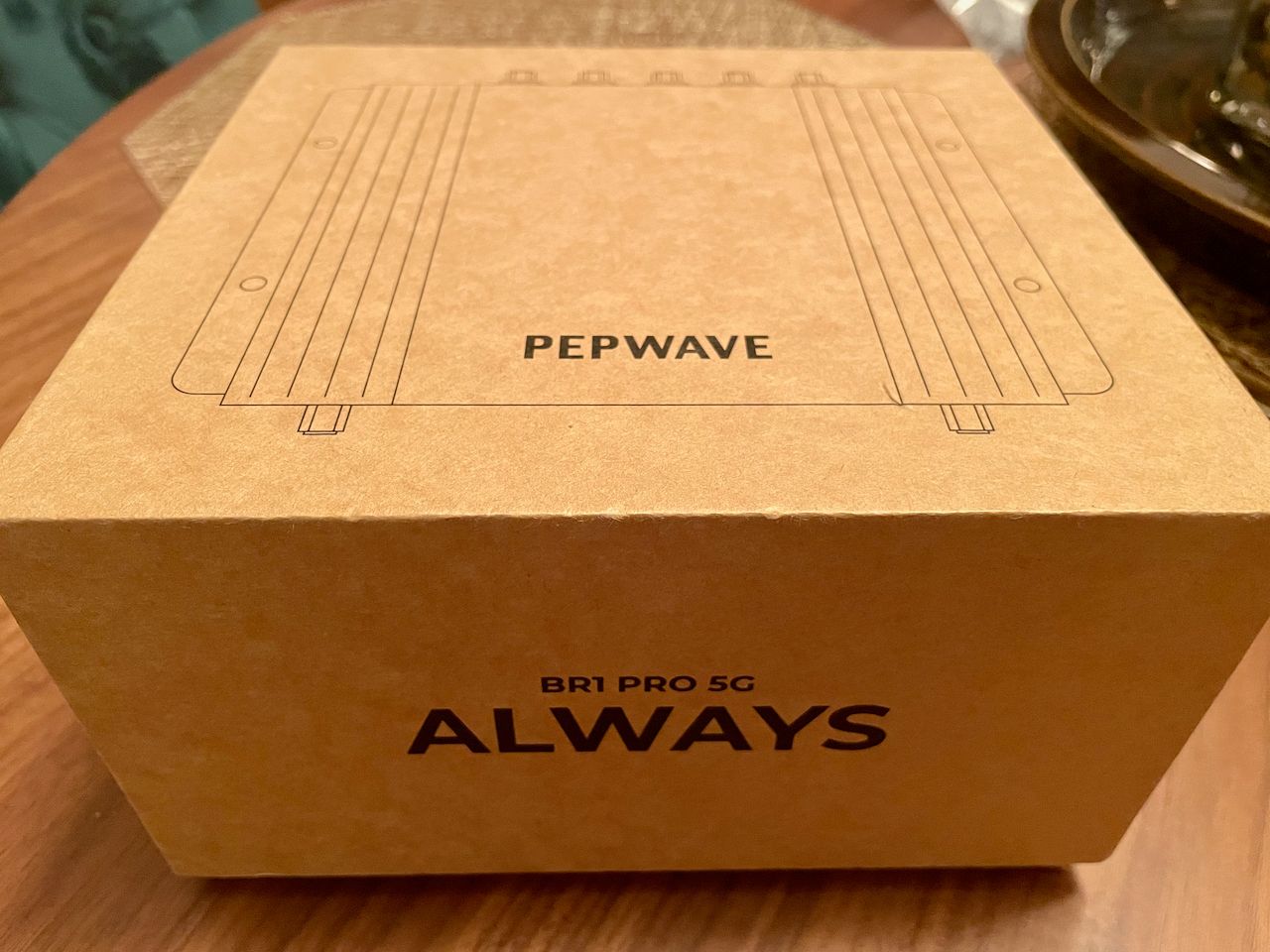
The MAX BR1 Pro 5G is almost nothing like the older versions. It has a new CPU, two LAN ports instead of one, and can operate both 2.4Ghz and 5Ghz WiFi. Not only that, the CPU itself rivals just about anything else in the MAX line and the WiFi radio supports one of the more modern standards - WiFi 6. You can find the datasheet here.
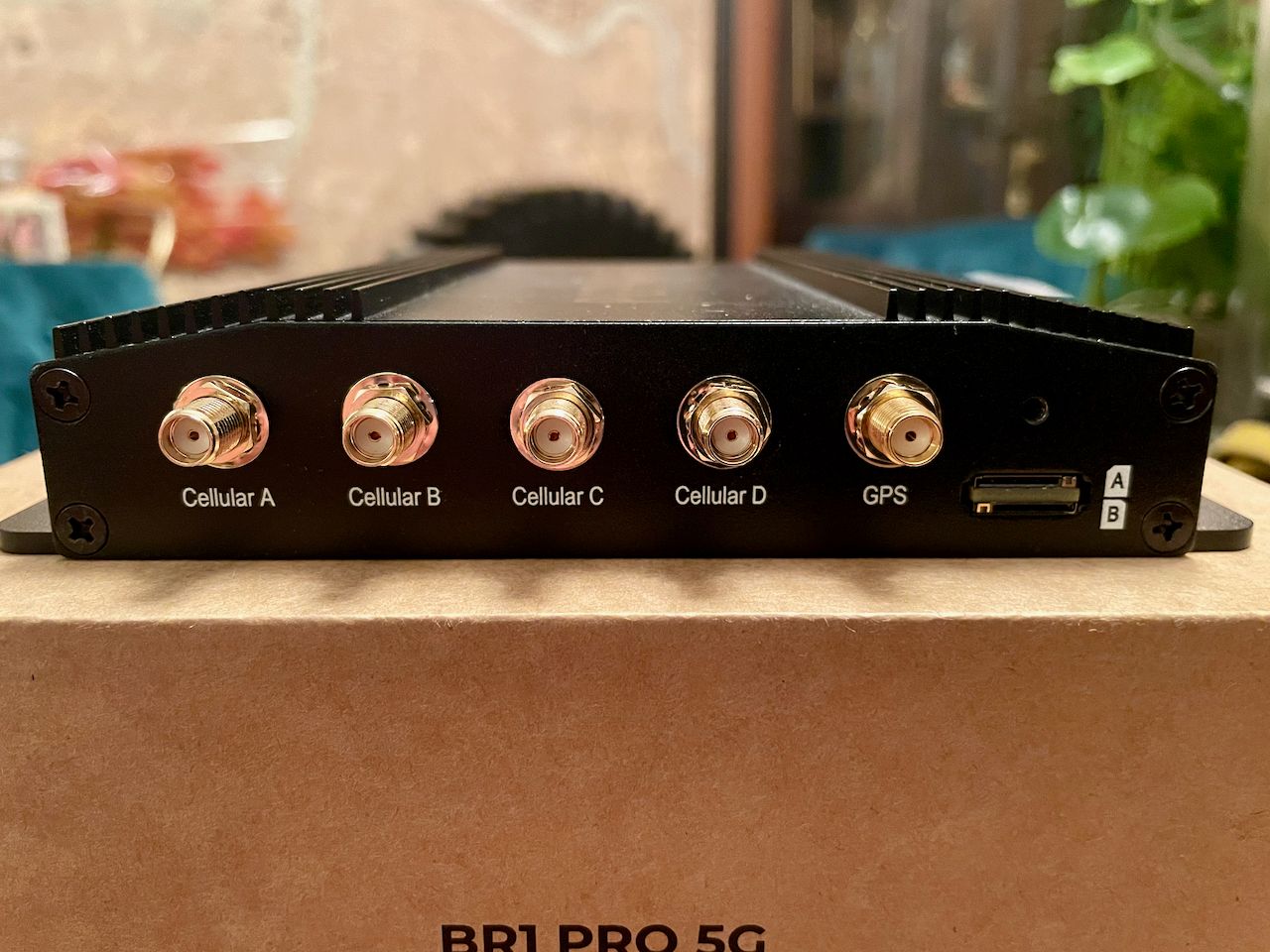
Here are some of the highlights:
- 5G modem with redundant SIM slots - this modem supports both 5G and CAT-20 LTE.
- 10/100/1000/2500M Ethernet WAN port
- 2x 10/100/1000M Ethernet LAN ports
- Simultaneous Dual-Band (2.4GHz / 5GHz) Wi-Fi 6, 2X2 MU-MIMO Wi-Fi, WAN and/or AP
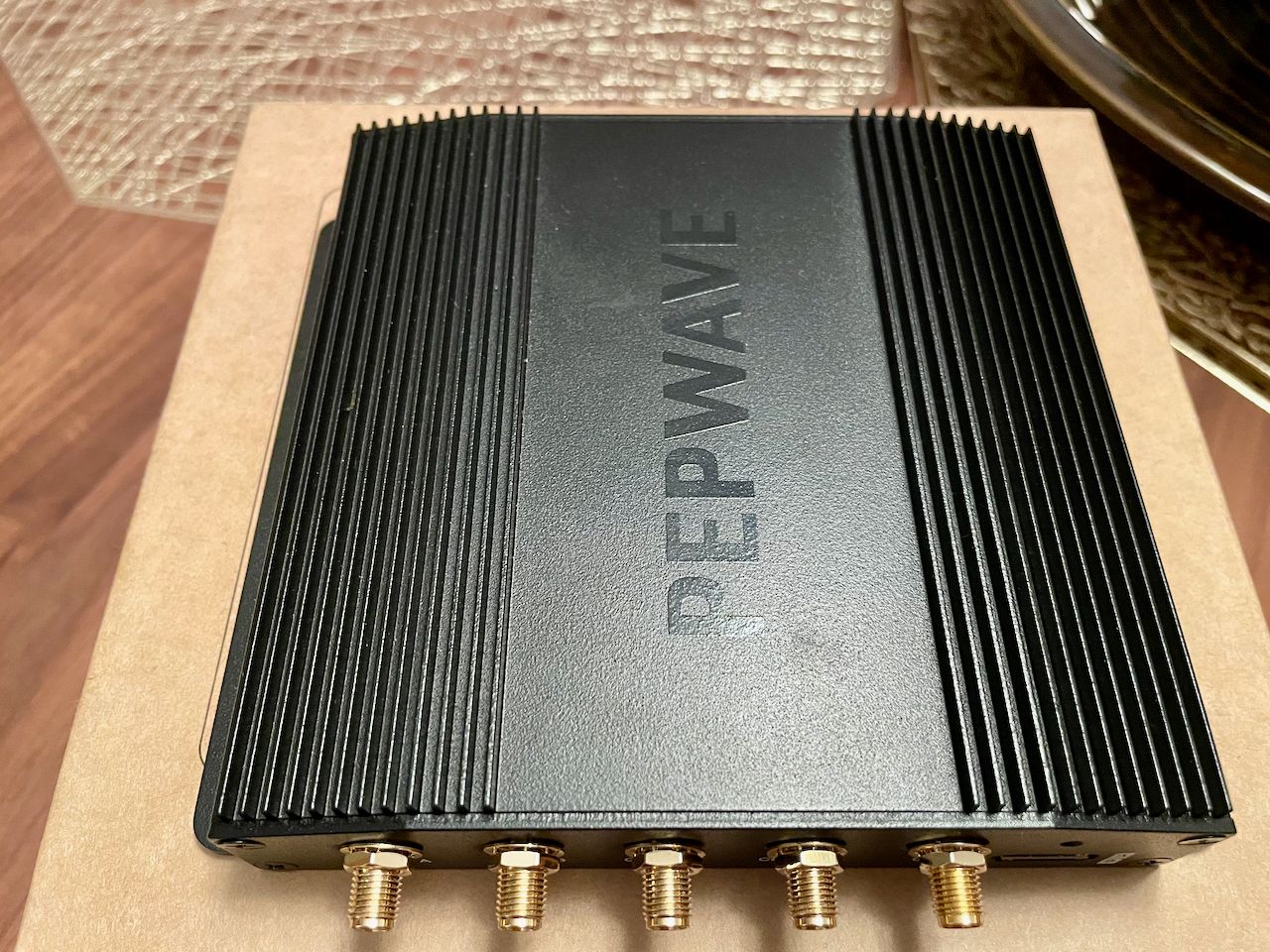
Because it is a CAT-20/5G radio, you'll find that it has 4 cellular antenna ports and a GPS antenna port as well. The unit itself is bigger than the older BR1 and bigger than the MAX Transit series too. It's much wider, and feels about 2x the weight.
The spec sheet claims power consumption from 8W-19W, and I saw somewhere in the middle of that during most of my testing. The MK2 version of the original BR1 has a max power usage of 16W, and I've tested that one for a long time and seen about half that, so the new BR1 Pro 5G definitely uses more power. However, you're getting a much newer radio, more ports, etc. with the newer version. The BR1 series was very popular on sailboats for a long time due to its compact size and low power requirements, so just be aware that it is a bit higher on the power consumption curve.
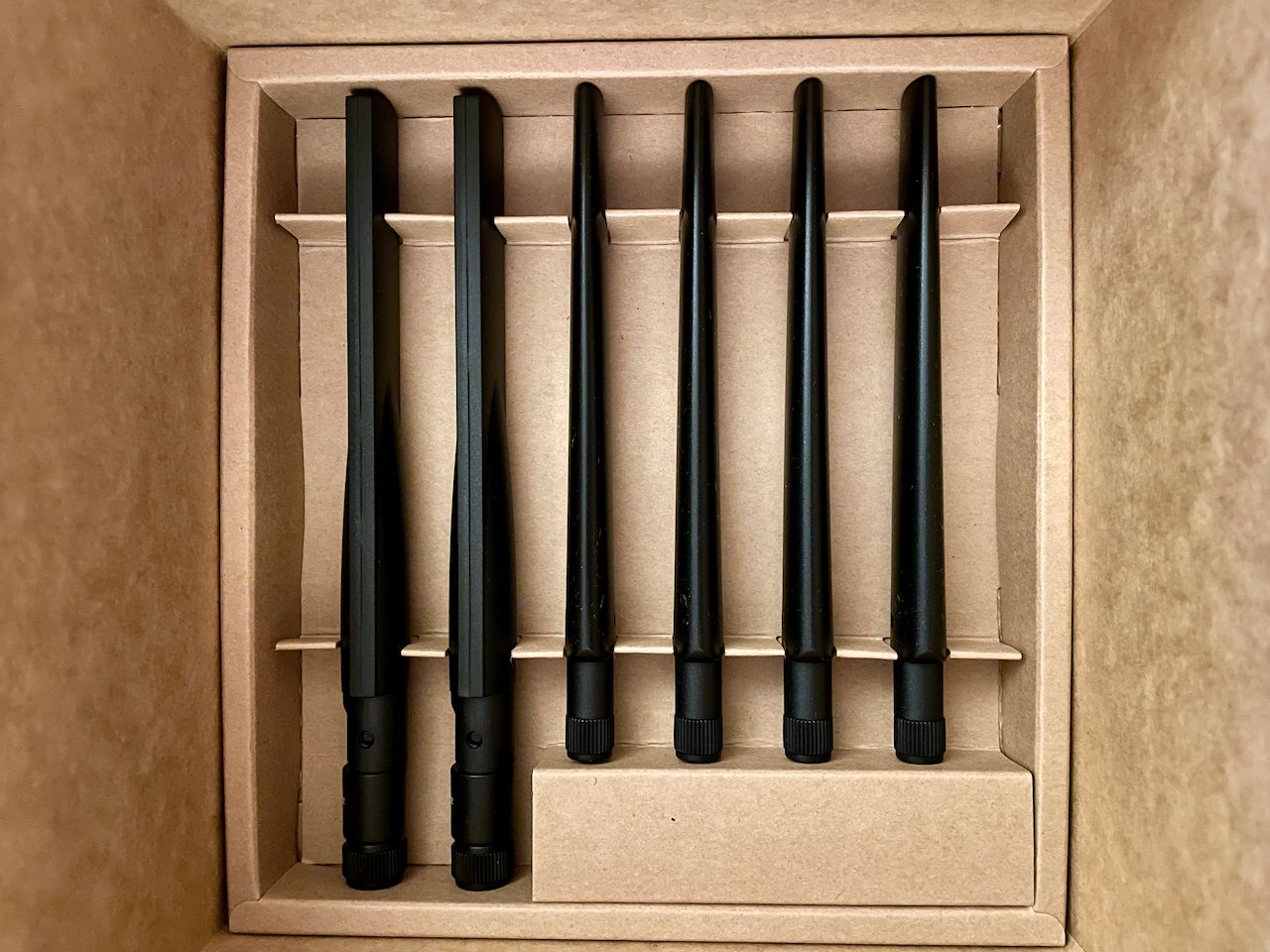
The antennas are in the bottom of the box and look very nice and orderly. You get two WiFi antennas (the two on the left) and four cellular antennas. There is also a GPS antenna further up in the box.
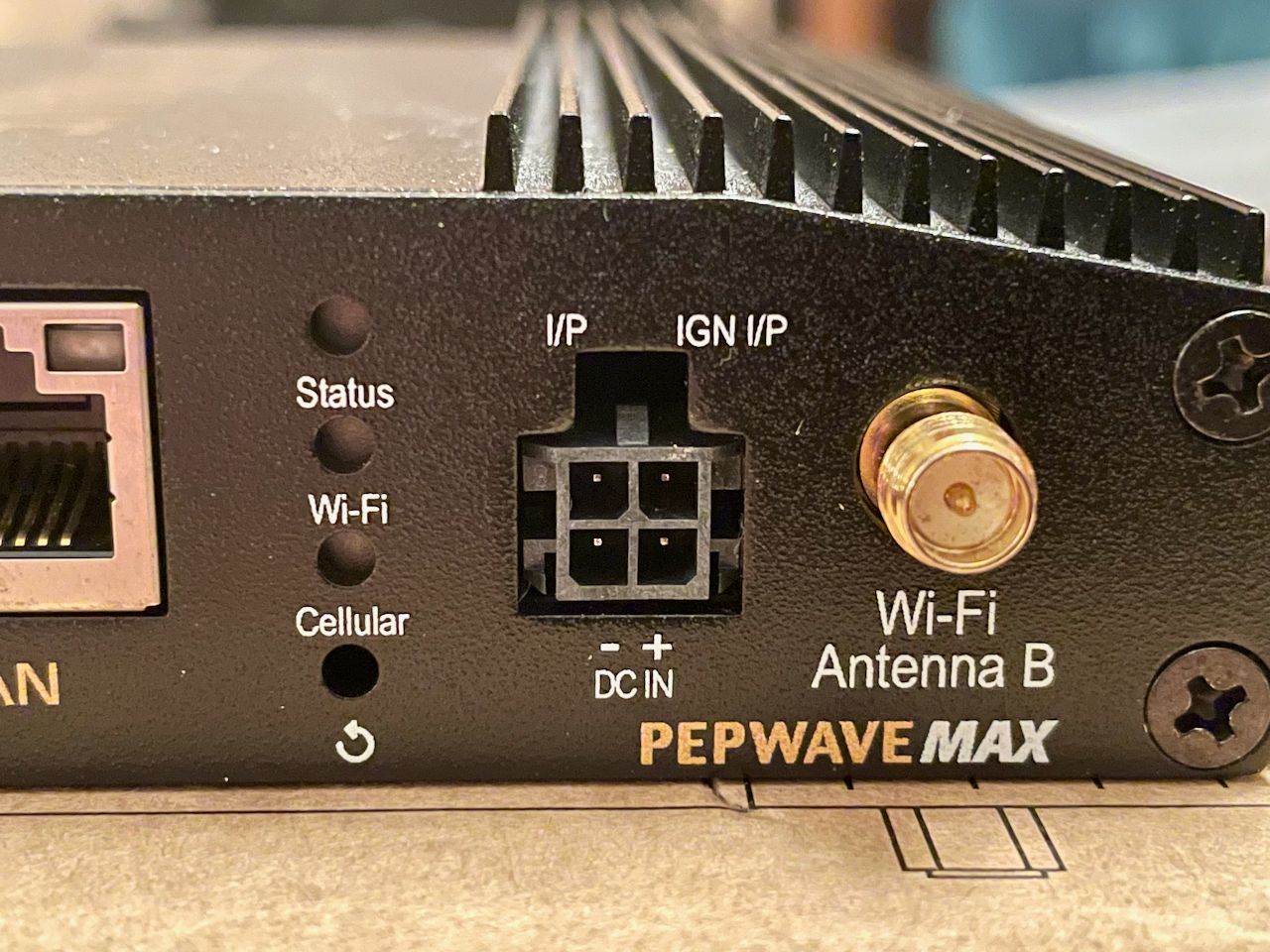
One of the annoying things is that Peplink moved to a plastic clip-in power plug with this model. You get a wall wart power supply, but to wire it in to a boat, you either have to cut that cable, or order a separate part that does not come with the product. Given that the intent is for this product to be used mostly in mobile situations, it would have been nice had Peplink simply included that cable.
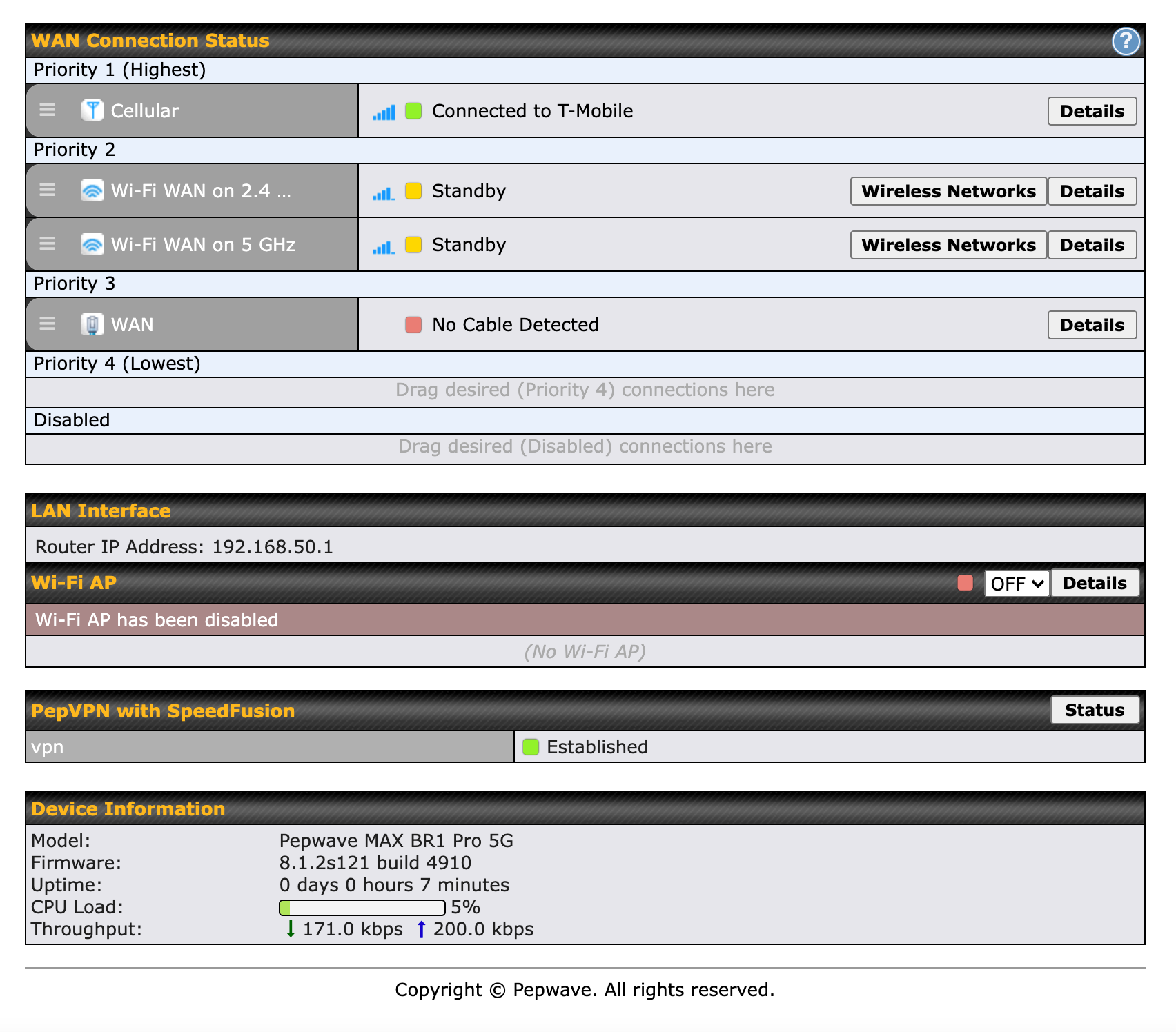
One of the nice things to see is that WiFi as WAN has two discrete items on the dashboard - one for each WiFI frequency. In some of the other recent Peplink products and firmware, there is only one entry, so you don't really know what frequency is being used. Having both gives you some redundancy as well - you can be connected to two different networks, or even the same one, but independently.
The dashboard itself looks slightly different than other versions of Peplink products in subtle ways. The drag controls for the various internet sources have three little horizontal lines, and the entire element has rounded corners. This could be just coincidental, but I don't see why they'd change it for this particular product unless maybe a refresh of that part of the UI is coming?
Cost
The MAX BR1 Pro 5G is $800 more than the old MAX BR1 MK2, which is quite a steep increase. However, I don't think you can really compare the two since the BR1 Pro 5G really seems like an update to the MAX Transit line instead of a newer BR1. The older BR1s had limited ports, very low performance, and only could broadcast on one of the two WiFi bands.
The new BR1 is faster, supports 5G, has more capabilities and ports, and arguably should have just been named the MAX Transit 5G instead of the update they did to that platform which was....not great. The MAX Br1 Pro 5G is about $300-400 more than the MAX Transit 5G, and in my opinion is worth that price given not only the performance and features, but the fact that all tech in this area is getting more and more expensive and hard to get due to supply chain challenges.
Performance
The BR1 is one of the fastest devices I've ever tested, and definitely the fastest Peplink device I've ever seen.
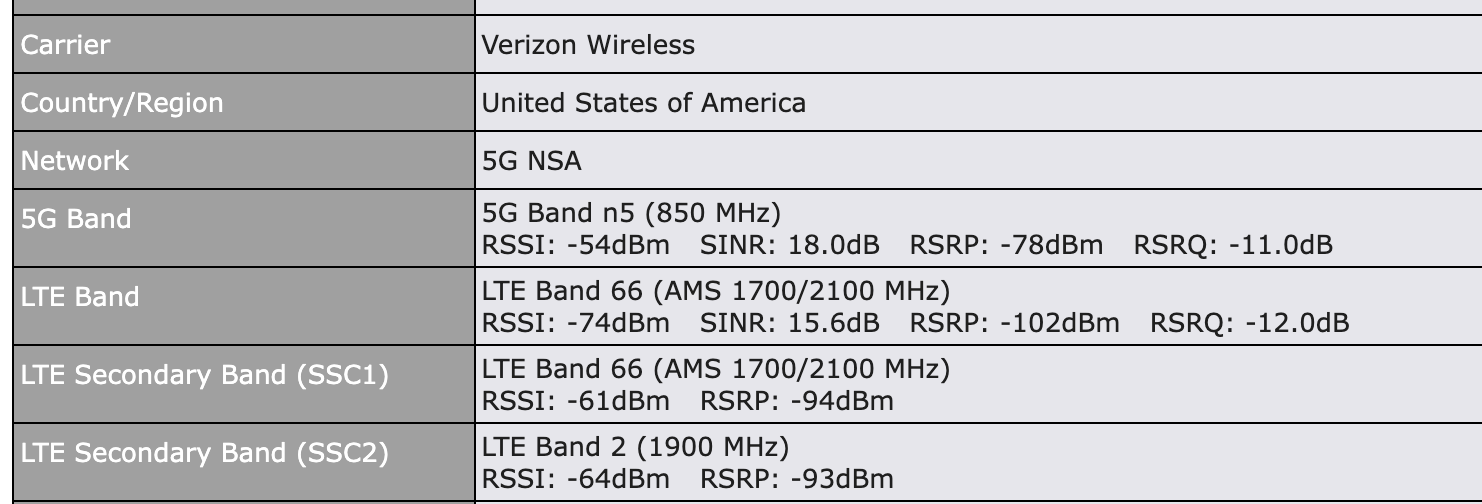
Performance has been excellent whether I was using 5G or 4G. I have been very impressed all around not just with uploads and downloads, but the management web interface is always snappy and fast, and the modem connects to more bands more readily than CAT-18 devices I have on board for testing.

When connected to a good 5G signal, which is still pretty hard to find from a boat, the BR1 is one of the fastest devices I've ever tested, and definitely the fastest Peplink device I've ever seen. Above you can see the performance using T-Mobile.
In the Seattle/Puget Sound area, the best performance I saw was consistently from T-Mobile, and decent performance from Verizon. AT&T's 5G coverage is spotty at best, and I never saw anything more than 4G LTE performance with their network.
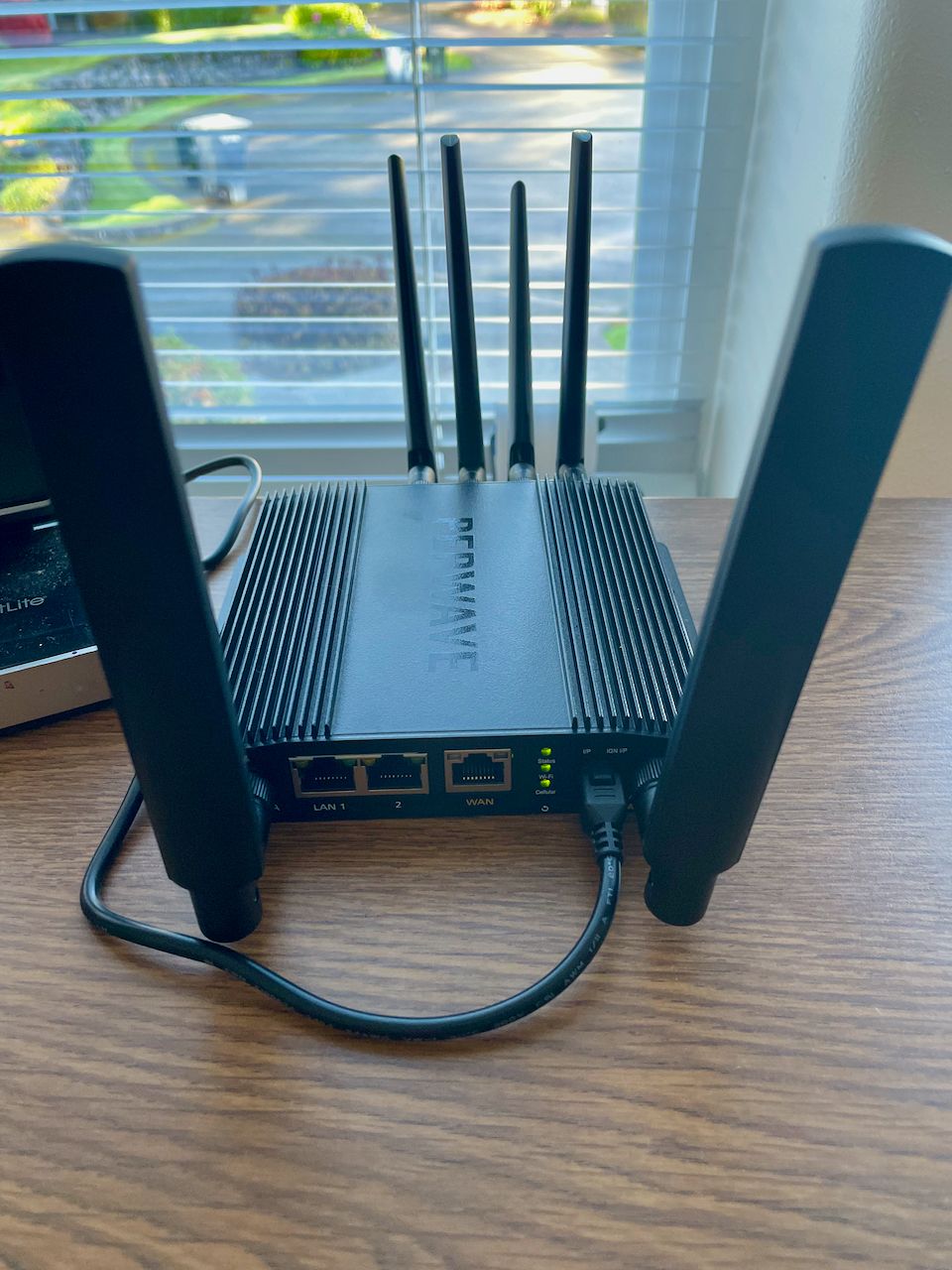
In a lot of cases, I saw performance on 4G that I had never seen on any other MAX Transit or BR1 platform. I attribute this directly to the new, much faster CPU in the BR1 Pro 5G. This is an important point - if you're looking at the BR1 just for the 5G support, that's definitely a good use case, but in my testing, it outperformed all of the other MAX Transit products I test with on 4G LTE as well.
I believe that those products, in particular the CAT18 series, were CPU limited when it came to 4G LTE in many situations, and that the BR1 overcomes those limitations. That's disappointing to figure out on one hand - it would have been nice for Peplink to actually put the necessary CPU behind those platforms - but it is also good to see that you can get better performance with the BR1.
Challenges
5G - 5G support is still difficult to find from the boat unless you are in very developed areas. Even with 5G connectivity, there have been plenty of times where it is just as fast as 4G LTE or in some cases, slower.
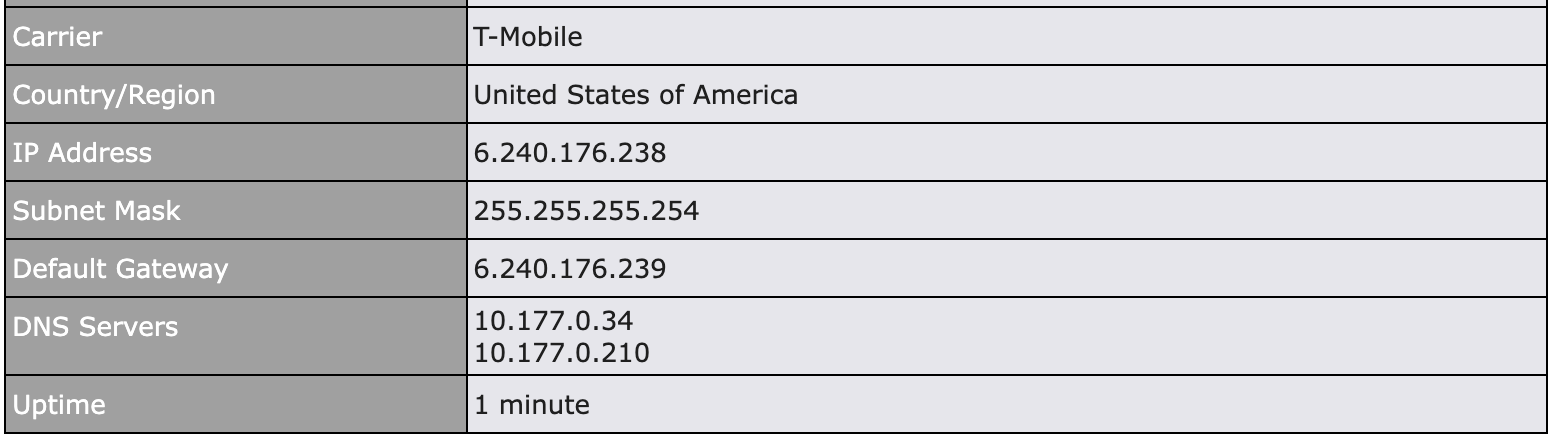
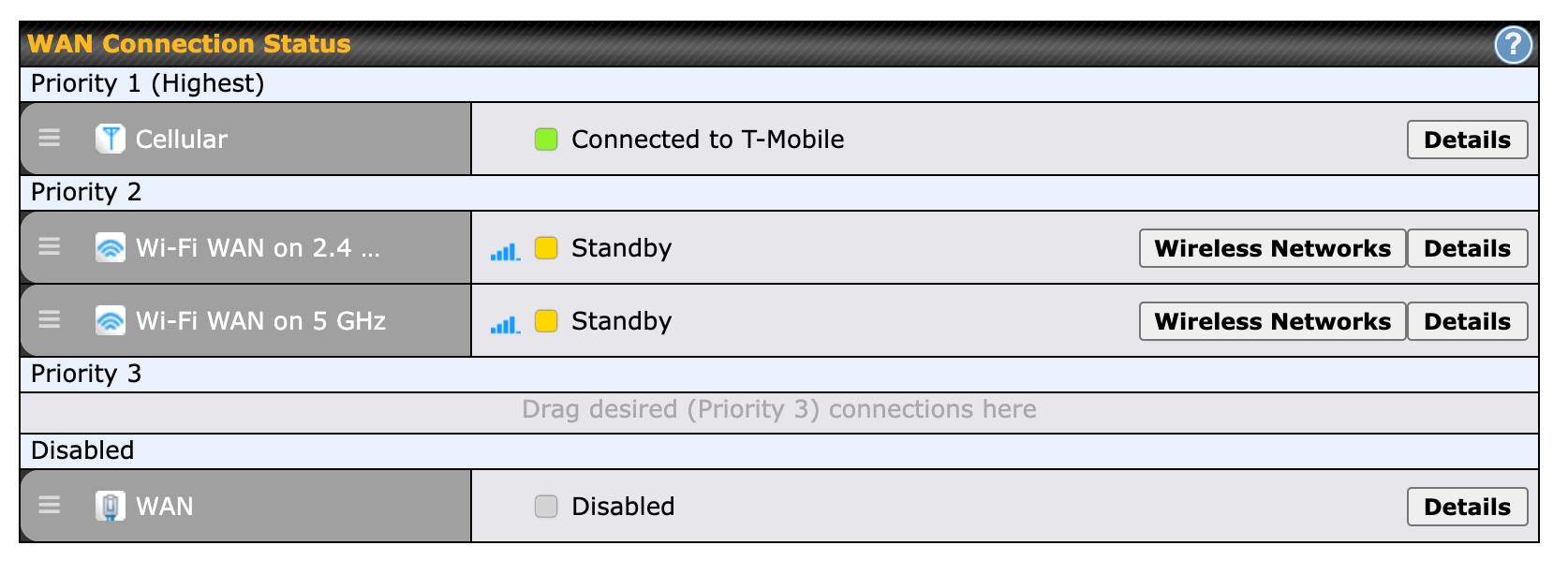
Status Displays - Displays for connectivity (LTE, LTE-A, 5G) are unreliable. Sometimes it shows the band you're connected to, while other times it just says "Connected to <Carrier>" and nothing else. This is most likely a bug.
WiFi as WAN performance - this was terrible in the initial firmware. It has been fixed in a new firmware you can request from support, but it doesn't come shipped with this firmware. It would be good for Peplink to get a released, public firmware out with this in it.
In general this is typical of other Peplink releases where software / firmware needs to be tweaked for it to be fully reliable and compatible.
Recommendation
If you are in the market for a fast router with a single modem, the MAX BR1 Pro 5G is the best available from Peplink right now for both 5G and 4G LTE. Excellent performance, support for as many bands as possible, more ports, and updated WiFi support.
The firmware bugs will be fixed, and other than the annoying power cable requirement, it is an excellent router that makes the MAX Transit and other products look very slow and outdated, even for 4G LTE.
I've updated my Recommended Internet Systems & Cellular Plans article to reflect that the MAX BR1 Pro 5G is my top pick for a single radio router aboard.
 Steve Mitchell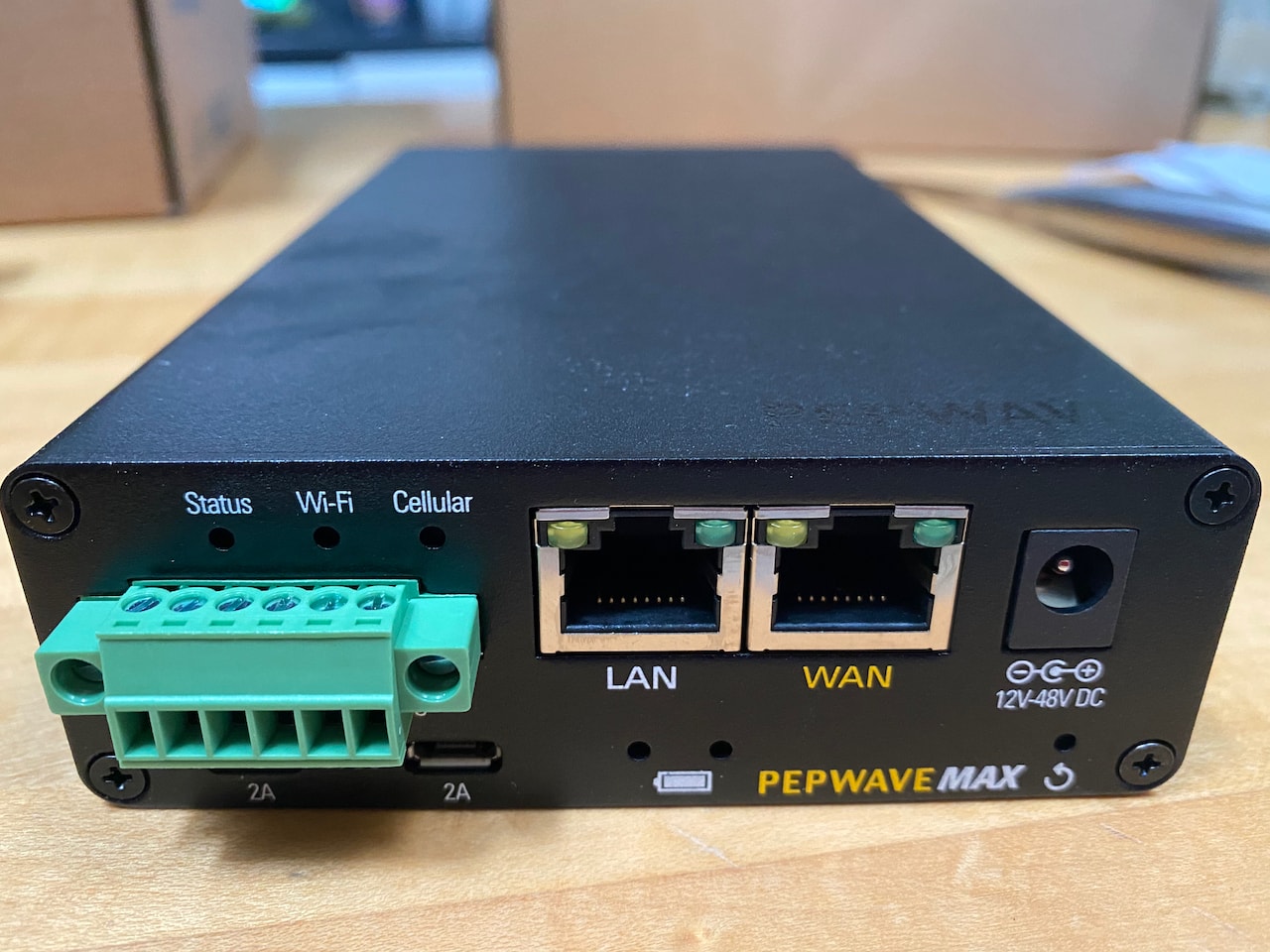
Archived Community Comments
These comments were posted on the SeaBits forum before February 2026. Scroll down to join the current discussion.
What external marine antenna would you use with this? 20G? 40G?
Either one would be good. If you used the Peplink Maritime 20G, you’d need two of them. With the 40G you’d only need one, but I would guess two 20Gs might perform better. I’ve not been able to test that yet, but it is on the list over the next month.
Which modem is in the thing? Is it still a daughter card?
The modem is a Sierra Wireless EM9191. I’m not sure how it is integrated into the unit.
Steve, thank you for another great review. I bought Pepwave MAX-BR1-MK2 based your review almost 3 years ago and now its time to upgrade. We live-a-board and sailing around a lot, just entered Turkey from Greece. I was wondering if you would suggest a new router that has better world bands coverage? Also, should we consider MAX BR1 5G as our new router?
Thank you!
Hi @Sergei_Prutkin,
There is an APAC/EMEA version of the BR1 Pro 5G, part number MAX-BR1-PRO-5GD-T-PRM. I’d take a look at the bands it supports and see if that matches where you are traveling. You can find the datasheet here.
I always recommend buying the newest modem possible as the mobile router world is always a little behind the providers (sometimes quite a bit) and you don’t want to have to buy something for the newer bands that frequently.
What about the new C-Band that is supposed to enable greater 5G performance? Would the Peplink devices utilize the C-Band? From a quick spec eval I don’t see it listed. Therefore, with this emerging issue, will Peplink need to upgrade their 5G design(s)?
Thanks, i will take a look!
C-Band isn’t something that is in wide use yet. Verizon and AT&T have it scheduled for 2022 or even 2023/24. Most products out there don’t support it, with the exception of some rare cases for T-Mobile.
All providers will have to roll out new versions of things with that support. Since mobile routers and the modems that power them, usually from 3rd party vendors, usually take longer, I would suspect we won’t see this for a year or so.
With the peplink max BR1 pro 5g setup with wifi as WAN to access wifi from say a marina, is the device still able to act as a wireless AP that my devices can connect to or will i have to add access points into my network?
Do you have any newer recommendations for wifi antennas? I see in your 2020 project you use two Poynting OMNI-496 WiFi . Is this still a good option or have newer things come around since then that I could use with this br1 pro 5g to get wifi signals.
Also is there a reason you would use a microtik groove in the WAN port instead of just using the wifi as wan built into the pro 5g?
It will function as both, but with reduced performance on both. It is doing both things with a single set of radios, so expect less performance than if it was doing one thing.
Those are still good, as are the Peplink Maritime 20G and Mobility 42G depending on your configuration and space.
Yes, for better WiFi as WAN performance if you didn’t want to use the built in solution. The best solution in my opinion is to use a Peplink router like the BR1 Pro 5G for all internet or WAN sources, so that includes LTE and WiFi as WAN. That means disabling the WiFi access point in it for local clients. I’d use a mix of antennas, some for LTE and some for WiFi.
Then I’d use either the AP One Rugged or AP One AX series of access points for the local WiFi network and have the router control them.
Thanks Steve, Im leaning towards just buying the maritime 40g so i have single antenna solution for the LTE and GPS. The things pricey but seems like a good solution.
So my intended system is going to be pretty much what you describe. BR1 pro 5g with a maritime 40 for the LTE system and then two OMNI-496s hooked up for WIFI as WAN. Then I’ll run cat6 from the BR1 Pro 5G to a couple of the rugged APs.
So basically what you did in your 2020 setup, but with the newer peplink router and different antennas.
Trying to build a system that I wont have to upgrade soon and can just let run. The new boat were working on basically has nothing right now so i have a blank canvas.
You might consider the Maritime 20G (a single one) in place of the dual OMNI-496’s. On paper, the 496’s are slightly better, but you need two of them. With the 20G you can use RP-SMA adapters and one antenna for both of the WiFi elements, which you will likely never be using simultaneously anyhow. The 20G also looks similar to the 40G in color and size.
I’ve tested the 40G and have an article coming out on the 20/40G and they are both very good antennas. The 20/40 will be what I use for LTE moving forwards.
Thats an interesting Idea. Though I’m not space constrained it seems simpler.
Looking forward to your article on the 20 and 40. Is there a vendor you recommend for peplink products?
Hi Steve,
Does the MAX BR1 Pro 5G support IPv6 port forwarding? I have the max transit duo cat18 and I discovered this morning that it does not support port forwarding over IPv6 which is a huge bummer.
Rob
I don’t believe that it does. In general, most of the Peplink consumer line does not support IPv6. There’s a great forum post here that is recent and links to many other people asking for it.
Many smaller vendors like Peplink struggle to add it. Having been in the networking industry most of my career, it’s not easy to add correctly, and up until the last few years, hasn’t really been mainstream or in use to the point where vendors were forced to provide support, even though we were “running out of IPv4” addresses over 10 years ago
Hopefully Peplink will add it, but I suspect it will appear on their more commercial products first.
I highly recommend Doug Miller at https://onboardwireless.com/ - if you mention you worked with me on a design, it helps me out as well!
What happens in the case of a br1 pro 5g if you were to use a 40g antenna as a 2xwifi+2xLTE setup? Does this even work?
I guess perhaps more appropriately I should ask what am I going to actually experience in difference between a 40g + 20g setup and just using a 42g dome?
Brian
You could definitely use the 40G for 2x LTE and 2x WiFi. Both the 40G and 20G have support for WiFi frequencies.
The difference between the 40G and 42G would be as follows:
The 42G has 4x LTE and 2x WiFi, where the 40G only has 4x LTE or 2x LTE+2x WiFi. So the 42G would have more LTE elements.
The big difference is that the 40G is specifically designed for maritime and is quite large, where the 42G is much smaller and wouldn’t work as well out in the middle of nowhere.
Thanks, really got to figure out how i want to go about this. While I know it’s a drop in the bucket, the 40g+20g setup costs a lot more than just buying a 42g.
Most folks worry about real estate for the antennas, performance, and budget. In the grand scheme of things, these antennas and devices can seem expensive, but they’re usually far cheaper than any marine devices!
@steve question on wiring for power. I’m planning to dedicate a 12V DC circuit to network gear including a BR1 5G, likely an AP One Rugged, a small switch and an IP camera. My concern is the voltage drop at anchor. Any suggestions on the best way to ensure that all these 12V devices get a consistent 12V instead of 11.5V or lower on battery only? Or is this not something you worry about in your experience?
I don’t generally worry about it for the Peplink equipment, as most of it, including the AP One Rugged and BR1 Pro 5G, run off of a wider DC voltage range. I know the BR1 Pro 5G is 10V-30V, so you should be OK.
In some cases, if your house bank is also used for big loads like a davit crane or windlass, and you kick those on while at anchor, you could have a sag that could affect some of that equipment.
I had this issue on Rendezvous. The windlass was on the house bank, and the Peplink stuff was at the far end of a long run up in the flybridge which meant the voltage was already lower than everywhere else. When kicking on the windlass, the entire internet stack would reboot.
To solve this I used a Victron DC-DC Converter (not Charger) from 12v to 12v to stabilize the voltage and provide a consistent output all the time: Orion-Tr DC-DC Converters Isolated - Victron Energy
I actually have several on board the new boat already - one for the NMEA 2000 network which was super sensitive to voltage drops, and one for something else I forget right now. But this particular electrical system is … not great, so there are a lot more voltage drops and deeper ones which I’ll be removing over time.
Thanks Steve, super helpful. I’ll probably grab one of the Victron units as my windlass is on my house bank (yuck). Just testing the BR1 Pro 5G at home, I’m super impressed with the speeds i’m getting from even 4G, fantastic bit of kit, looking forward to getting it on the boat in the Spring.
Glad the BR1 is working well!
Will the MAX BR1 Pro internal config allow you to pass the carrier’s WAN public IP off to devices behind it, or configure the WAN if there are static IPs assigned to the account?
All of the Peplink products have a very feature-packed firewall and support NAT. If you’re just wanting to open a specific port to a server on your LAN, you could use the NAT functionality for that. If you wanted to do something more complicated, such as a range of ports, then you could combine that with the firewall inbound rules.
There are also a number of settings on the WAN side including items such as MAC address cloning, NAT vs IP Forwarding, and more.
It would really depend on the ISP and type of connection. For wired ethernet WAN connections, you have a lot more control over the WAN IP address and settings. For a cellular or WiFi as WAN connection, there are a number of those settings that aren’t available given the type of connection, however the firewall and NAT still exist.
Cellular connections in particular are challenging to get static IPs with, and many providers don’t even have architecture that will allow it without a lot of changes. To get around this, you can use some of the things I talk about in Remotely accessing boat systems or a VPN to a public cloud device that can tunnel back in.
Steve,
Can you hook the MikroTik Groove A 52 ac to the WAN port on the Pepwave MAX BR1 Pro 5G Router? Then use free WiFi from a marina, boosted by the Groove, through the Max BR1 router and out to your own wireless network?
Would this work if there was a splash page that you had to acknowledge before being able to access the free WiFi?
Thanks,
Jeff
You can definitely use a MikroTik off of a Peplink WAN port. I’ve done it for years (Grace's redundant Internet setup) and it works very well. You can get through most splash pages as well.
It is also possible to use the WiFi as WAN functionality within Peplink itself to connect to a remote WiFi signal, similar to using the MikroTik. The MikroTik will perform better, but is harder to configure (MikroTik Groove step-by-step setup guide) and can have some compatibility issues.
Thanks for clearing that up for me. I was going to use a Peplink Mobility 42G antenna, but learned that it doesn’t do well with the rolling motion of a boat. So, I am now planning to go with Peplink Maritime 40G antenna. I will be losing the 2 WIFI antennas that are built into the Mobility 42G, but am hopeful that the MikroTik Groove A 52 ac will be sufficient to pick up marina WIFI. If not, I could also try using 2 of the 4 cellular antennas for WIFI by using SMA to RP-SMA adapters. That will be 2 of the 3 legs of my internet plan. Starlink will be added at some point in the future.
If remote WiFi is critical, then using a 40G for the 4x cellular connections, and a Maritime 20G antenna (you can read my review of both of these here: Peplink Maritime Antennas) with adapters would get you excellent WiFi capabilities.
Remote WiFi is not as common or reliable as it used to be. For a lot of customer installations, we do the cellular antenna + router and test out the capabilities of the existing factory antennas on the Peplink devices to get WiFi as WAN remotely. In many cases that meets what they want for casual use. For more dedicated usage, using a Maritime 20G antenna + only using the router for remote WiFi + cellular and adding an access point inside the boat is common.
Internet is not a requirement, but highly desired. I was planning to do what you suggested, but I have purchased a MikroTik Groove to improve the wifi signal to my Pepwave MAX BR1 Pro. I’ll let you know how it turns out. Thanks so much for your help!
I’ve been using a BR1 Pro 5G for about 3 months. On the Chesapeake and using just the supplied paddle antennas with it just sitting at the lower helm station.
Mainly via T-Mobile with a 2nd SIM on Verizon. I have it set to use both cell and wifi for wan connections. Local wifi is sometimes too congested to be useful, so in those situations I set the wifi as a lower priority, as a fallback if cell goes out (which it hasn’t).
It has worked flawlessly.
I may or may not add an external antenna for cell, but really gave not needed it on the Bay.
Great feedback! I know in more urban areas here on the West Coast that the included antennas work very well near populated areas. Out further in the more remote locations, big outdoor antennas are the only way to go.
We recently added a 40G antenna to our set up below.
- Starlink
- 40G Antenna (cables 1&2 connected to the front of the Balance 20x.
- Balance 20X (att SIM card) (paddle antennas on rear of unit)
- AP One X (lan connected)
- Groove Antenna (disconnected/removed)
Questions - for my set up
- do I connect all 4 cables to the 40G?
——currently only have two connected running both LTE AT&T SIM card and marina Wifi ?
—— speed has not been great since adding the 40G in this configuration. Download speed is ok but upload is poor.
Hi Richard,
I’m not clear on what you have connected where. Do you have a single LTE radio in the 20X, or the add-on module as well, for a total of two LTE radios? It sounds like maybe only one, but you indicate the 40G is connected to the antennas on the front of the unit, and have paddle antennas on the back of the unit.
What are the paddle antennas for?
When you say:
Are you connecting to remote marina WiFi as well? Were you doing this before?
Are things faster with just the stock antennas? Were using using marina WiFi at that time as well?
Thanks Steve -
We have a single LTE (Sim Card) radio in the Balance 20X. The 40G has two cables connected to the front of the Balance 20X. The other two cables (from the 40G are not connected.
We installed to the two Paddle Antennas on the back of the Balance 20 as suggested by some tech folks… to pull in the Marina Wifi and create a WAN to connect to the Marina.
I believe that caused a conflict. When i disable the WAN connection from the Marina the speeds improved.
I had the three connections (Starlink, ATT LTE and Marina Wifi) on Priority One before disabling the Marina Wifi last night. Once I disabled the WAN wifi (Marina Wifi) things improved.
The Marina wifi is strong here and I am within 25’ of their antenna. So my config must be wrong.
I was told that I could use the 40G antenna to connect to the marina wifi but later was told it isnt possible by the company i purchased the equipment from.
Thanks for any suggestions.
There are still quite a few missing pieces here. Has someone installed all of this for you?
Are you using the Balance 20X to provide the local WiFi network that you use on the boat? If so, those paddle antennas should have been installed from the very beginning. You could also use the other two cables from the 40G if you wanted to. That would improve the ability for the router to acquire the remote WiFi signal.
However, as I wrote in a recent article about WiFi as WAN, when you use the same WiFi radio to both create a local network, and connect to a remote one as well, you will massively affect the performance of the router. This is especially the case with the 20X which is not the most powerful solution.
It does sound like this is what you had setup, and disabling WiFi as WAN improved performance.
I can’t really comment on anything else as I don’t know how long your cables are from the router to the antenna, where it is installed, your signal levels, and many other factors. This is a service I provide to a lot of boaters but it involves some discovery and potentially paid consulting work to understand the system, fix any issues, and design the right setup.
Thanks Steve…
I have installed and set up most of this with the phone support of West Network Systems.
Yes we have a AP One X and a Balance 20X providing the Local Wifi to the boat. That has been working well except for the recent change to pickup the Marina Wifi via my Balance 20X Paddle Antennas and provide Local Wifi. Once we disabled the Marina Wifi on the Balance 20X the Local Wifi signal improved.
We have 15’ extensions on the 40G (comes with 6’) Flybridge Antenna so a total of 21’
Since we are running an LTE AT&T Card we would like to use the (2 extra cables) 40G to pull in the Marina Wifi when available. So we purchased the adapters and connected the other two antenna cables from the 40G to the WiFi connections on the back of the Balance 20.
If I understand your “Wifi and WAN” article it sounds like i should disable the Local Wifi from the Balance 20X and only use the AP One to provide Local Wifi to the entire boat. Its a 52’ Sedan Bridge so we werent sure if we needed both (AP One and Balance 20) sources for Local Wifi for overall good coverage. In fact thats why we purchased the AP One to provide better coverage in the front of the boat where strong signal was lacking.
I could mount the AP One in a more central location to the boat and see if that helps simultaneously turning of the Balance 20 Local Wifi.
I didnt realize and West Systems didnt caution that running Local Wifi from the Router might degrade performance. Although they did say that running two different AP’s might cloud the air with two much wifi???
Yesterday we connected the 40G Antenna extra two cables to the Balance 20 Wifi connections on the back to again pick up the Marina Wifif. West Systems simultaneously blew out all of our wifi networks (2 from the AP and two from the Balance 20) and set just a new 2.4 and 5 ghz local wifi. Sounded good but signal is poor again and having troubles reconnecting my devices via wifi.
How do we get started with your support?
Steve:
I read the article regarding Wifi as WAN. Thank you…
What is the best way to test turning off the Local Wifi in the Balance 20X while maintaining local Wifi from the AP ONE X?
I currently have the the Marine 40G (all 4 (5 including the GPS) wires connected to the Balance 20X. I am also connected to the Marina Wifi.
Thanks
Rich
It’s worth testing to see if the AP One will work well enough without the 20X if you intend on using WiFi as WAN. If not, and you need both, then you’ll just have to deal with the lower performance from the 20X, or you can add another AP One if you really want to.
WiFi as WAN has been around a long time, and the performance degradation is pretty well known, so I’m not sure why they didn’t mention it. Having too many APs does cause issues if you don’t tune them. Using defaults in the settings is not going to provide the best results - you usually need to choose differing channels for both 2.4 and 5 Ghz radios so that you’re not using the same ones across your own APs. Setting client thresholds, power levels, etc. can help as well. This is where a site survey or a professional installation and tuning can help.
I don’t believe you can force the 20X just to be a WiFi as WAN device - some routers have this option which makes it simpler. You may have to create a new AP Profile and assign the AP One X to it to test a new SSID, or change the old one to something else and create a new profile with the old name.
Steve I believe we have made many of the tweaks you recommend.
I sent you a PM trying to secure your services.
We even think we turned off the WiFi Radio in the Balance 20X but haven’t confirmed that yet. See below screen shot.

The unit is performing well but one major issue we discovered in this process is the 40G is hurting the performance of both Marina WiFi and LTE Speeds compared to the paddles antennas on the balance 20x.
I tested my Marina WiFi and LTE with the 40G connected and with the paddle antennas connected to the router.
In both cases I have better performance (up and down speed) with the paddle antennas
Thought this screen shot may also show that we attempted to turn off the radio in the Balance 20X.

Antenna performance can be frustrating to tune. If you have really good cellular signals, as an example, the default antennas may work better because there is less cable between the antenna and the router, especially if the router is in a good place and not obscured. Bigger antennas will work better when you are in lower signal areas, but may not work as well in better signal areas as the default antennas, essentially.
That looks correct. Another way to verify it is to look at the AP status.
I’ve been happily using this router for a few years now on my sailboat. Was looking to provision some data for our summer cruise and was excited to see that Peplink added esim support, which would make things so much easier.
EXCEPT that this feature is locked up and only available if I pay to renew Primecare…for $149 per year. I get that they have to fund continued firmware development, and I guess they are saying the Primecare fees paid to deliver this feature (?), but it still feels pretty crummy to hold a new feature hostage for a support subscription that has zero appeal to me.
This has me thinking of switching back to a Teltonika router. Steve, you seem pretty loyal to Peplink. I guess you don’t mind the subscription fees. Have you ever looked at Teltonika? Good/bad/indifferent?
Most companies operate this way now. Even Teltonika has parts of their online and management suite that you have to pay some sort of service fee for. Many other companies that sell hardware have yearly subscription fees of some sort. Having worked before for a hardware-based company, most of those fees go to the support burden, and some to continuing development. They are also another way a company can show growth, and we all know that these companies don’t create products just for fun
I like some of Peplink’s features, but I’m not necessarily completely loyal to them. I have some GL.iNet products that I’ve been testing that are really nice, and will write about soon. Teltonika has some good stuff as well.
It comes down to what you’re interested in from a feature and user experience perspective. While GL.iNet and Teltonika have good UI’s, they are not anywhere near as easy to use as Peplink, and even Peplink is difficult compared to mainstream products. If you have to do something more complicated on Teltonika, you could be forced to go into the Luci console which is basically OpenWRT and can be intimidating for folks.
Feature wise, they all have very similar base sets, but when it comes to things like remote management, VPN, and things like SpeedFusion, that is where you have to look at the individual key things you might be using, and determine if its supported in the same fashion. For instance, if you do want to use SpeedFusion to combine multiple connections, or to do very fast failovers, that is a very Peplink-centric feature. Many others have something similar, but they don’t work as seamlessly, or require monthly/yearly subscriptions.
Always happy to have a chat and walk through what you use now to determine if one of the other manufacturers are a fit.