


Being aboard Aruna full time means having excellent internet for work and play. I've fine tuned my system to something that works extremely well for remote work use no matter where I am.
Reliable, redundant internet is always a primary goal on any boat I own. This is mainly due to my work which requires high quality Zoom and Teams video sessions for 8-10 hours a day. I discussed this in more detail in an article from 2021 titled Working remotely from the boat including specific applications like Zoom, Office 365, and some tips and tricks to get the most out of the setup.
 Steve Mitchell
The goals are similar for Aruna - high quality, redundant internet using multiple sources that is usable throughout the boat for work, navigation, and play. Here are the pieces that help me achieve that.
Router
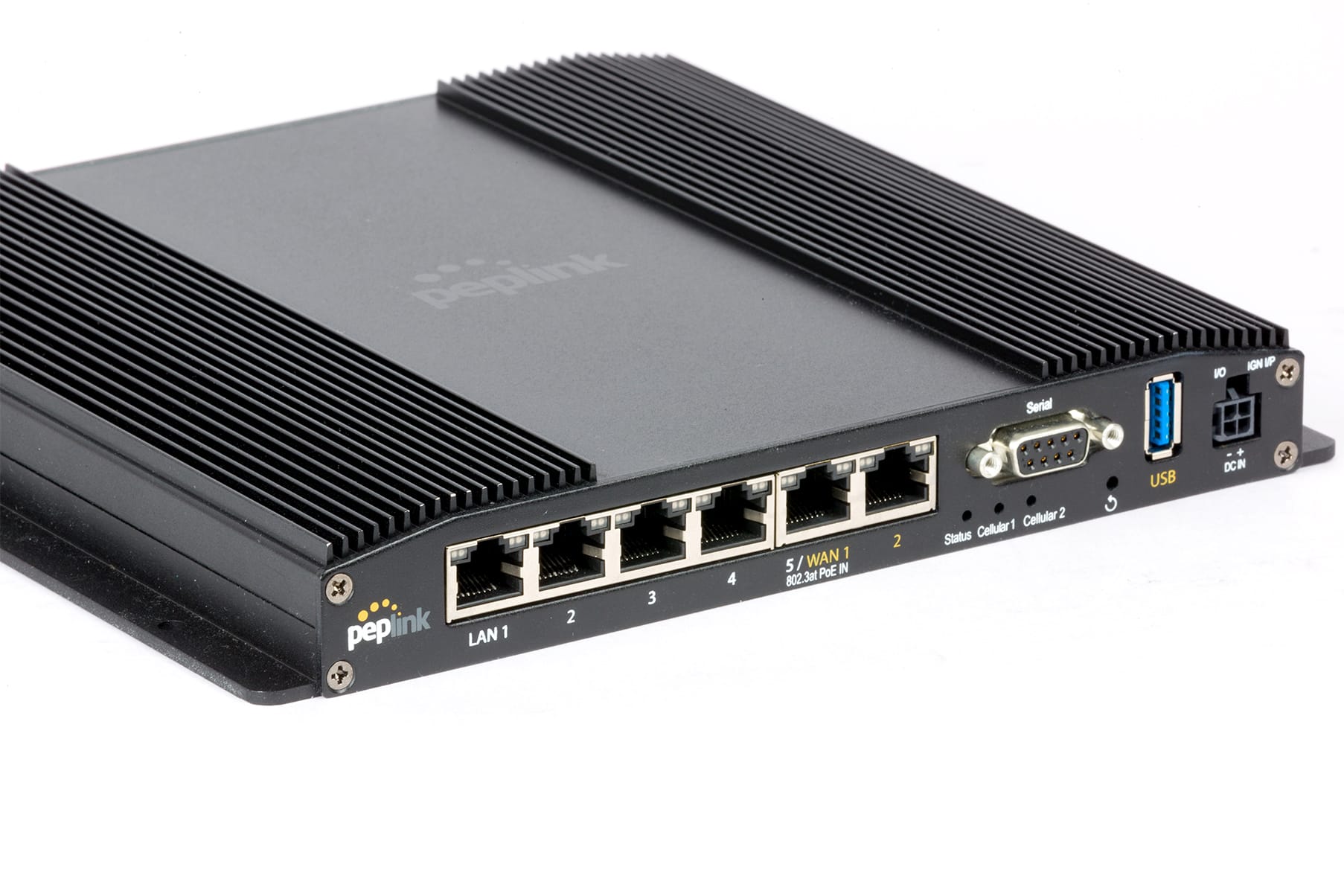
A good router is key to a quality internet setup. I'm currently using the Peplink BR2 Pro 5G router with excellent results. It has a great mix of LAN and WAN ports, a USB port for an additional WAN port, and two cellular radios. It has been rock solid in terms of performance and reliability.
The router is mounted in a cabinet in the flybridge along with the Starlink power supplies and other related equipment.
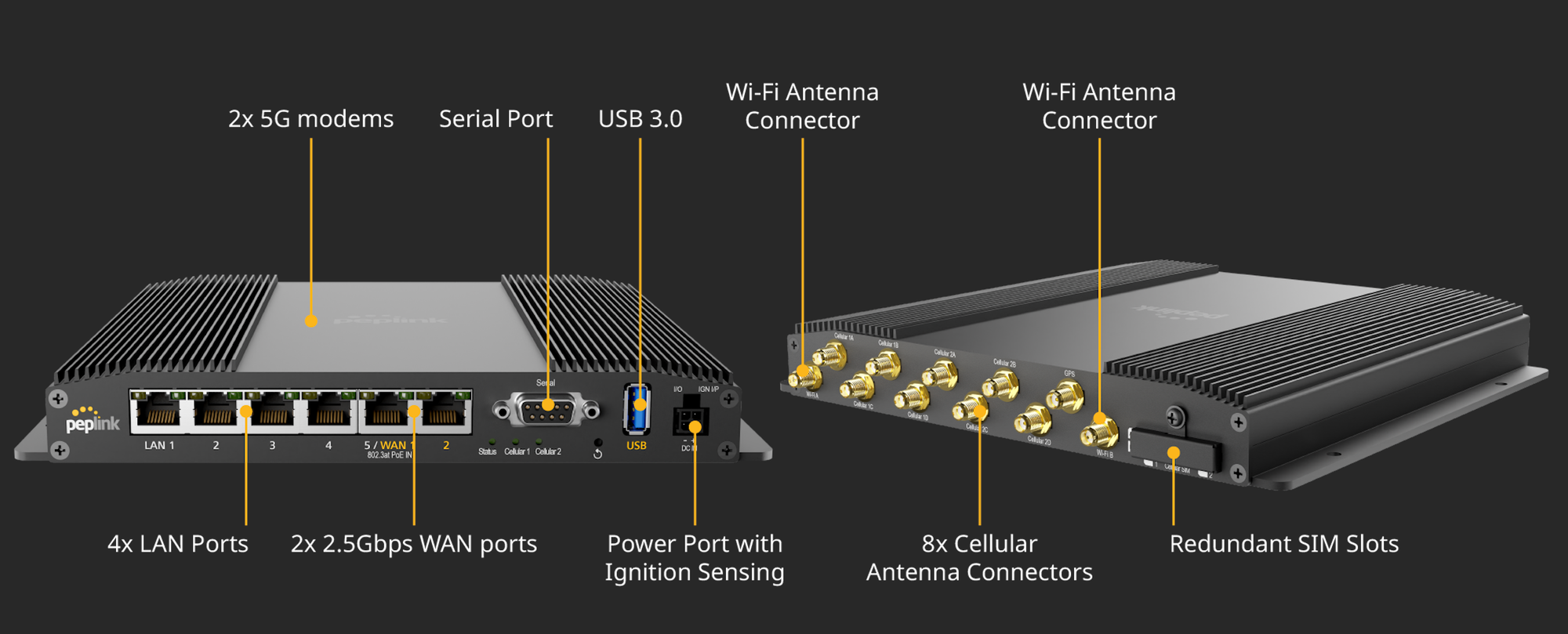
The cabinet itself is made of fiberglass, so I opted to not use big external marine antennas and just use the factory antennas for both cellular and WiFi. In the last 9 months of use, I've had really good results with those antennas, which is not surprising, as this is a configuration I've used myself many times before while testing, and setup for many customers who couldn't install antennas due to space or cable lengths.
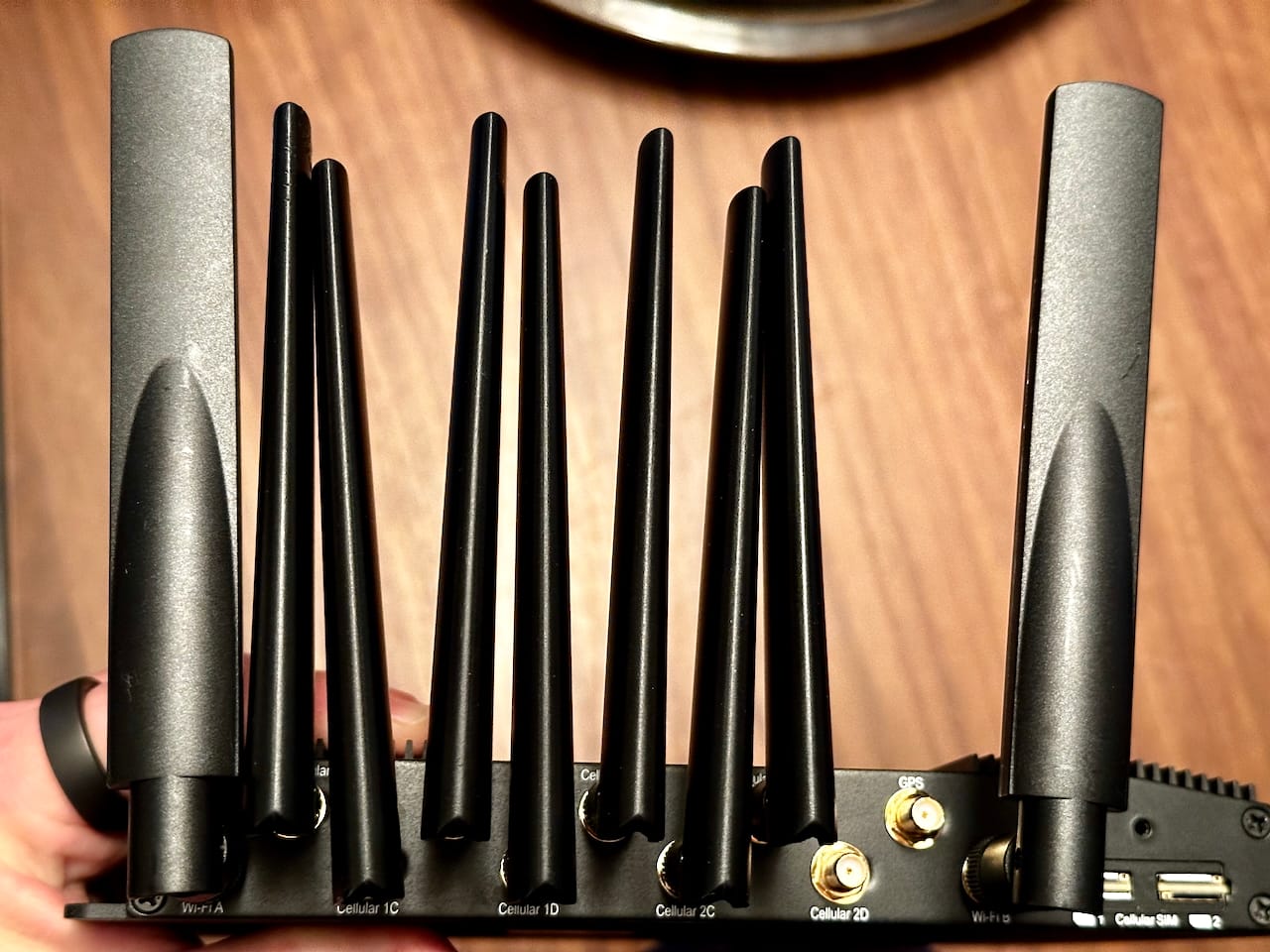
Not using big marine antennas surprises some folks, as those have been a recommendation for years in most setups. The biggest reason I've not put dedicated antennas in for cellular is because of the location of the router combined with the advent of Starlink.
While having those antennas would definitely allow me to pull in signals in very poor conditions, I would not likely be trying to do that given that I have Starlink. In addition, the holes in the cabinet, grommets, cables and connectors, windage from the antennas, and requirements for spacing them away from other antennas add more complexity to the entire setup. This is a common choice in more recent customer installs as well.
For WAN connections, I'm using the two on board ethernet ports for 2 of my Starlinks, and then a USB ethernet adapter plugged into the USB port for the 3rd Starlink.
For LAN connections, I'm using one port from the BR2 to a switch in the lounge area inside the boat, and the other three are connected to various critical systems including my Maretron IPG100, HomeAssistant, and my SignalK linux machine.
I have several networks including production, test, guest, and navigation, and leverage common features you can find on any decent router including DHCP restrictions and reservations, DNS entries for common systems, MAC address restrictions, bandwidth shaping and more. Having started my career in networking, I prefer to use as many features as possible to prevent people from doing stupid / bad things and making my network (or me) grumpy.
Access Points
Because Aruna is a steel boat, it makes it particularly challenging for WiFi signals to reach different parts of the interior. The steel roof/deck structure between the primary living areas and the flybridge almost completely blocks the WiFi signals from the router mounted there.
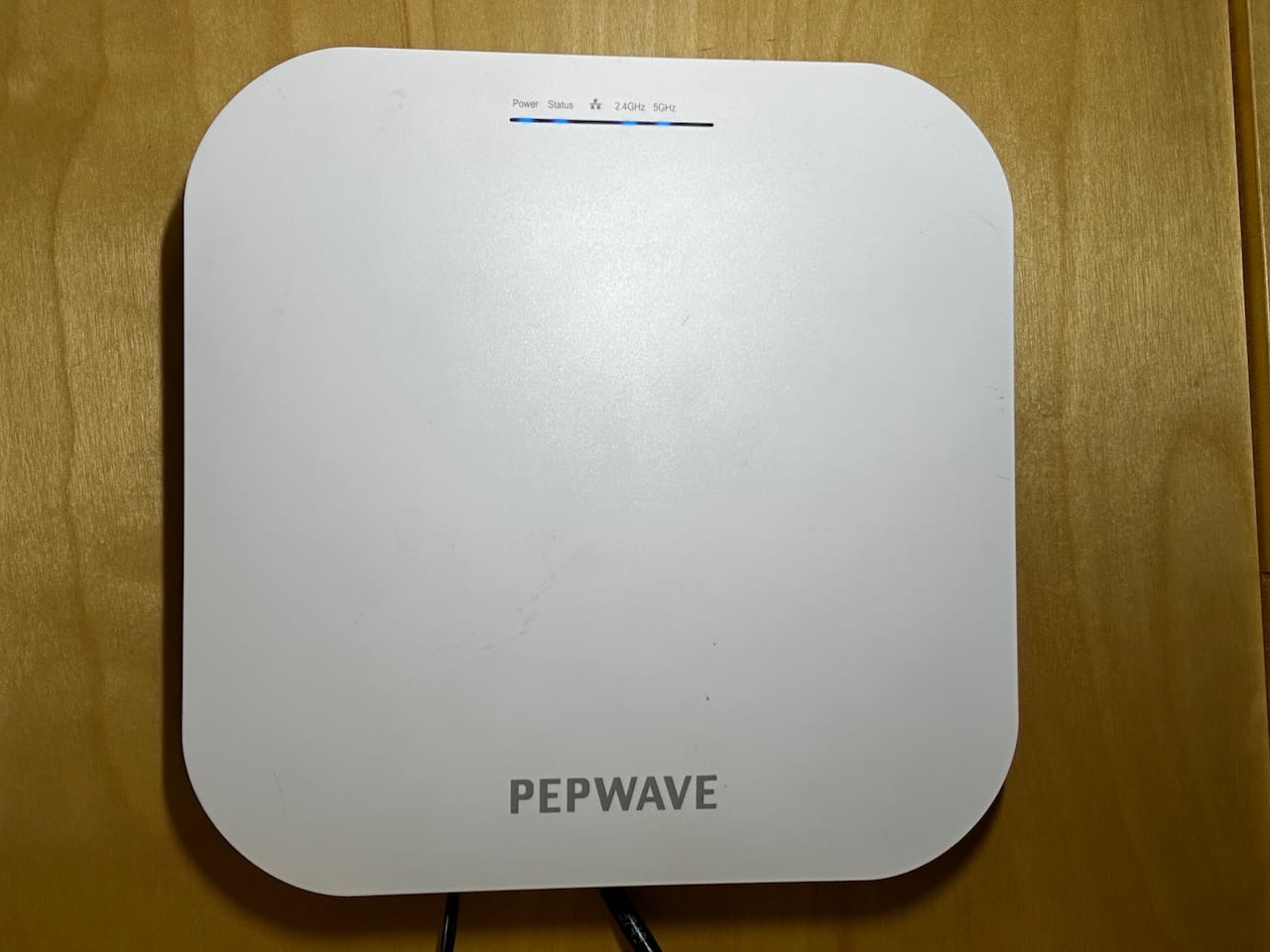
As a result, I put a Peplink AP One AX access point in a cabinet in the lounge area that serves most of the devices inside of the boat. I am also using the built in access point on the router so that my Vesper Cortex base, which is installed in the flybridge, and a couple of outdoor cameras can connect to the network. It is also what our mobile devices switch to whenever we're outside.
This does result in less performance for WiFi as WAN when I am using that feature, but that is generally when I am at a marina, in which case outdoor WiFi is already polluted with everyone else's signal and doesn't really matter as much.
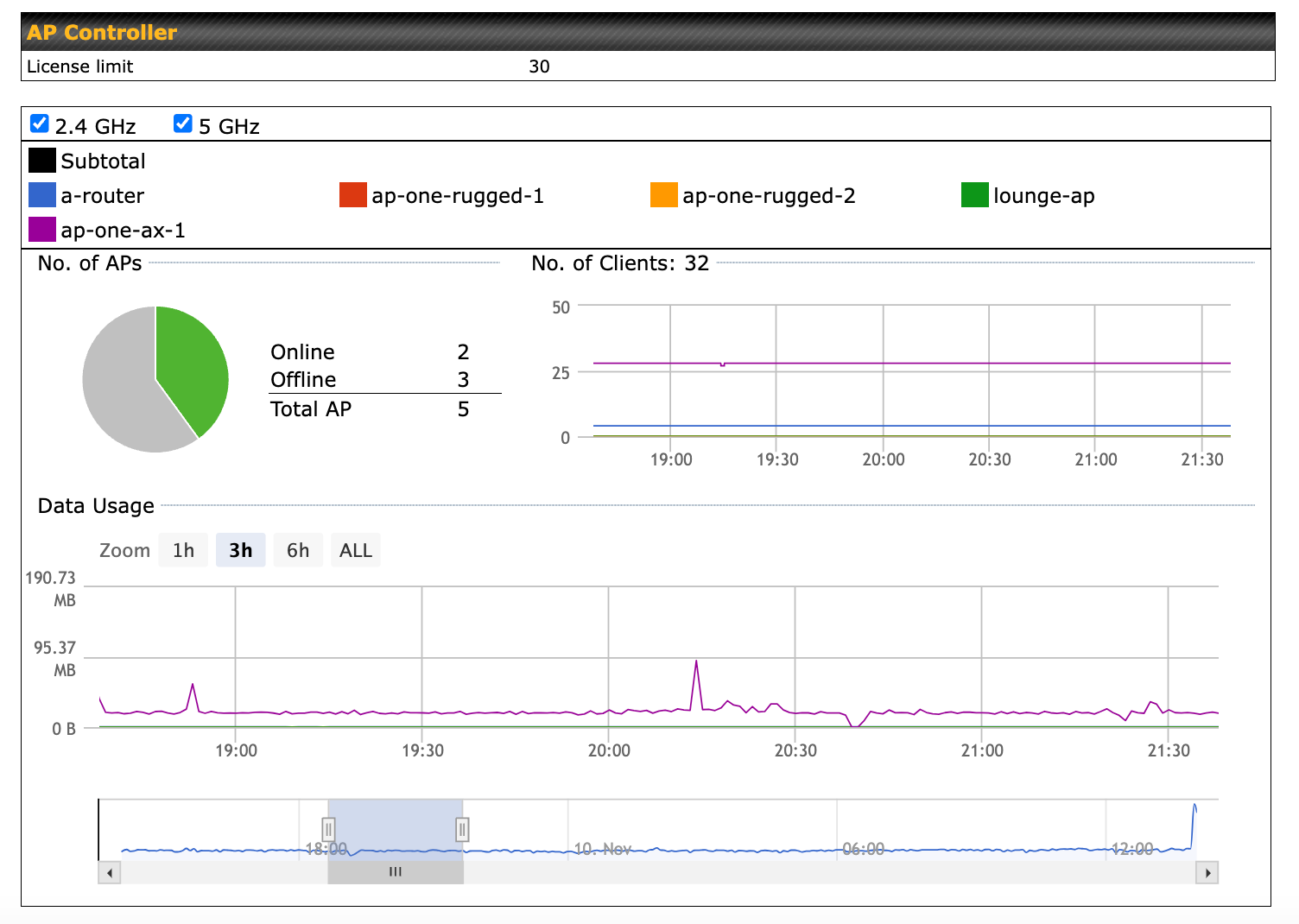
I'm not completely happy with the performance of the Peplink AP. Some devices don't work as well with it, and it requires a reboot every few days to keep it happy. I've had other customers with similar complaints. I've had to switch to other access points at times in very busy / noisy marinas. More on this in a future article.
Internet Sources
Starlink
Of course Starlink is part of my internet solution as it is for many boaters today. I use three different Starlink dishes for redundancy and testing. They include:
- Generation 2 rectangular dish - Residential + Portability plan
- Flat High Performance dish - Roam Unlimited plan
- Generation 3 rectangular dish - Roam Unlimited plan
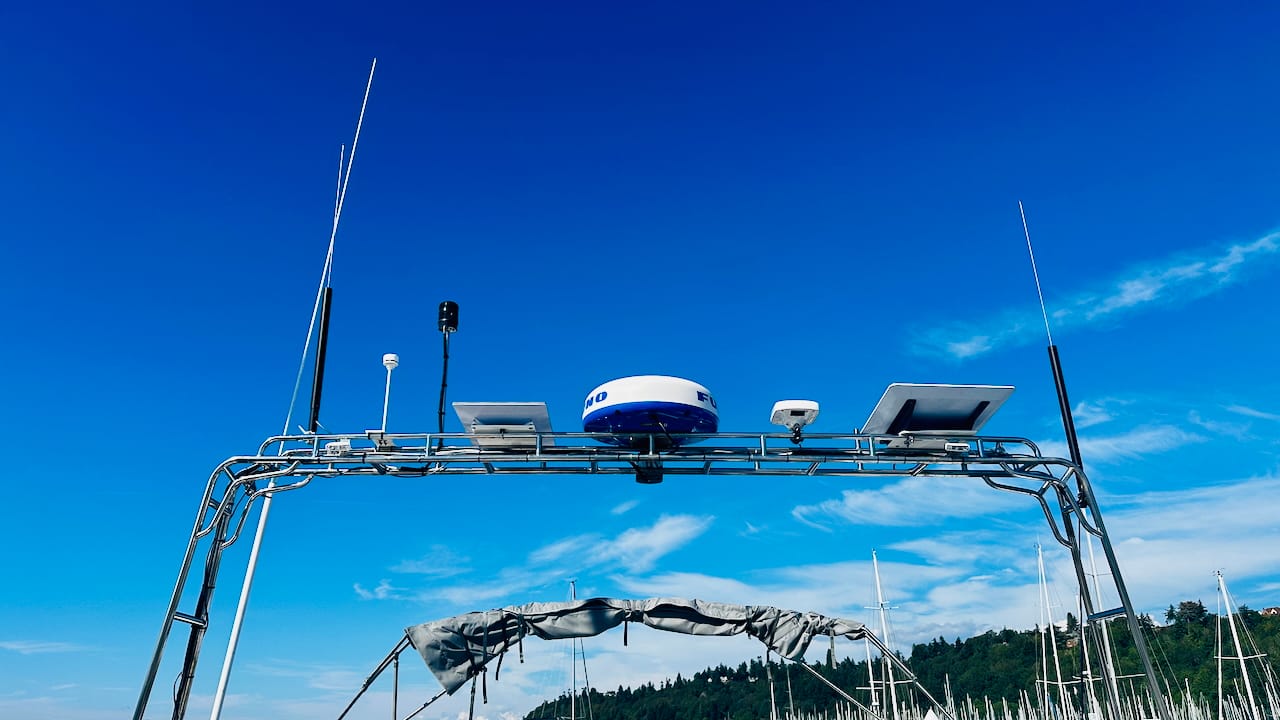
Using three Starlinks might seem a bit excessive, but I don't use them all the time. Underway I use the Flat High Performance dish as it is the best suited for movement. While at anchor, I will use either the generation 2 or generation 3 as they use the least amount of power. While on dock power, I use all three most of the time, because, why not? (ok so maybe I do use them a lot of the time!)
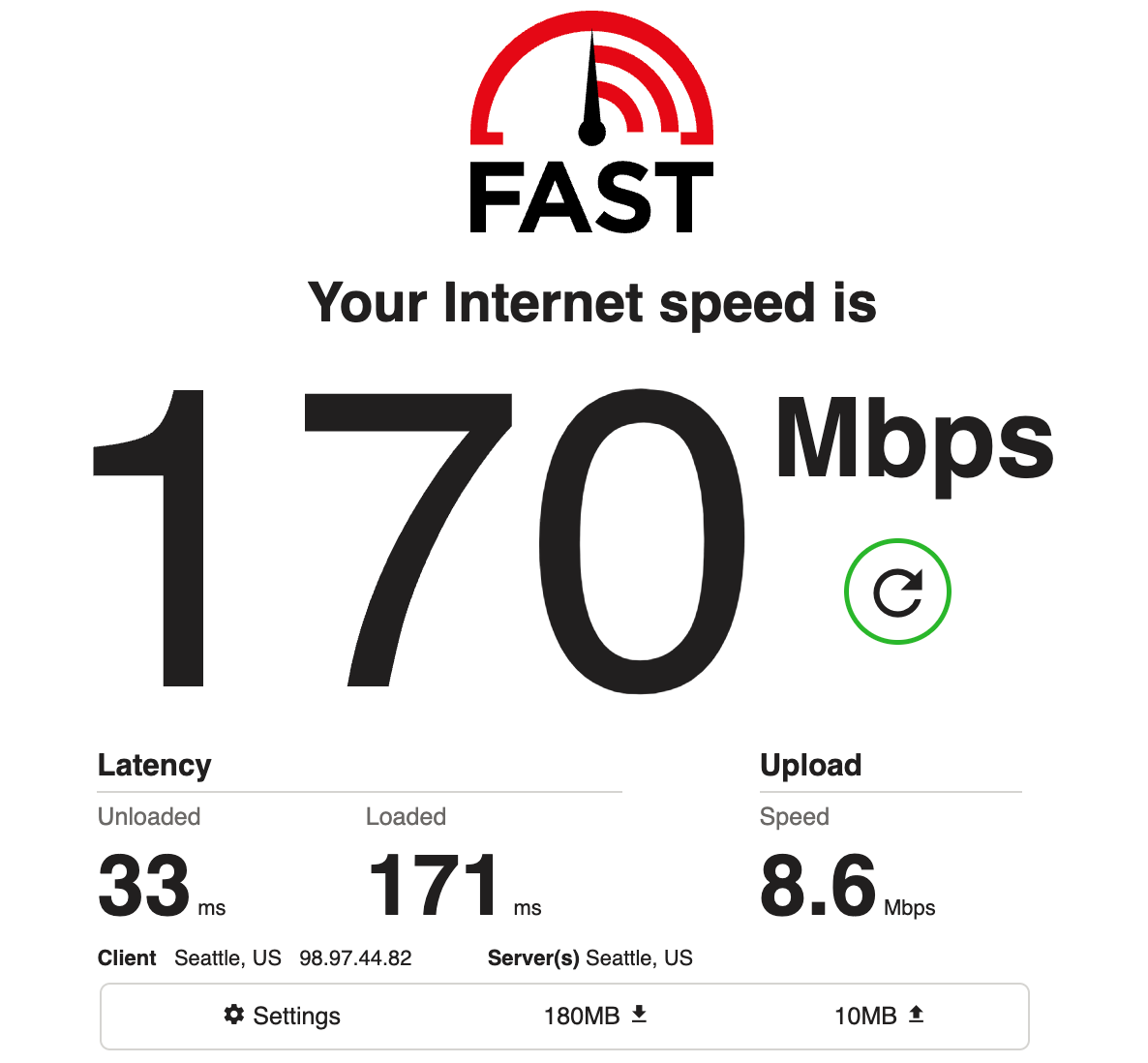
When I'm in important meetings at anchor, I tend to use two of them for redundancy and overall bandwidth increase, especially on the upload side, which is what is used to send my video out to whatever remote meeting I am in.
I manage all three Starlinks using Home Assistant and smart outlet plugs. This allows me to turn on/off combinations of them in different scenarios and save more power than the built-in sleep functionality. Definitely a subject for a future article.
The Residential + Portability plan with the gen2 dish is a great option to have. This is one of the early plans that now allows you to change your address to wherever you are, and has higher priority speeds than the normal Roam plans. I will often update my address to somewhere nearby wherever I am to ensure I have this dish at the highest speeds. There are plenty of times that the standard Roam plan performs very poorly due to what I assume is other Starlink users nearby using lots of the available capacity.
Overall, Starlink continues to be a critical part of staying connected while on the water, even with all of the uncertainty around plans, near-shore and offshore use, and the like.
You can learn more about how to configure Peplink with Starlink in my article below.
 Steve Mitchell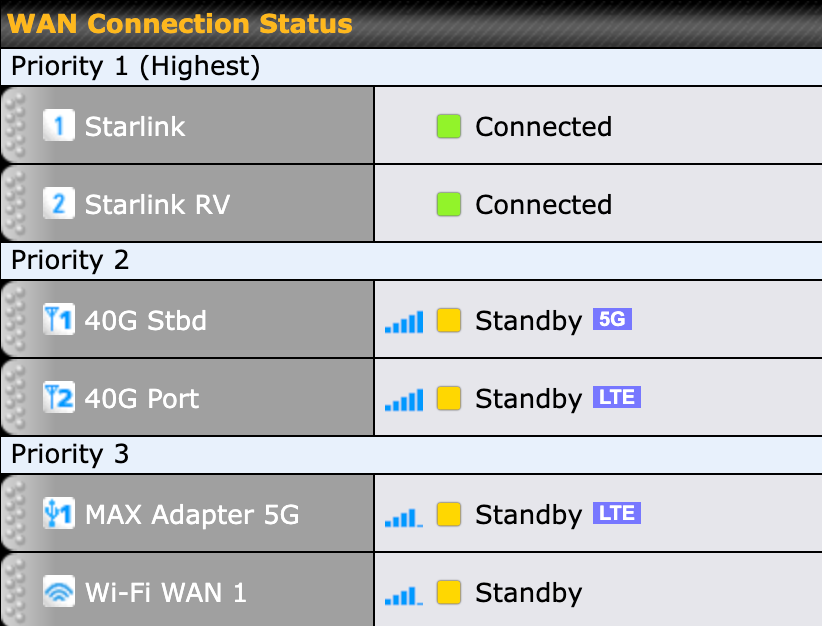
Cellular
Cellular still plays a big role in my internet setup, which surprises people sometimes. The main reason I keep it around is redundancy - Starlink is not guaranteed to work all of the time, and in fact, has had outages several times in the last year, just like any other internet provider. Having cellular gives me a backup when Starlink is down so I can continue work and stay connected.
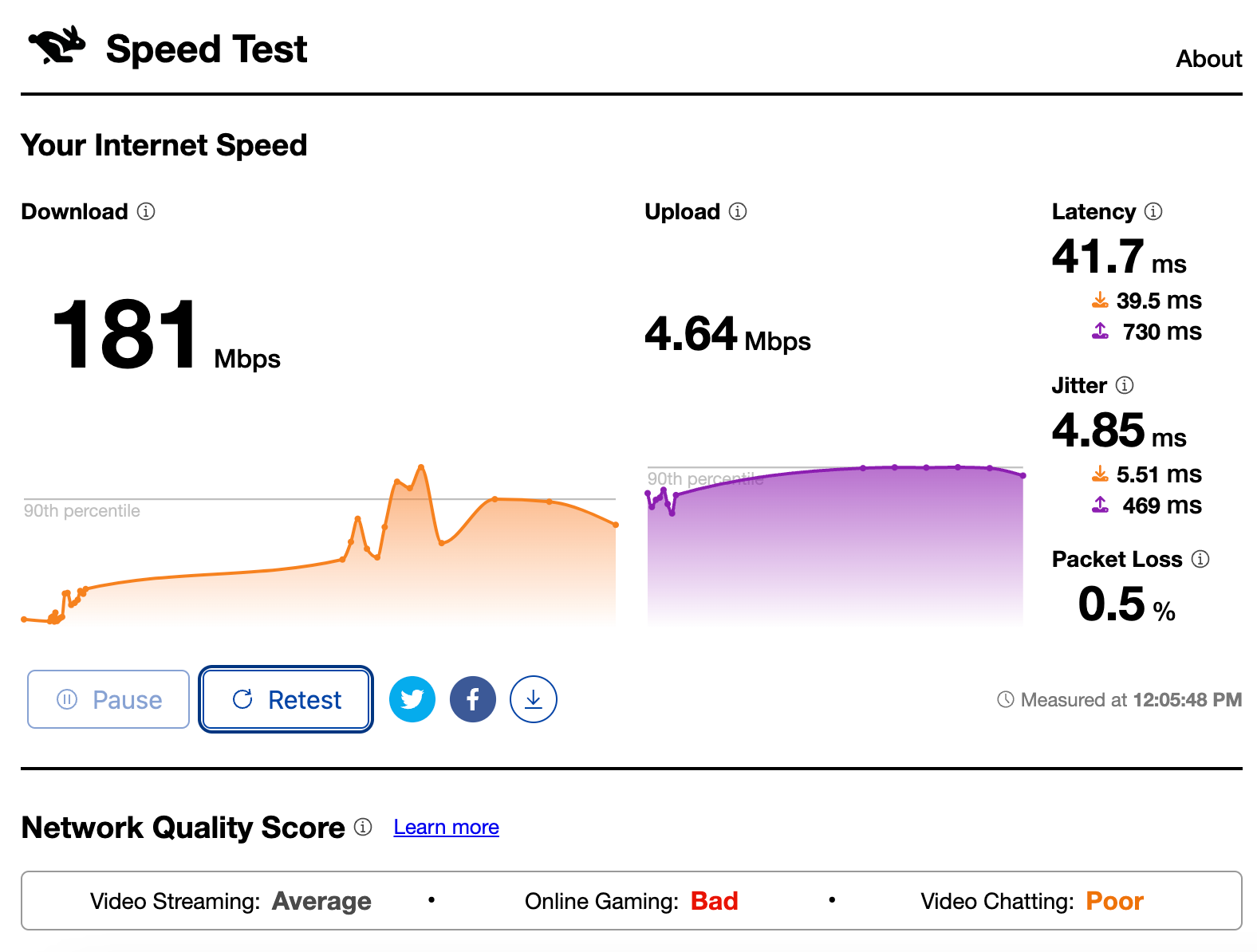
The other big reason I use cellular is upload speeds and packet loss. Video apps like Teams and Zoom use a ton of upload bandwidth to send your video out to other folks in the meeting. Starlink has a pretty small upload capacity, and at times it can suffer from some pretty high packet loss and latency. Starlink on average has about 10Mbps of upload capacity (on a good day), while most cellular connections are in the 50-100Mbps range where I cruise. This is a significant increase if you are in a more populated area where cellular makes sense.
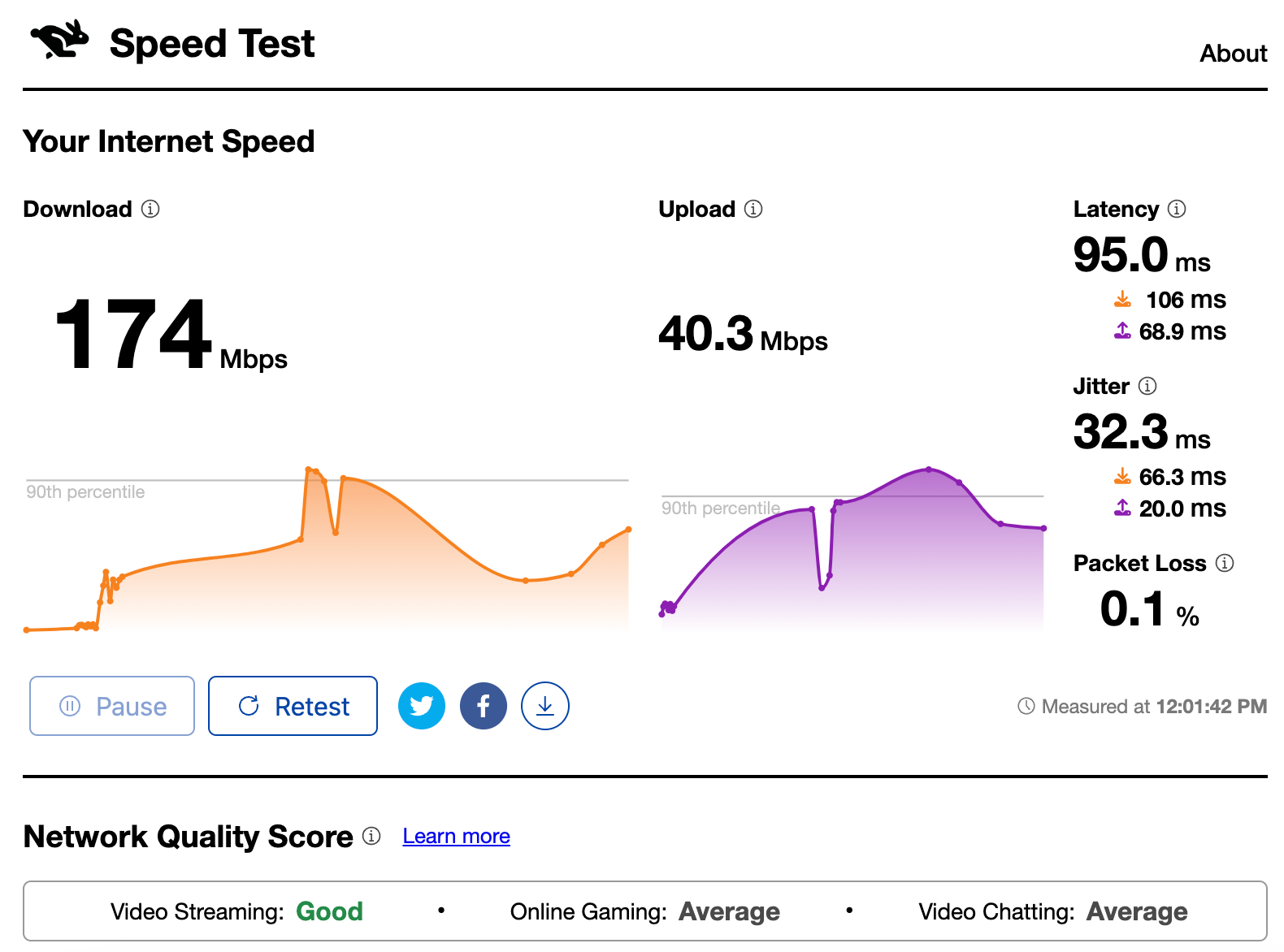
I still firmly believe at least a single cellular connection is essential to anyone who has critical connectivity requirements. Not only does it perform better in certain situations, but in the event of a Starlink outage, it is your backup connection.
Need help with your internet?
Chat with me one on one to improve your setup or build one from scratch.
Contact MeWiFi as WAN
This is always a source of internet that I like to have when using a Peplink product. You can read more about how this works in a dedicated article I wrote on WiFi as WAN.
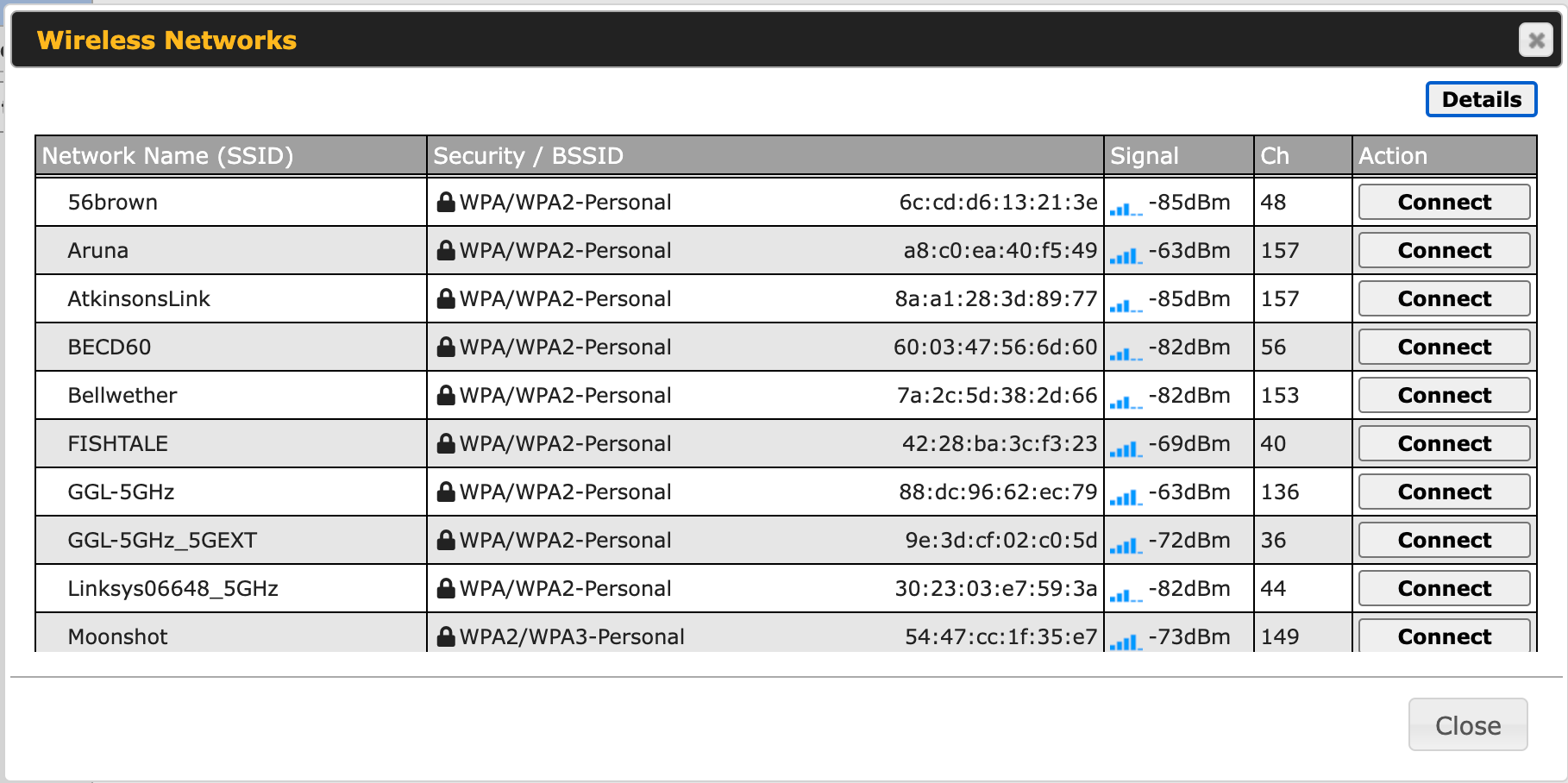
I use this feature when I am at a dock with quality WiFi and want to augment my internet connection. It works very well and provides another way to ensure I have a quality connection. In many cases, it is a backup connection that can swing into action if Starlink or cellular are unavailable.
In some rare cases, the latency is even better than Starlink, and I might even use it as the primary connection while in video meetings, but that doesn't always happen.
Steve Mitchell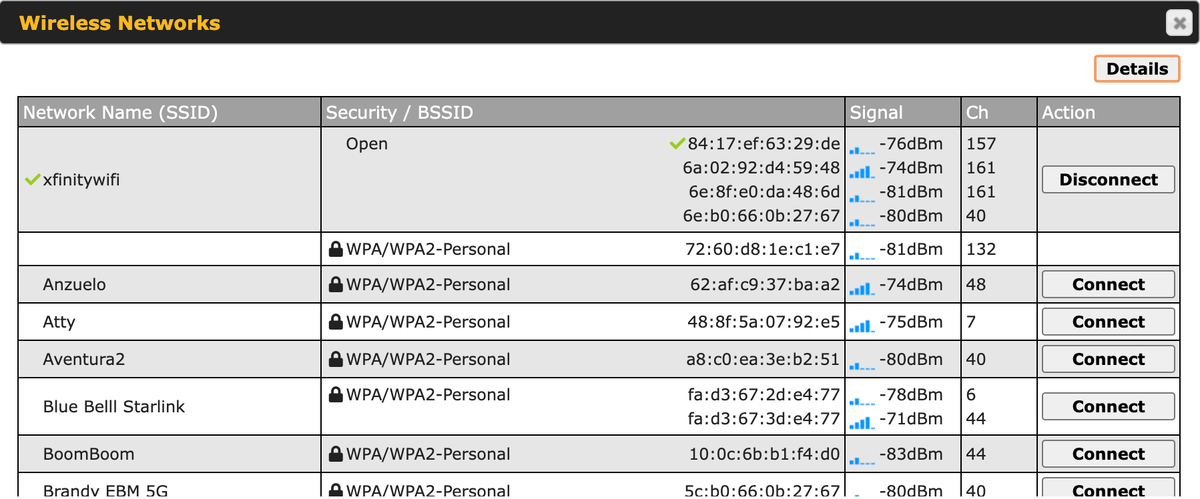
Simplified Diagram
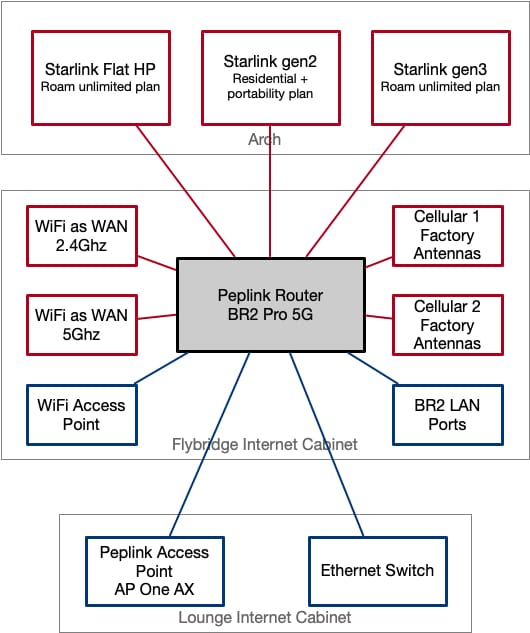
Above is a simplified diagram of the entire setup. Red are internet sources, blue are internal networks.
You can see the seven (overkill maybe? 😄) different internet sources including 3x Starlinks, 2x cellular, and 2x WiFi as WAN. There are also two WiFi access points - one outside on the BR2 Pro 5G itself, and one in the AP One AX in the lounge, plus wired ports at the BR2 Pro 5G and a switch in the lounge.
Leveraging Connections
Having all of these internet connections is nice, but you need something to take advantage of them, and for me that is one of the main reasons I use Peplink equipment.
You can switch between the various connections manually when something changes, but that would require that you monitor them frequently. Trying to use two connections at once without a good set of features is also problematic. Peplink has two very similar features that I use to help with this.
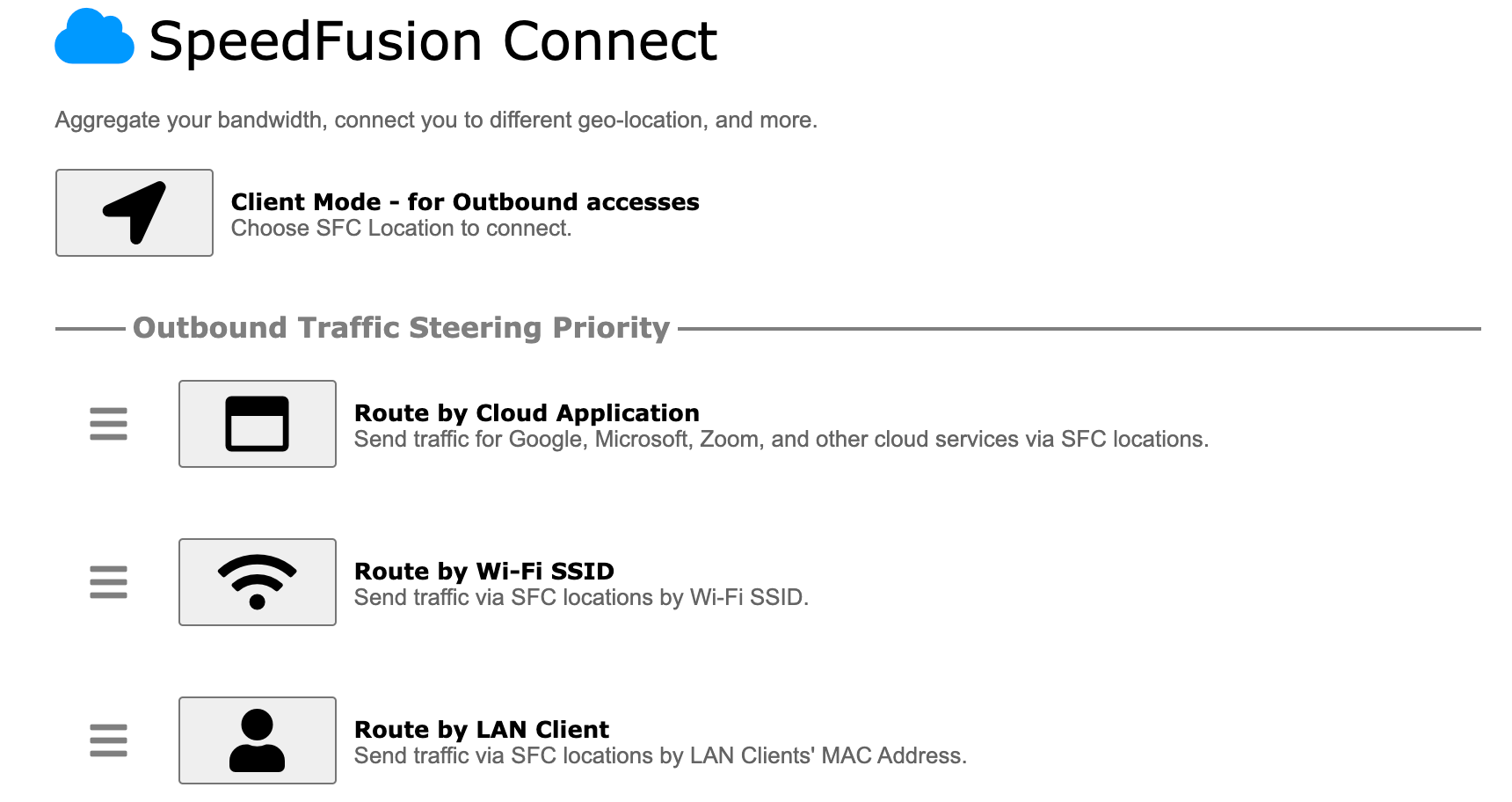
SpeedFusion Connect is the most user friendly and provides a way to combine multiple internet connections for redundancy and performance. You can select your entire network, a list of machines, or just specific types of traffic, so it gives you a lot of control over how much of your internet connections you use. This can be important as you may not want everything (think streaming traffic or photo backups, etc.) to use your redundant connections as it might bump into a data cap, or just slow more critical traffic down.
The other feature is to use a VPN to a FusionHub in the cloud. This is essentially the same as SpeedFusion Connect, but requires that you own and run your own FusionHub, and requires a bit more manual configuration. SpeedFusion Connect is a packaged and simplified version of this. I use this version is that it gives me more direct control over certain things, and allows for some additional features for larger downloads and other things I tend to do.
There is quite a bit more to SpeedFusion / PepVPN than just combining internet sources. It can apply logic to the type of connection and its performance and choose to move things around to ensure you have the best experience. There are balancing algorithms that help with latency, congestion, and many other aspects that you can fine tune depending on whether you are playing games, using video applications, streaming, or anything else. You can prioritize specific types of traffic or systems, set aside bandwidth for critical applications, and much more.
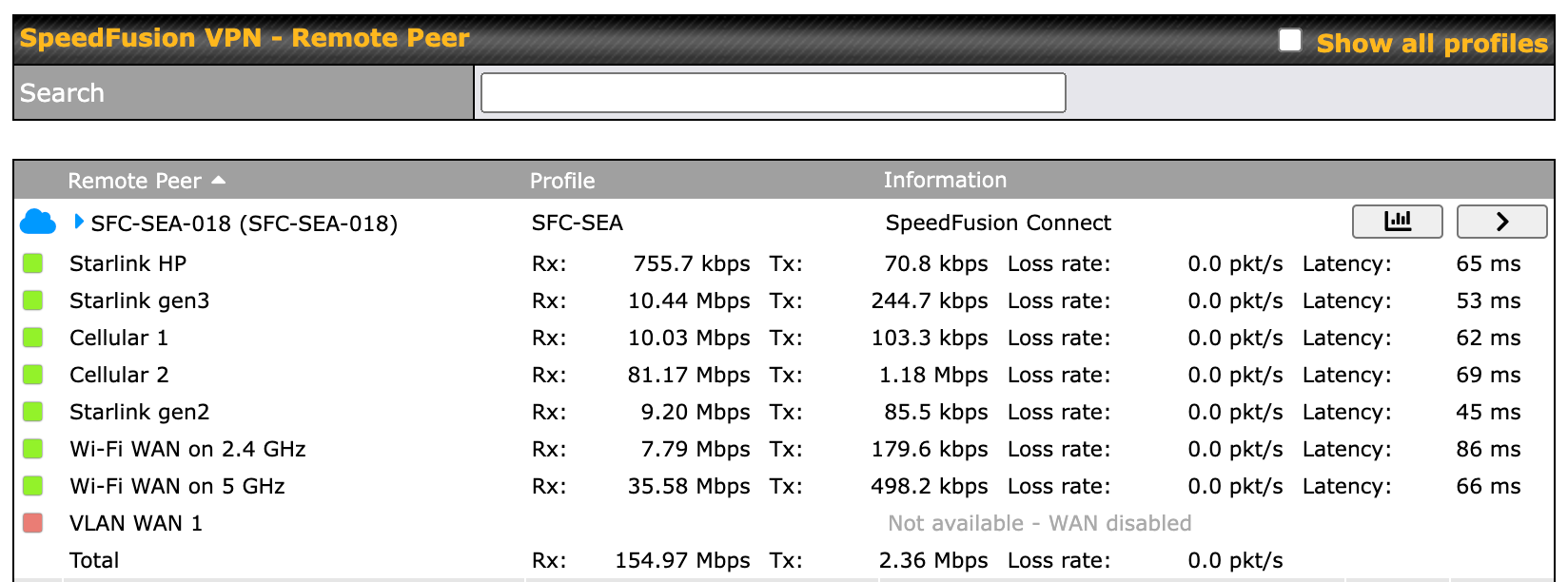
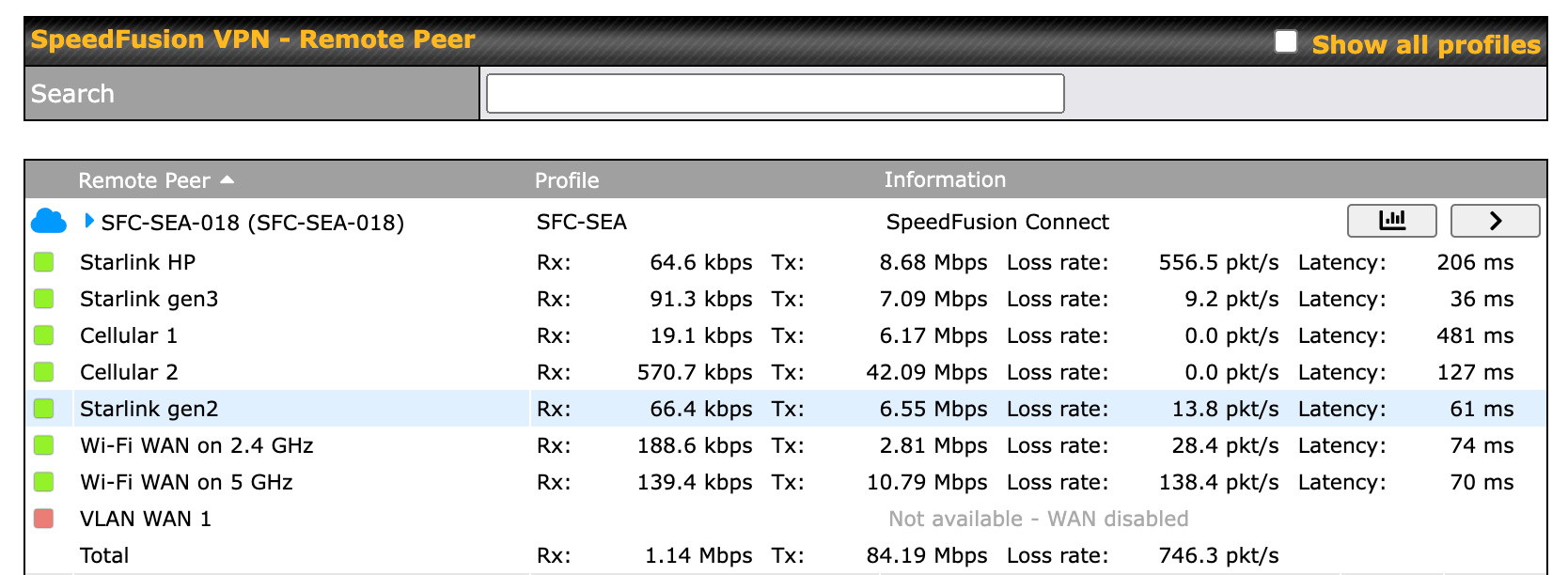
You can see from the test results above that there are specific internet sources that are performing better than others. To determine this, you can look at the Rx (recieve/download) and Tx (transmit/upload) columns to determine overall performance or throughput, and the Loss rate (packet loss) and Latency items to determine quality.
In the download test, the cellular and WiFi as WAN connections are actually outperforming Starlink. In the upload test, everything is a bit of a mess with most of the Starlink and WiFi as WAN connections having tons of packet loss, the cellular connections having high latency, and one Starlink - the gen3 - being pretty OK.
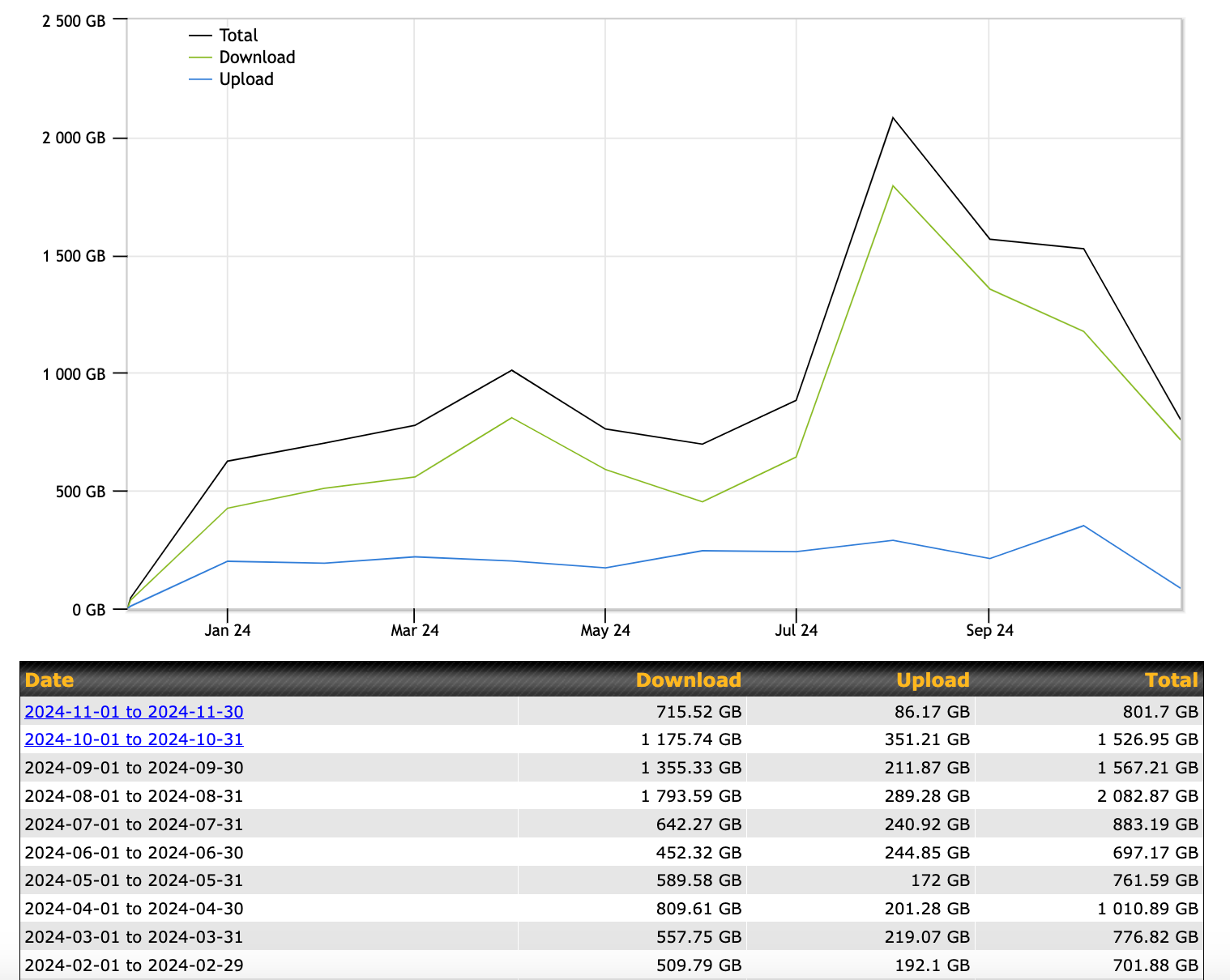
SpeedFusion Connect doesn't cost that much - I paid $80 for 2 terabytes of data, which will probably last me 6-9 months. Hosting your own FusionHub will cost a bit more, depending on the configuration you use. Either one is a critical piece in enabling redundant and high quality internet connectivity from a boat, and so far, Peplink has the best features for the price with SpeedFusion Connect.
Results
Not unexpectedly, all of this together has provided a really nice system that has provided high levels of redundancy and reliability while allowing me to stay connected no matter where I am. I have been very impressed with the Peplink BR2 Pro 5G router in particular. I've tested tons of routers over the years, and they all have some annoying problem or reliability issue, and so far, the BR2 has been more reliable than any Peplink product I've tested to date. There are some improvements to be made with the access point situation, but overall this setup has made me happy, and with minor tweaks, will likely continue to do so.
What are you using for your setup? Send me a note or jump into the comments below and let me know!
Archived Community Comments
These comments were posted on the SeaBits forum before February 2026. Scroll down to join the current discussion.
Super interesting… and I don’t even live aboard! I’m now diving deep into Unifi - would that work on a boat?
Keep up the journaling, really enjoyable
Fair seas…
UniFi equipment is fantastic. I actually manage some moderate-to-large deployments of UniFi equipment for marinas, and would not use anything else for those harsh environments. As fast as this tech updates, it’s not worth investing in the bigger vendors since replacing it every 2-3 years is possible with the cheaper UniFi equipment.
UniFi aboard is very popular. I actually use their access points on Aruna as well when the Peplink ones start misbehaving. Their management software and compatibility of their access points is very, very good. Everything connects fine and works very well.
The challenge is at the router side. Their products are built for normal land-based internet connections so they lack a lot of the features around cellular connections and optimizing things at that level. They could definitely handle multiple Starlink connections, but bonding and VPNs would be dealt with differently and likely not as gracefully.
You could use their access points, like I do, and Peplink for the router part. Or you could use UniFi’s router/dream machine/etc. “behind” the Peplink so you get all of the features of their router, and let the Peplink do the internet connections. Would use more power of course.
I too am having issues with Peplink BR2 and AP One AX. Any suggestions?
Not without more information. I’m not having any issues with my BR2, just the AP One AX in terms of device compatibility and performance.
After all the issues I used to have with an older AP One, I switched for ~14 months to one of the simple Unifi POE WAPs, but I was having really bad issues requiring me to reboot it every couple weeks, and then later on every few days and it culminated into having to reboot it every few hours to keep connectivity up, at which point I upgraded to an AP One AX.
I’ve had some issues with 2.4G devices randomly dropping out with the AP One AX, especially the Vesper Cortex. I’ve set my BR2 Pro and AP One AX up to reboot every week at 4am Sunday morning. That’s virtually eliminated problems with my AP One AX. What kind of compatibility issues are you seeing?
The Vesper Cortex is one of my problems and quite irritating. In addition, I’ve seen other devices such as Sonos, Blusound, various IoT devices and the like have issues with 2.4Ghz.
I have also seen significant performance issues that require constant reboots, and in “noisy” WiFi environments, get positively unusable no matter how many reboots you perform.
Testing side-by-side, with differing and similar channels, using UniFi and several other APs, I see none of those issues.
Nevertheless, I still use the AP One AX a lot because of its simple management platform and low power use…
FWIW, I first tried only rebooting the AP One AX regularly, and still had problems. However, when I rebooted both it and the AP Controller (BR2) at the same time, that significantly mitigated the problems. YMMV, of course, and correlation is not causation…
Separately, it’s funny how much we’ve converged on a similar setup in many ways – BR2 Pro, and I used 3 starlinks (2 gen 2s and one highpo flat) for a while before downgrading to just 2 (highpo and one gen2) this past season because I wasn’t getting much benefit out of the 3rd, but I keep it hooked up and ready to turn on as a hot spare.
I’m still using 3x cellular connections via 3 Peplink Mobility 40G Marine antennas, and I’m intrigued that you have dropped down to the tiny local antennas. Has coverage in the islands gotten good enough that you don’t need crazy boosters anymore, or is it really just a reflection how much you happily rely on starlink as your main internet now?
I can’t remember the last time I used wifi as wan with better results than the rest of my setup, so doing it over again I definitely wouldn’t bother with the giant wifi antennas, but this basic setup was all built up in 2021 before starlink, and I hadn’t thought about what it would look like to do it all over from scratch, so you have me thinking now…
I think the issues I’m seeing both with my AP One AX’s and other customers are specific to the AP itself, not necessarily the connection to the router or anything the controller software is doing. I just think they’re not as robust or supported APs as UniFi or other solutions.
I spend about 50% of my time in Canada and use Starlink + Google Fi depending on where I am. The rest of the time in the US I’m anywhere between Olympia and the San Juan Islands, and cellular has become extremely reliable. Having the bigger marine antennas would help, but as I mentioned in the story, it’s just not worth the extra cost/space of cabling and antennas.
I would say 80% of the time I use Starlink on average. In the remote locations in Canada that I spend a lot of time in, that would go up to 100%. So yes, partly this is because of what Starlink has brought. But cellular has still gotten better, and given that my router is upstairs, with little in its way, the factory antennas work pretty well.
I will likely throw one of the bigger antennas up for testing, but I don’t expect huge gains across the board.
Yeah but it’s interesting how necessity (hassle) has led you to the simpler solution that’s working great for you. I’m very interested to see how your results fare if you play with the big antennas. Especially in rural new england (like out in Maine east of Portland), we’ve definitely needed the extenders, but cellular coverage has expanded so much that it wouldn’t be super surprising to me if it’s good enough in 95% of places that you can just rely on starlink the rest of the time and be fine… I already have these giant antennas on top that I’ll keep using for now, but if we ever get around to boat swapping, I’ll have to strongly consider simplifying my setup like you have…
Hi Steve - Happy to see Aruna is working out for you! I feel like such a caveman with my collection of antiques
Currently running the BR1 mini LTEA with an older AP1-RUG (the olde one with three antennas) and a Mobility 22. This setup worked a charm last year from the Bahamas through Penobscot Bay with only a few gaps up in Maine. Speeds were more than adequate for us - but we’re not working on board!
I’m building an upgrade this winter whilst hanging around in FL getting two new knees (never get old - it isn’t any fun) with a BR1 Pro Cat20 (paid thru 6/27!) and a Mobility 42, as it has the requisite 4X4 cell antennas and also better performance on Band 71, which would have helped Down East. I’m also changing the installation to cut out about 10 feet of coax - the extra coax & connectors can’t be helping much.
On the olde AP1 RUG, I’ve tried to spread the coverage around the boat by running the antennas out - the AP is at the Nav station in the salon, I wired one back aft in the stateroom (nameless Chinese puck) and one up top on the coachroof (MobileMark) at the front of the cockpit. Seems to work, but I haven’t really explored to see how far off the boat it gets. One question I could never get answered was whether all three antennas are dual-band, or if Peplink split them up.
yeah, i can see that… the router part. elliott bay us putting in fiber and using unifi!
i guess PoE too much of a draw on the boat?
I believe that at least one of them is single band, but I was never able to confirm this either.
I have both the older version and newer version of the Rugged AP, and prefer them because of their reliability and power, especially at 2.4Ghz, but they lag behind in terms of the newest WiFi standards. That ends up causing performance issues for some of the more modern devices I have.
It would really depend on your boat, battery bank, and general power usage trends. You can run UniFi AP’s from a PoE switch, or use injectors as I’ve discussed before in older articles. A PoE switch would either require AC power, or use DC voltage to convert things to PoE, similar to the injector. All of them would have some loss since you’d be likely converting from 12/24v to 48-56v for PoE.
The additional challenge is running UniFi’s management software, which would be required in most cases with any access point. UniFi requires that software at least to set things up, but you really would want to run it continuously for updates, changes, etc. That software can be run on a linux machine, although it is not the primary supported method. They prefer you use their various platforms to run it which could include a router or a dedicated device (CloudKey, etc.) to do so. Both would require more power (CloudKey’s use PoE) which adds to the overall power budget.
got it, thanks for all the replies
Very nice to have you back! We all appreciate your thorough approach to content.
I too have been having a lot of issues with my AP One Ax. After documenting my tests with and without the AP on Clever Mariner (and feeling very smug about my setup), I have had to do more tinkering with the AP than anything else in my setup.
The worst has been the AP inexplicably dropping off the mesh in a wireless mesh setup. This seems to happen if the AP loses power for some reason. The only way to solve it has been to be to reconnect the AP to wired LAN and make my br1 pro 5g re-sync the AP config.
I realize running a wireless mesh setup is far from ideal, but it’s advertised to work, and I’m pretty disappointed.
Some nights when I’m ready to throw the AP overboard, I am reminded that I have absolutely no issues running a wireless mesh with a non-fancy, non-enterprise tp-link deco system at our land home. Land home is set up for AirBNB, the house is historic from 1780, and running cables is…challenging.
This is my second big hiccup in working with Peplink products. My initial setup was built around the Max Transit Cat 18. And I ran into endless issues with the processor being severely underpowered to handle their advertised features. If we had a few folks on the boat trying to use Speedfusion, the processor was always pegged at 100%, and performance of all devices suffered mightily.
I’m 85% convinced that I should stop relying on the BR1 Pro 5G to handle my cellular modem, router, and bonding/smooting all in one. There’s a few other bonding solutions that seem interesting now, and we seem to have to upgrade cellular modem tech every few years anyway.
Maybe the solution is going SaaS for bonding/smoothing, married to an openwrt router, and a separate cellular modem (that can be more cost effectively be upgraded)?
Hey, no mention of the upcoming, rumored, Kuiper satellite internet roll out ! Worthy competitor or also-ran?
Mesh is hard to get right, surprisingly. A lot of companies have struggled with it, and in the last few years, most have finally gotten it right. I would not expect Peplink’s version to be that robust. I’ve tested it a few times, and compared to UniFi, Netgear, and others, it has its challenges.
This was a problem in all the later versions of the Transit line. It caused performance issues all across the board including what you saw. I had many, many customers with ongoing issues, and I had my own challenges as well. The newer BR series is a much faster processor and I don’t see any of the same issues, but the damage was done with Peplink leaving that older processor in their Transit line for too long.
I have been testing some software bonding solutions that are promising, but many of them still require multiple UIs or pieces put together to make them work right. I’m hoping to find a combo that might work well.
It’s great to see you posting again. I always appreciate your articles.
-Mic
Hi Steve, great post. I always learn a lot from your explorations! You might want to tag this post as “Article Discussions” too so it shows up in that category when folks get to seabits via the link from your email with the article. Took me a bit of effort to find this discussion thread.