


I've been using the Starlink Performance Generation 3 for 9 months, and have some feedback on how it's worked aboard Aruna. Overall, it has been a great upgrade with faster speeds and more marine quality components. Let's dig into the details.
Video overview - article has additional details
DC Power Supply
One of the big reasons I was interested in the Starlink Performance Gen3 system is the AC and DC capable power supply known as the Advanced Power Supply. Since I installed the unit, I've used the DC power supply exclusively, and love that option. Not only is it more efficient than the AC power conversion, it also means that if my inverter or AC power goes down, I still have internet connectivity to do research 😃
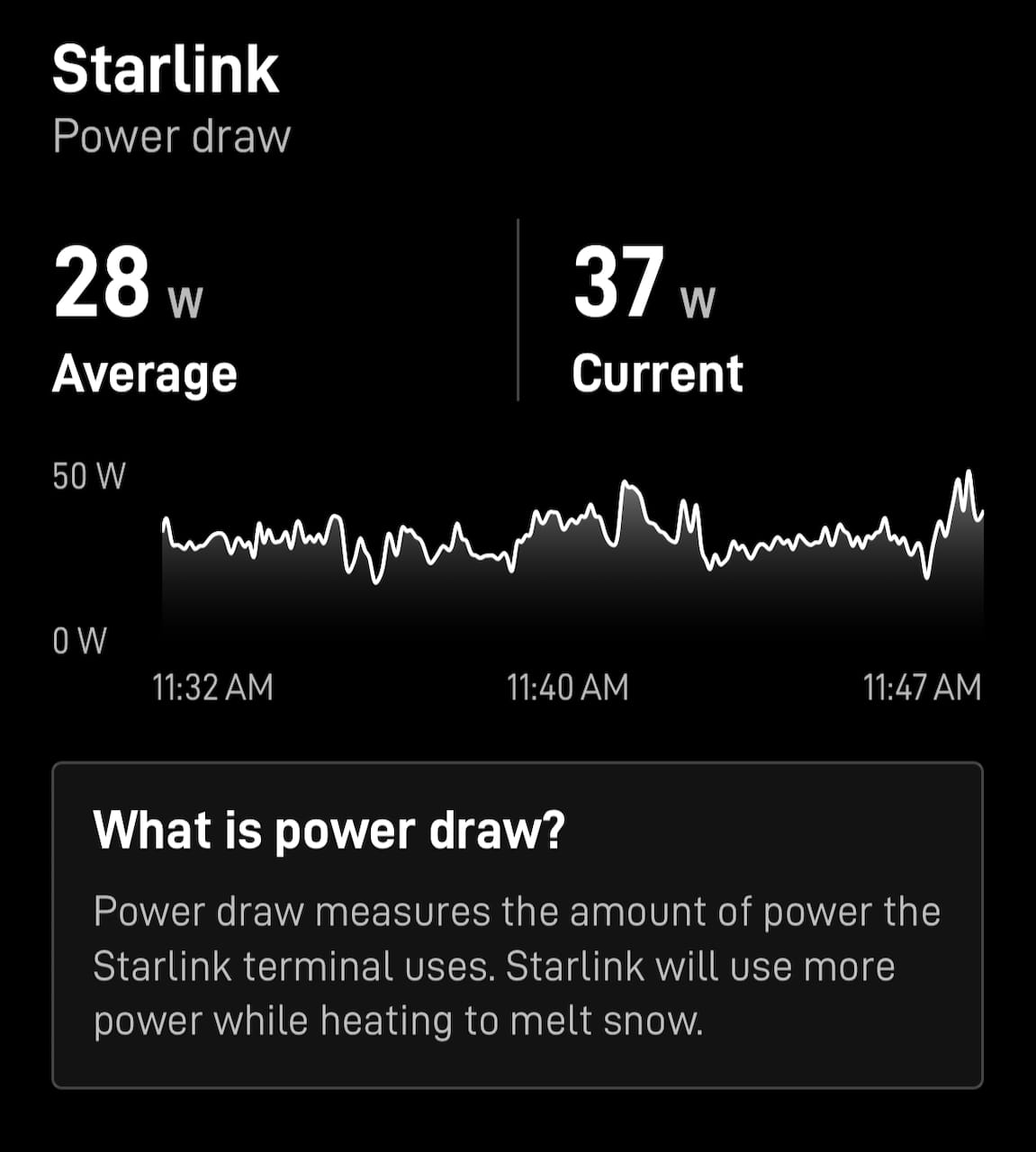
The power draw with the DC power supply has been good, well within what I would expect for a big dish like this. I did some testing back in June 2025 and power usage has gotten a little bit better since then. I assume that is as a result of firmware updates and optimization that Starlink has been able to figure out with things running in customer environments.
 Steve Mitchell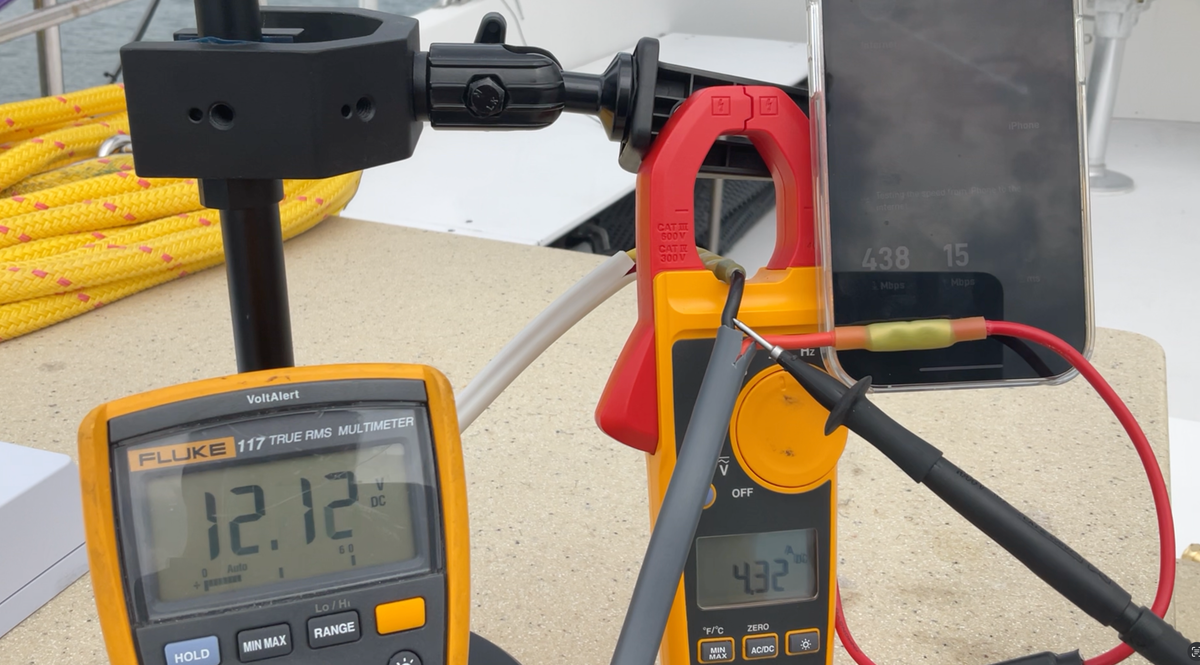
There was a bit of a learning curve with this power supply for Starlink. A few months ago, those of us with the unit got an email indicating that there was a design flaw with the AC and DC power supply cabling waterproofing. New cables were shipped, but took a while to arrive. I have the new ones, and can't see a huge difference vs. the old ones.
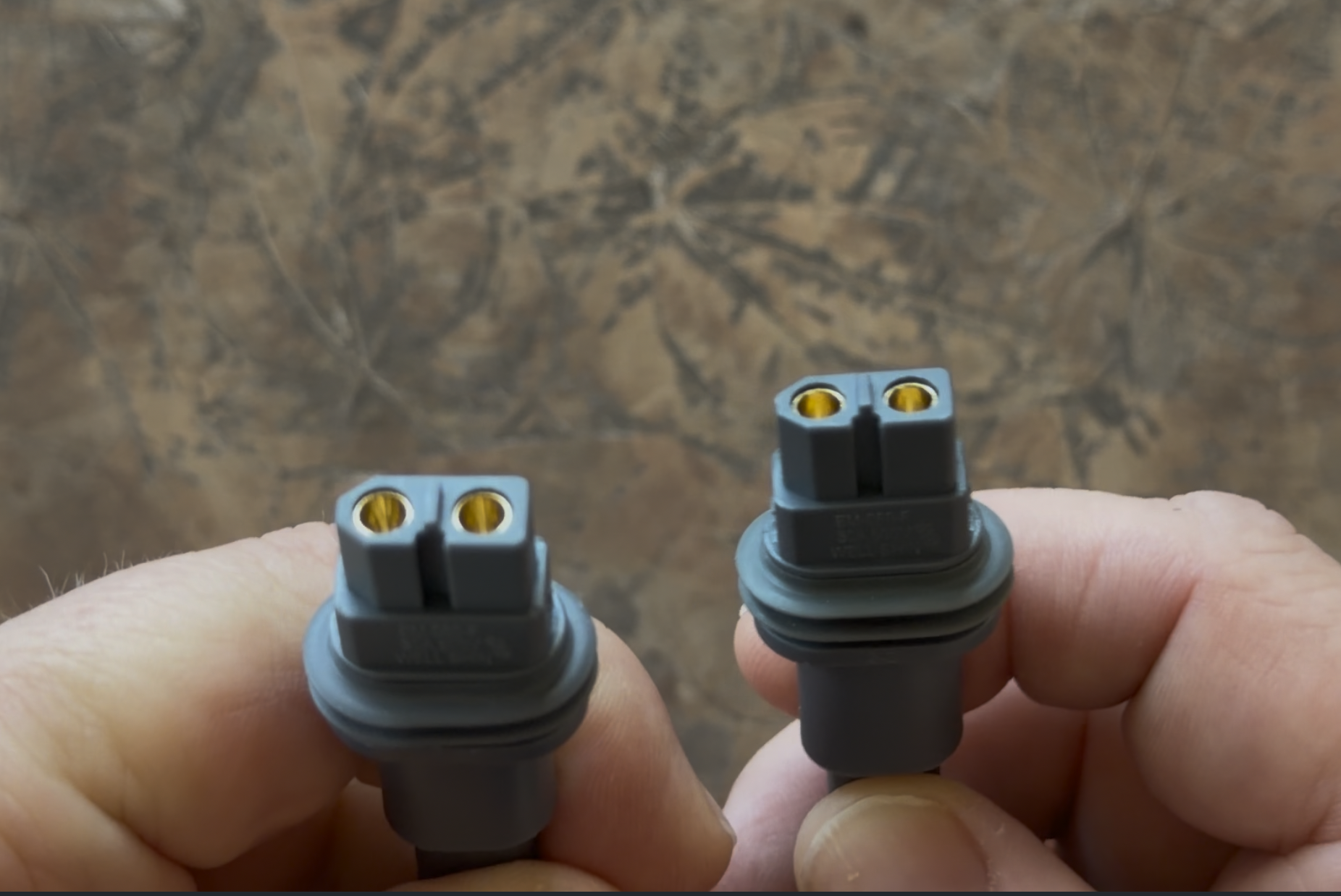
The other benefit of this power supply is being able to use it with the Standard Generation 3 dish. This allows for some redundancy if your dish fails and you have both a Standard and Performance, like I do. You could also order the power supply and use it with the Standard Generation 3 instead of the AC-only power supply.
One thing that is disappointing about the advanced power supply is the lack of statistics and information. In the original release, Starlink indicated there would be "a new microcontroller that provides additional telemetry data, such as power inputs/outputs, Ethernet measurements, network voltage drops, and water detection at the terminals" but none of those appear to be exposed to end users in any way. I was hoping there would be opportunities to see the DC power voltage, statistics, and even AC->DC conversion information, but we're still waiting.
Faster Speeds
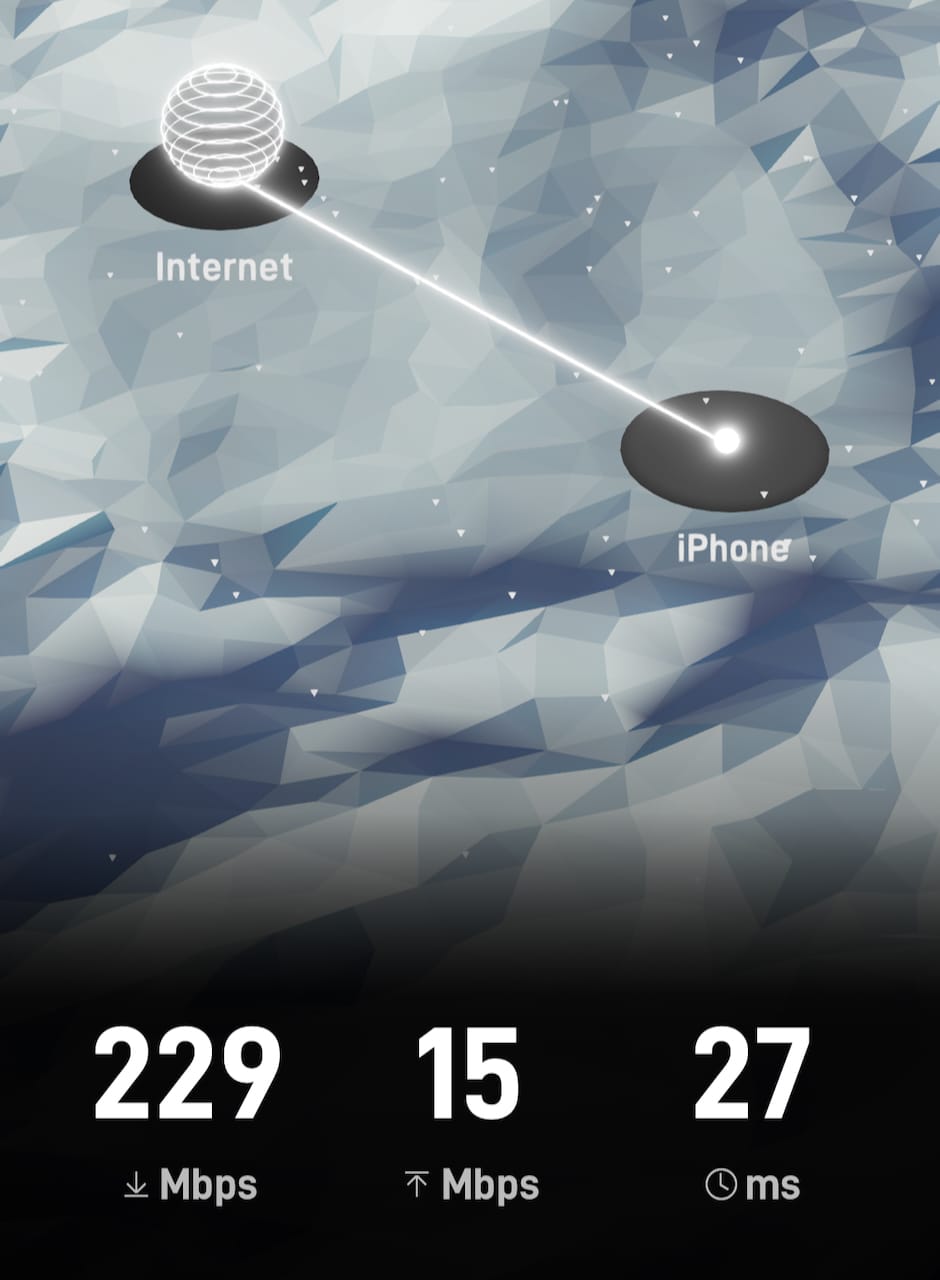
I have noticed consistently higher speeds out of the Performance Generation 3 versus all other versions of the Starlink dishes I have aboard which include the original round generation 1, generation 2 rectangular, and Flat High Performance. I'm sure this has to do with the newer generation antenna structure, and the fact that eventually this unit will allow for even faster speeds, if you want to pay for them.
 Steve Mitchell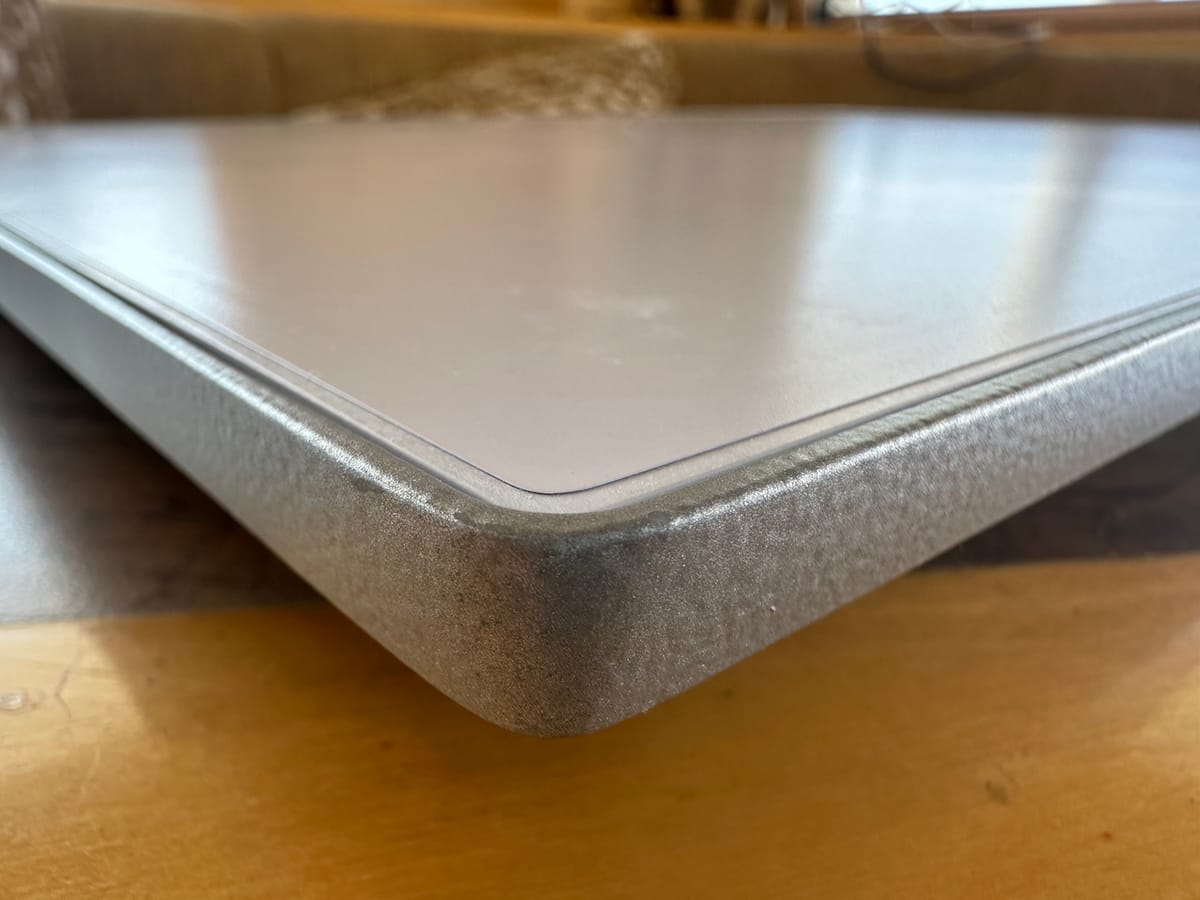
 Steve Mitchell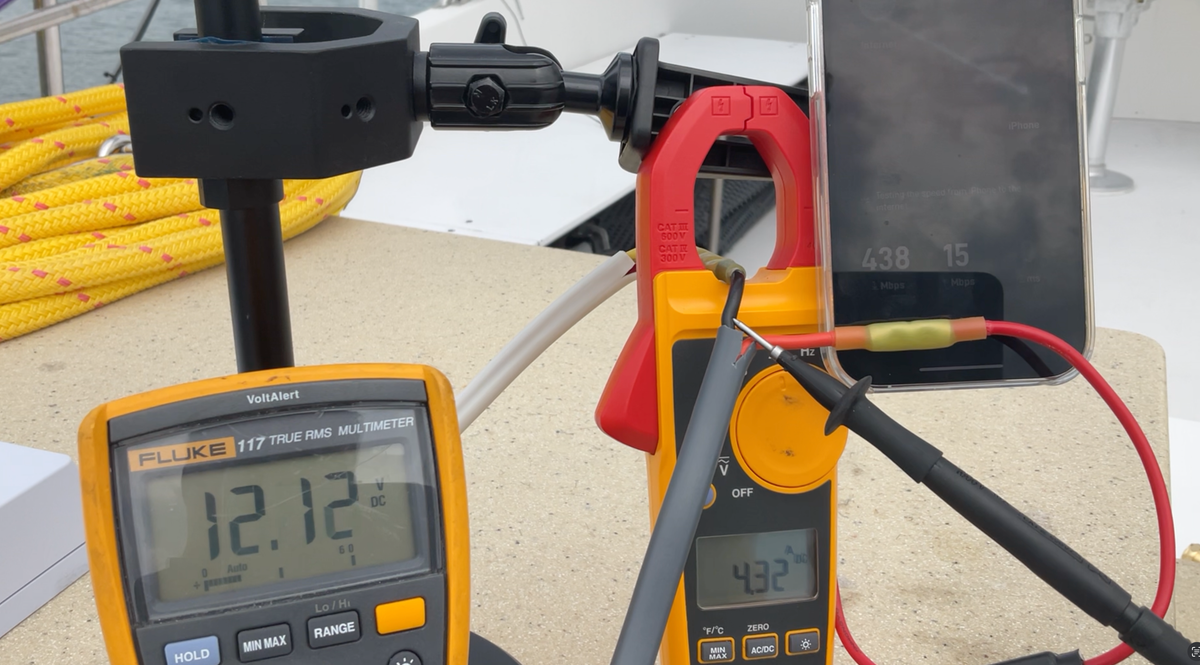
Marine Grade Connections
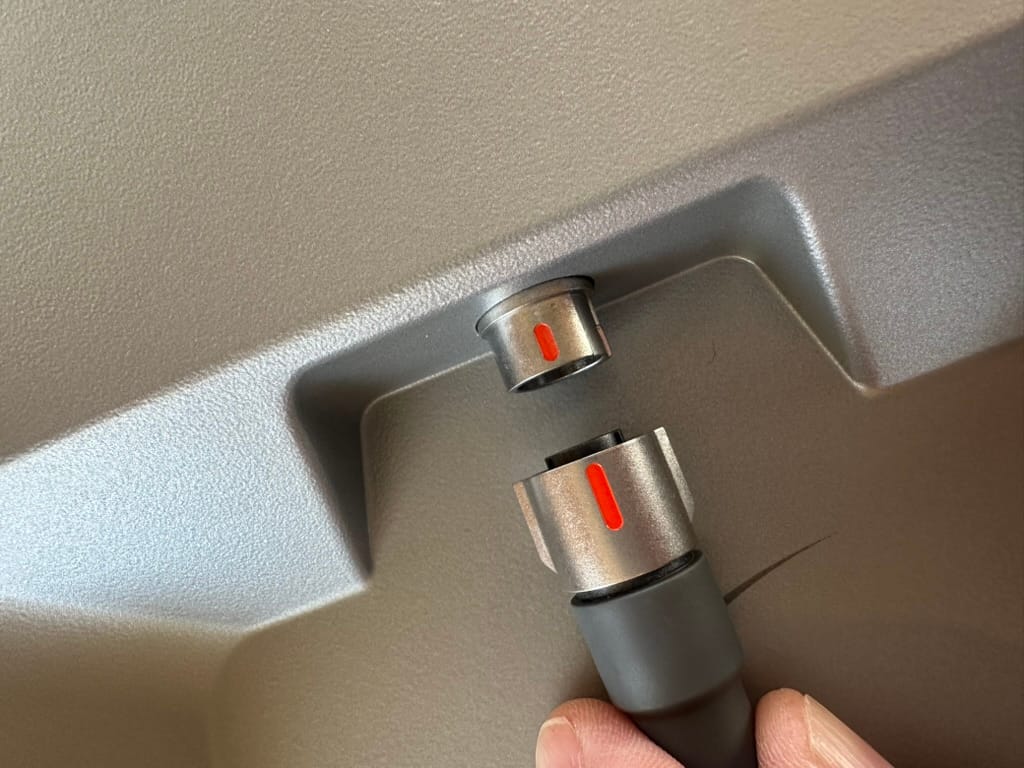
Other than the power supply, which apparently had waterproofing issues, I really prefer this setup for a marine installation. I've done a few installs for other boats besides my own, and the twist lock waterproof end to the cable is an excellent version (finally) of the connection to the dish. The previous push-in plastic connectors, and the abysmal Flat High Performance thing were always the weakest points of any Starlink install on a boat. Coating them in various substances to reduce corrosion and water ingress seemed to work for most folks.
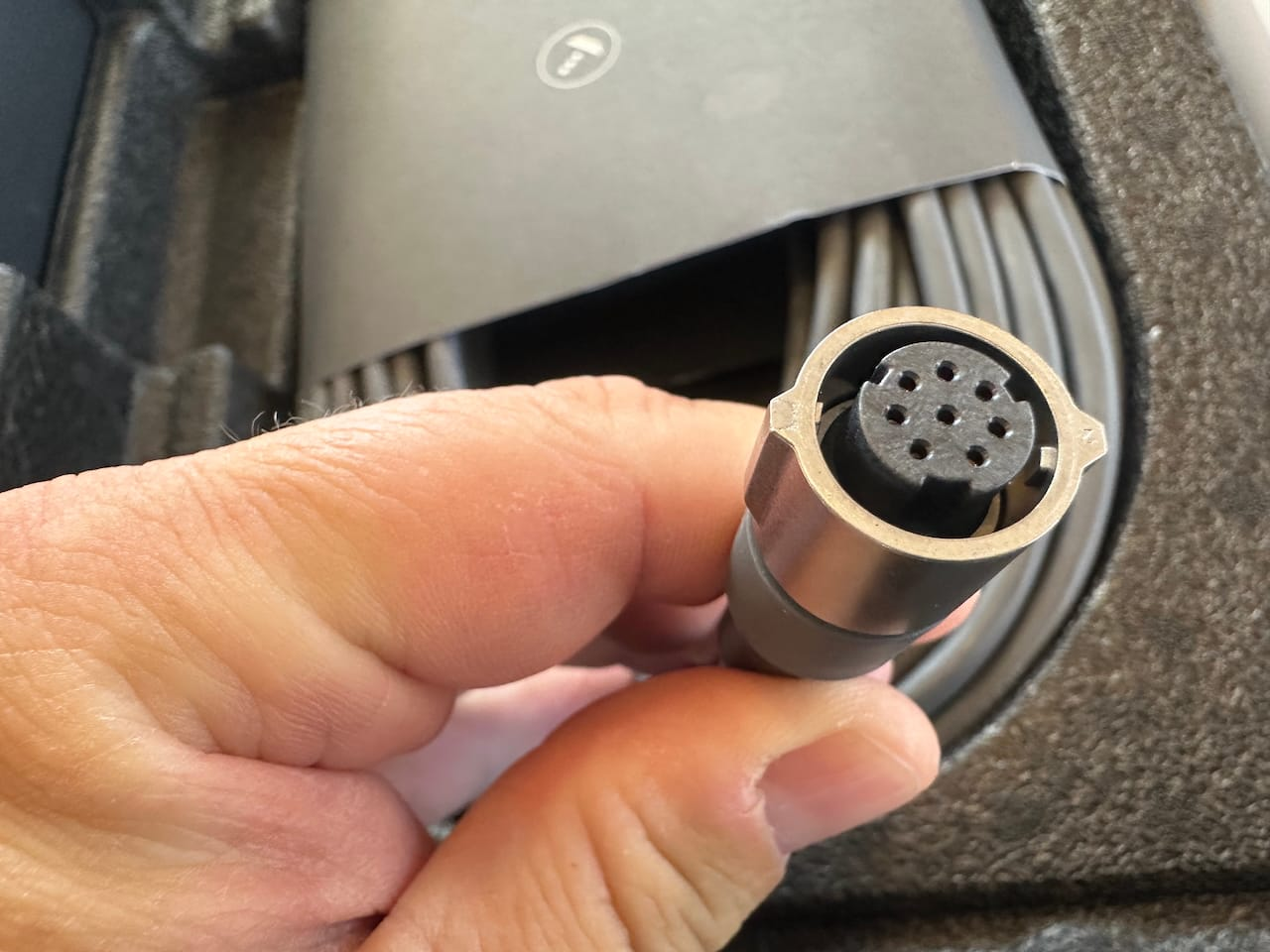
The hefty stainless end with the positive twist lock makes it super easy to connect. The only huge downside is the size of the connector, which requires a pretty big hole. There was a note in the original guides that a field installable connector would be available "later" but I have yet to see it on Starlink's website or hear about it becoming available. If you've seen it, please leave a note in the comments.
This is probably the single worst part of the entire setup - the hole required for that beautiful connector is quite large. If you use the other end, it is a bit smaller, but you will need to protect either one during the cable pulling process.
Wedge Mount
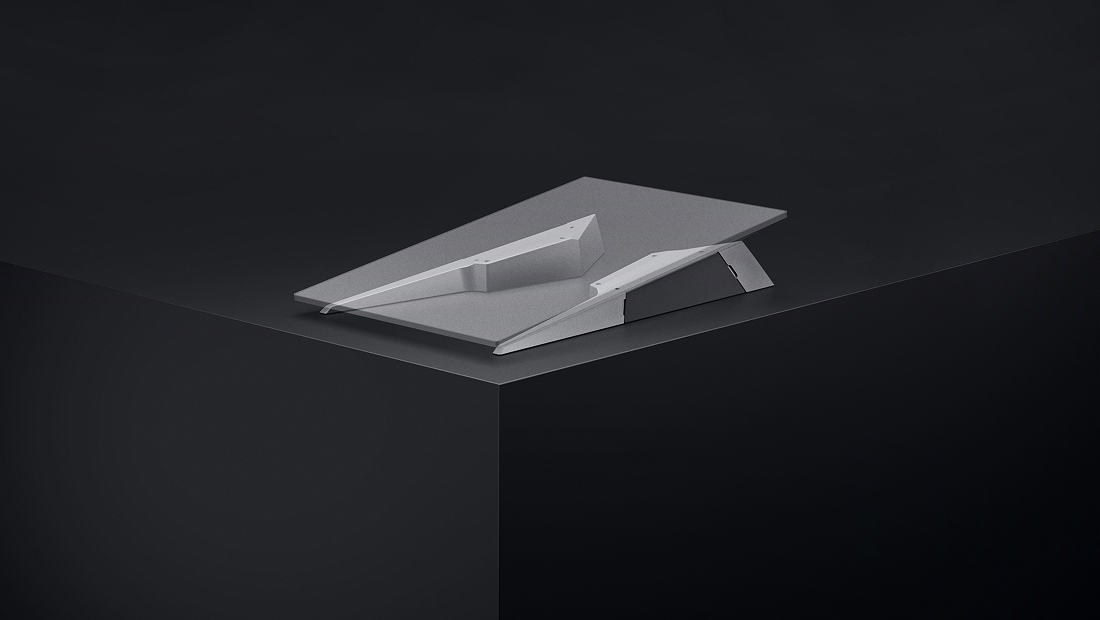
The wedge mount is probably my least favorite part of the entire Starlink Performance Gen 3 setup. It weighs over 4 pounds and is a huge chunk of aluminum to have aloft. It has cheap plastic doors to access the bolts on either side, and is quite a bit more fiddly than I would have liked.
Having done a few installs with these, they are a lot of weight overall to lift and maneuver up into a mounting position. The install process requires the dish and the mount be connected together, and then mounted as one piece by accessing the bolt holes through the side doors. The whole kit weighs over 16 pounds, which is a lot to be messing around with, and the aluminum mount, while anodized, can do damage to gelcoat while you're moving it around.
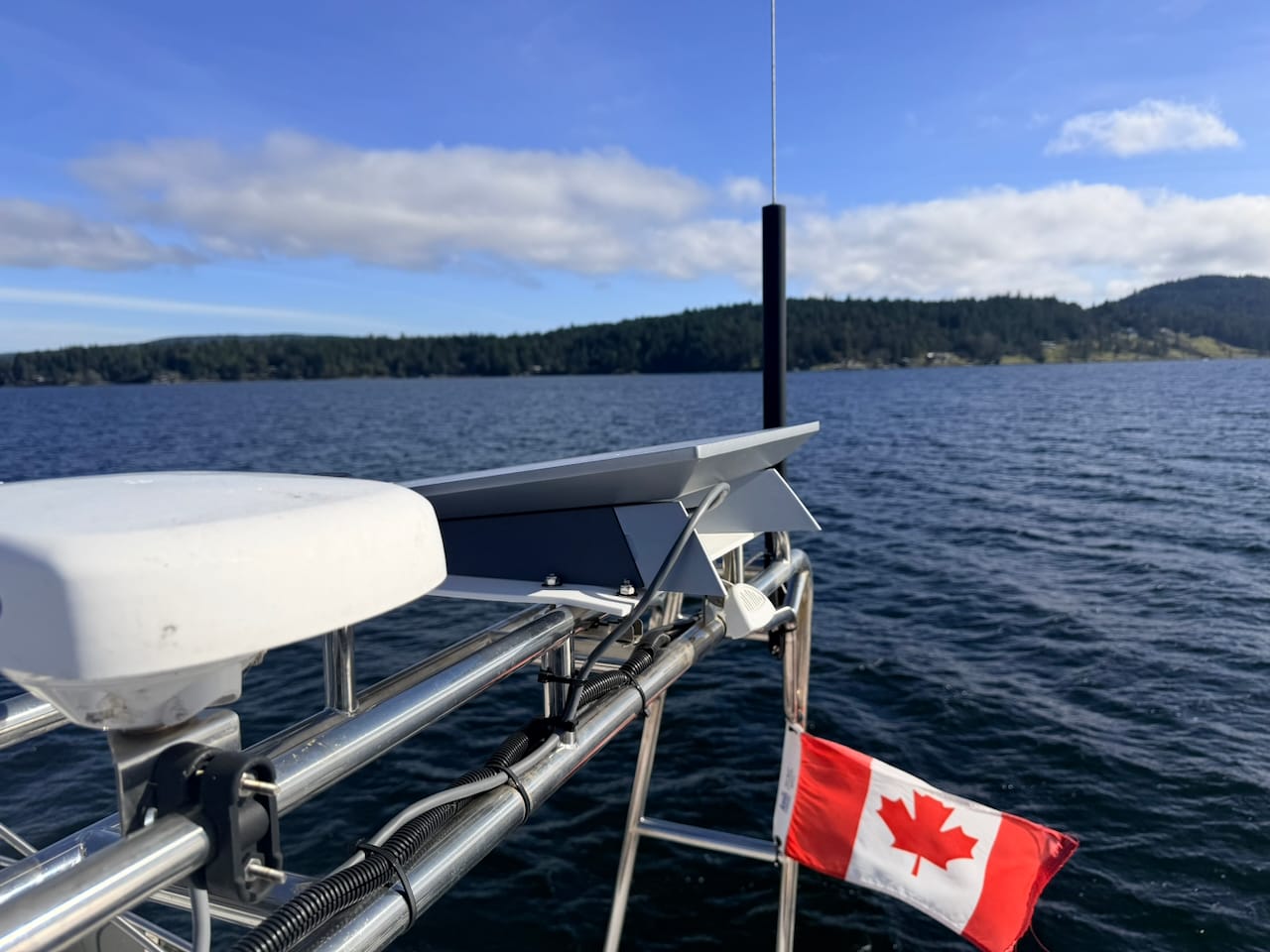
For $80, it's hard to justify trying another mount if this one works for you. Many of the other solutions out there are more expensive, especially the marine ones. However, they have some benefits and are lighter and easier to work with in many cases.
Need help with Starlink, internet, or choosing a cellular plan? 🚤📡
📅 Book a free 30-minute call with me and get expert advice tailored to you!
Router & Redundancy
I've paired the Performance Gen3 with a Peplink BR2 Pro 5G router which has 2x cellular connections and marina WiFi as WAN backups. This is the same approach I've used for years and I highly recommend it for any outage or speed issues with Starlink. The good news with the Performance Kit is that no ethernet adapter is needed; the Advanced Power Supply connects directly to the Peplink WAN port via standard ethernet, and can even provide PoE power to your router, which makes for a cleaner install than previous generations. If you want to dig into the Peplink + Starlink setup in detail, I have a full guide, though it's due for an update, which I'm working on.
 Steve Mitchell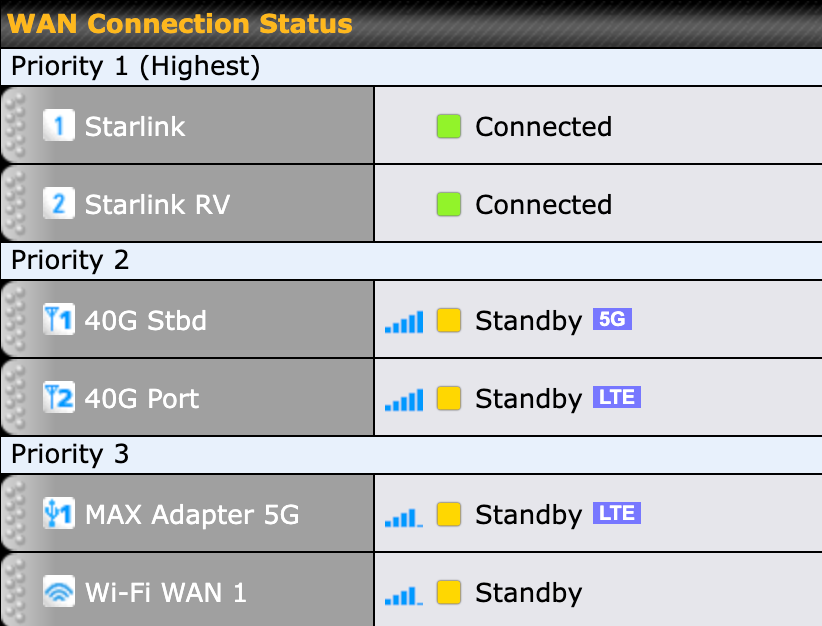
Wrap Up
Overall, I'm very pleased with the Starlink Performance Generation 3 dish, and it's my primary source of internet wherever I go. It is quite a bit more expensive than the Standard Generation 3, but you get better waterproofing, faster speeds, a DC power supply, and overall better marine install for that price, plus hopefully a bit more longevity. You just have to figure out how to make big enough holes for the cable, and you're set 🤣
What have your experiences been with your Starlink? Let me know in the comments below!